

Parallel Apps Script runs overwrite a cell when they never take a LockService lock
Updated
Two executions can overlap. A time-driven trigger still running when the next one starts is enough. Both read A1, both add one, both write. The sheet shows one increment. The other update is gone. There is no #REF! and no error email unless your script throws. LockService is the tool that makes one of those runs wait. It does not watch the keyboard. An editor who types in A1 while the script runs is not in the lock.
Sheet Error is an independent formula-error library, not a Google product. A simple onEdit that cannot call services is simple vs installable. A trigger that died after File → Make a copy is trigger re-auth. Keep the Google Sheets UI in English.
Recreate it on a blank sheet
Section titled “Recreate it on a blank sheet”- Open a blank spreadsheet. In A1 type
0. This cell is the counter. You will run the script twice so the runs overlap. Extensions → Apps Script. Replace the sample with this. Save.
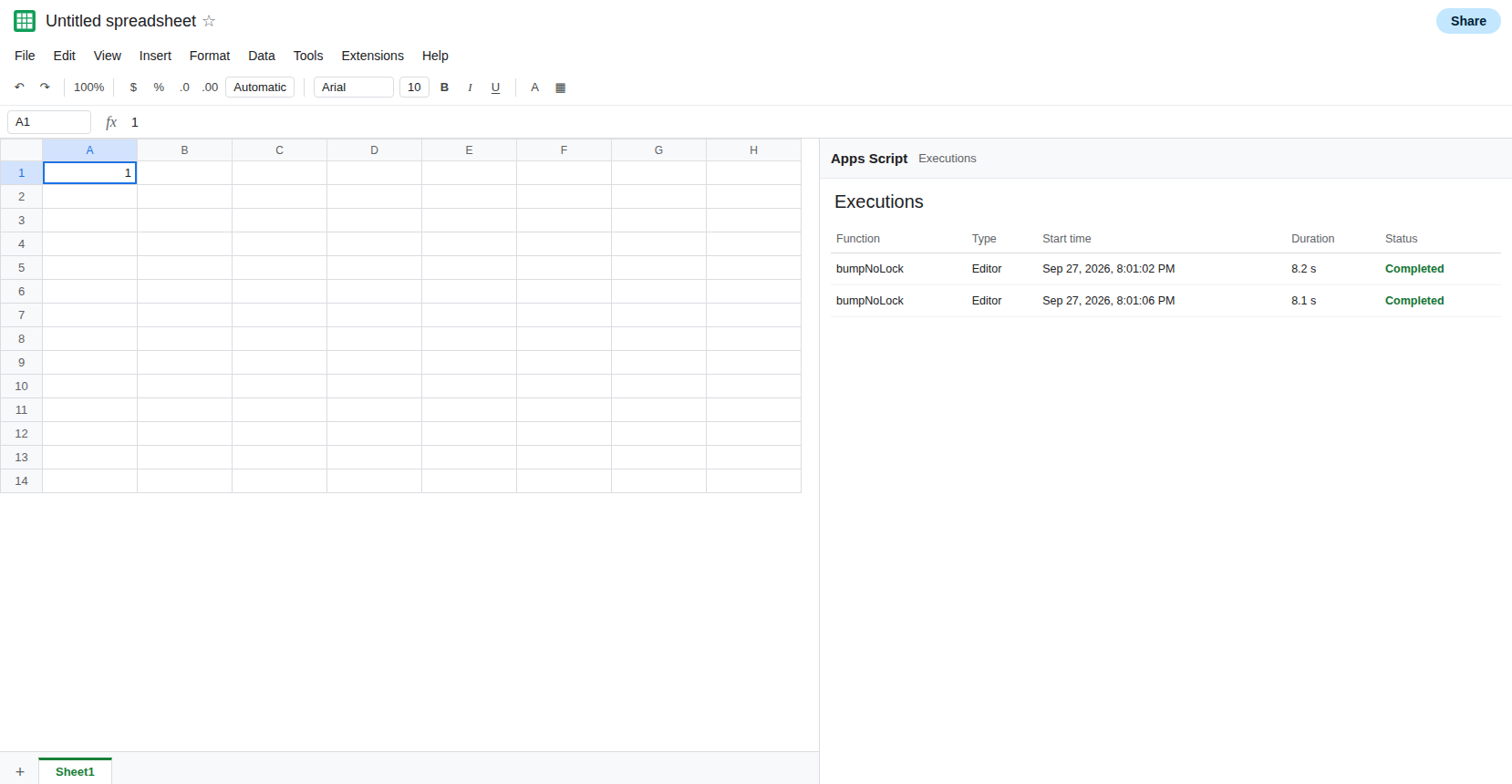
function bumpNoLock() { const cell = SpreadsheetApp.getActiveSheet().getRange('A1'); const n = Number(cell.getValue()) || 0; Utilities.sleep(8000); cell.setValue(n + 1);}Overlap two runs. Run bumpNoLock. While the first execution is still in the sleep (Executions will show it running), run bumpNoLock again from the editor. Wait until both have finished. A1 is 1, not 2. Both runs read 0. Both wrote 1. The second write replaced the first. Leave A1 as that short count. If A1 is 2, the runs did not overlap. Lengthen the sleep and run them again so the second start happens before the first write.
A formula is not a lock. In B1 enter =A1+1. B1 follows whatever A1 holds after the writes. It does not serialize the scripts. Do not debug the lost update by changing B1.
Installable triggers are the production version of this overlap. A trigger that repeats every minute, and a body that sometimes runs longer than a minute, will stack the same way. You do not need a trigger to see the loss. Two manual runs during the sleep are the recreate. A simple onEdit is a poor place for this test. It cannot reliably take locks and call the same services. See simple vs installable.
What is actually wrong
Section titled “What is actually wrong”- Each execution has its own read of A1. Nothing in
getValuewaits for another execution. The latersetValuewins. The earlier increment is not merged. That is a lost update, not a calculation error. LockService.getScriptLock()is a lock for this script project.tryLock(milliseconds)returns true if this run got it, and false if it did not within that wait. It does not throw on a timeout.waitLockthrows if the wait expires. A run that ignores a falsetryLockand writes anyway is still unlocked.getDocumentLock()covers this spreadsheet, including other script projects that also take the document lock. A second project that writes A1 without taking that lock is not ordered.getUserLock()is per user. Two people, or a user and a trigger running as someone else, do not share it.- The lock does not include edits made in the grid. A collaborator can type over A1 while your
tryblock holds the lock. Release the lock infinally, or a thrown error keeps the next run waiting until the lock times out on its own. - A long
waitLockcounts toward the execution time limit. Waiting does not pause that clock. See calculation limit only for formula step limits. The script limit is separate, and a lock will not extend it.
SpreadsheetApp.flush() pushes pending writes in this execution. It does not stop another execution from reading the old counter first. That is missing flush.
Leave the short A1 from the unlocked overlap, or set A1 back to 0 and keep a note of the lost count. Add a locked function. Do not delete bumpNoLock. You want the contrast.
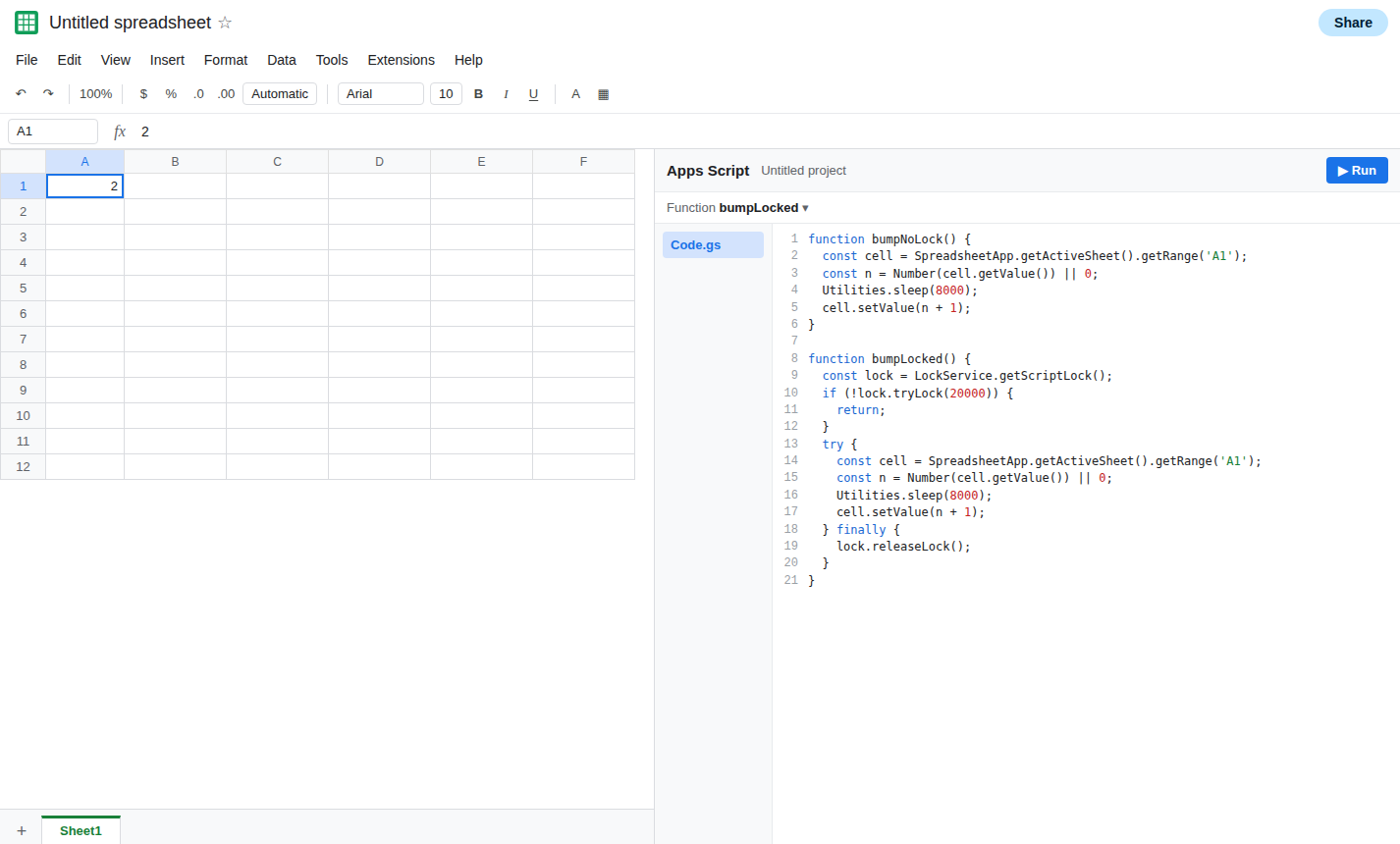
Take the lock before the read, and skip the write if you did not get it. Save and run bumpLocked twice so they overlap, the same way as before.
function bumpLocked() { const lock = LockService.getScriptLock(); if (!lock.tryLock(20000)) { return; } try { const cell = SpreadsheetApp.getActiveSheet().getRange('A1'); const n = Number(cell.getValue()) || 0; Utilities.sleep(8000); cell.setValue(n + 1); } finally { lock.releaseLock(); }}The second run either waits and then increments, or it hits the return and leaves A1 alone. It must not write after a failed tryLock. Two successful locked runs that really overlapped produce 2 from 0. A run that returned early produces 1 and did not pretend to have added. Check Executions if A1 is 1. One of the runs may have exited at tryLock. That is the lock working, not a second lost update. Lengthen the timeout if you need the waiter to stay.
Use the document lock when more than one project writes the counter. LockService.getDocumentLock() is the matching pair. Both projects have to take it. One project locking and the other calling setValue directly is the unlocked bug again.
Do not hold the lock across UrlFetchApp. Fetch first, then lock only around the read-modify-write of A1. A lock held during a slow request makes every other run time out. Redirect handling on that fetch is UrlFetchApp followRedirects.
If two overlapping runs both started from the same A1 and the cell moved by one, the writes were not exclusive. If the locked function returns without writing when tryLock is false, the counter did not lose an update it never claimed. A person typing in A1 can still overwrite the script. The lock does not cover that edit.