

ARRAYFORMULA with NOW stamps the same time on every row, then updates it
Updated
NOW() returns the spreadsheet’s current time. Inside ARRAYFORMULA, it does not become a per-row stamp that freezes when column A is filled. =ARRAYFORMULA(IF(A2:A="",,NOW())) writes the same timestamp on every filled row, and the next edit rewrites all of them. Blank rows stay blank, which makes the formula look like it is watching the column. It is watching the clock.
This page is that moving stamp. The clock showing tomorrow because of the file time zone is NOW / TODAY timezone. A blank coerced to 0 in arithmetic is empty-row zeros. Keep the Google Sheets UI in English.
Recreate it on a blank sheet
Section titled “Recreate it on a blank sheet”- Open a blank spreadsheet. In A1 type
note. A2first. Leave A3 blank. A4second.
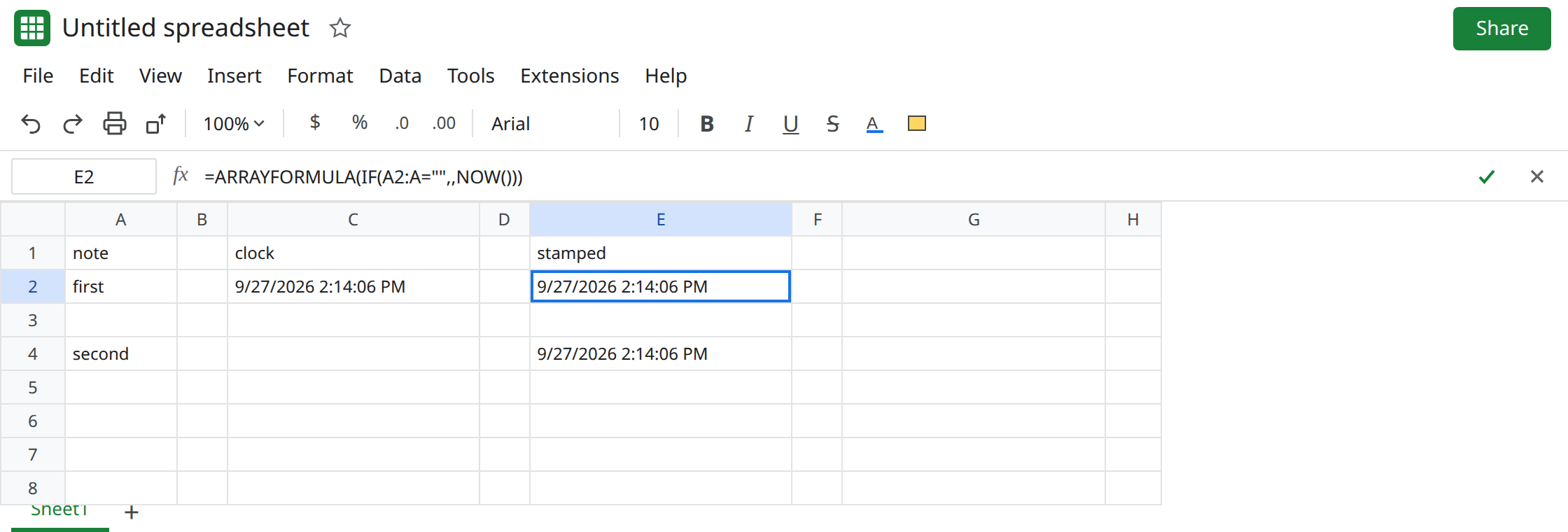
One NOW, so you know the function works. In C1 type clock. In C2 enter =NOW(). Format C2 as a date time if you only see a serial. C2 is the current time. That cell is the control. It is supposed to move. One clock on one cell is not the bug.
The array stamp. In E1 type stamped. In E2 enter =ARRAYFORMULA(IF(A2:A="",,NOW())). E2 and E4 show a time. E3 stays blank because A3 is blank. E2 and E4 match each other, and they match C2 down to the second you can see. They are not “when I typed first” and “when I typed second.”
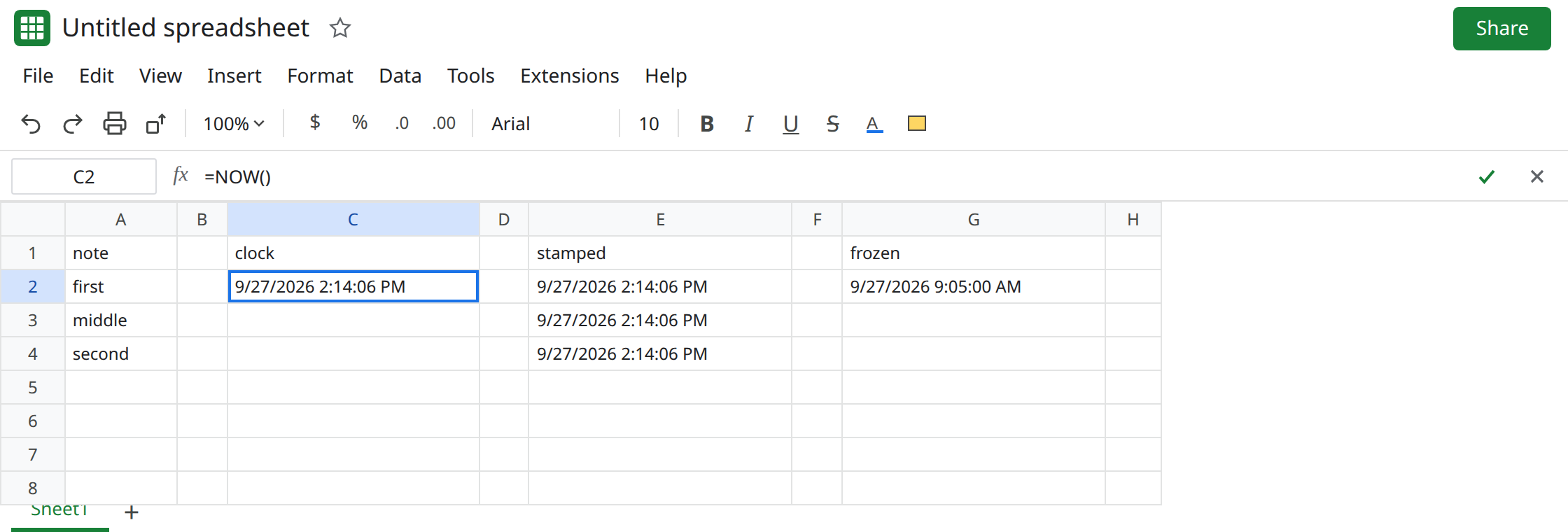
Fill another row. Everything moves. Wait long enough that the clock would differ, or just edit the sheet. In A3 type middle. E3 fills in. E2, E3, and E4 are the same new time. The earlier stamp on first is gone. Type x in G1 and delete it. The three times move again. NOW recalculated for the whole array. Leave E2 as that formula.
MAP does not freeze it either. In I1 type map. In I2 enter =MAP(A2:A4,LAMBDA(v,IF(v="",,NOW()))). I2:I4 match E2:E4, including the blanks rule. Calling NOW inside the lambda still calls a volatile function on every recalculation. Leave I2 in place as the same bug in another wrapper.
What is actually wrong
Section titled “What is actually wrong”NOWis volatile. The spreadsheet recalculates it when the file calculates, not when a particular row stops being blank.ARRAYFORMULAspills that one result down the rows whoseIFtest passes. It does not store the previous result in the rows that were already filled.- The
IF(A2:A="",, …)only decides which rows display the clock. It is not a latch. Empty means blank. Non-empty means “showNOW()right now.” - There is one calculation of
NOWfor the formula, so the column cannot hold two historical times. E2 and E4 matching is the proof. A script that writes a value once per edit is a different mechanism. A custom function that sits still until you edit its cell is custom function not recalculating.NOWhas the opposite problem: it will not sit still. - The time zone still applies. If the stamp is the right shape and the wrong calendar day, fix File → Settings → Time zone on the single
NOWcell first. See NOW / TODAY timezone. Do not array-enterNOWto correct a zone.
This is not RAND redrawing a sample, though the recalc schedule is the same family. See RAND recalc storm.
Leave E2 as the live array so the moving stamp stays visible.
A single clock is NOW alone. Keep C2: =NOW(). Use it when the sheet should show “as of this recalculation.” Do not copy it with ARRAYFORMULA to manufacture history.
A per-row stamp has to be a value. For a new row, enter the time yourself, or use an Apps Script onEdit that writes new Date() into the timestamp cell once when the note cell changes from blank to filled, and does not write again when that cell was already filled. The cell’s formula bar is then empty. Edits elsewhere do not move it. Check the script time zone if the written instant is shifted. That zone issue is the timezone page, not ARRAYFORMULA.
Do not wrap E2 in IFERROR. The formula is doing what NOW does. See IFERROR hides cause.
If every filled row shows the same time and that time changes when you edit an unrelated cell, NOW inside ARRAYFORMULA or MAP is the cause. Use one NOW, or write a real value per row.