

An installable Apps Script trigger needs authorization again after Make a copy
Updated
An installable trigger (a time-driven run, or an On edit trigger you added under Triggers) belongs to the account that created it, on that script project. File → Make a copy copies the spreadsheet and the container-bound script. It does not copy the trigger. The new file sits there with the function in the editor and an empty trigger list. Nothing fires until you add the trigger again and accept the authorization dialog. A run that still lacks permission fails with: Authorization is required to perform that action.
A custom function in a cell (=DOUBLE(4)) is Apps Script custom function. A named function under Data → Named functions is named functions. Keep the Google Sheets UI in English. Sheet Error is not a Google product.
Recreate it on a blank sheet
Section titled “Recreate it on a blank sheet”- Open a blank spreadsheet. In A1 type
stamped. Leave A2 empty. Extensions → Apps Script. Replace the sample with this function. The name isstamp. It writes one timestamp into A2. It does not loop and it does not touch another file.
function stamp() { SpreadsheetApp.getActive().getSheetByName('Sheet1').getRange('A2').setValue(new Date());}Save the project (the disk icon, or Ctrl+S / Cmd+S).
Run it once so authorization happens on this file. In the editor, choose stamp and run it. Google shows an authorization dialog the first time. Review the request and allow it if this is your file and you want the timestamp. Return to the sheet. A2 shows a date-time. That cell is the control: the function exists and this account has authorized this project.
Add the installable trigger. In the Apps Script editor, open Triggers (the clock). Add trigger. Function: stamp. Event source: Time-driven. Type: Hour timer. Save. You do not need to wait for the hour to learn the lesson. The trigger row is the object that must exist.
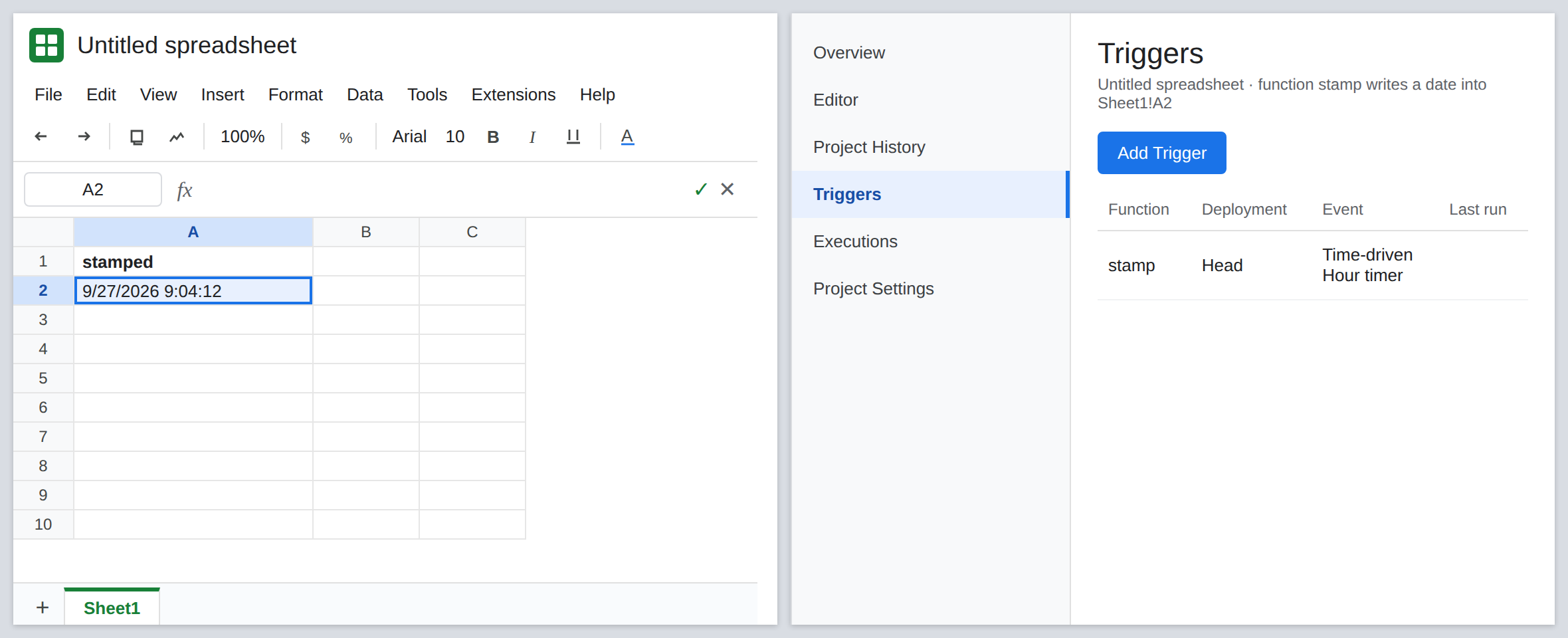
Make a copy. On the spreadsheet, File → Make a copy. Open the copy. A2 may show the timestamp that was copied as a value. It will not move again on the hour. Extensions → Apps Script on the copy. The stamp function is there. Open Triggers. The list is empty. The hour timer stayed on the original file. Leave the copy’s trigger list empty until the fix.
What a dead run says. If you run stamp in the copy and dismiss the dialog without allowing it, or an old trigger owned by someone else fires after ownership changed, the execution fails with Authorization is required to perform that action. That sentence is permission. It is not #NAME?. A cell formula =stamp() is the wrong shape anyway: stamp writes a cell instead of returning a value, and it is not a custom function. Do not put =stamp() in A3. Unknown function, or a refused custom-function call, is the other page.
A simple onEdit is not this list. A function literally named onEdit can run on edits without an installable trigger, and it cannot do every Apps Script action. If your function is named stamp and you expected it to run every hour, a reserved onEdit name will not substitute. The Triggers page is the installable list.
What is actually wrong
Section titled “What is actually wrong”- Installable triggers are not spreadsheet content. Copy copies cells and the script text. The trigger row is created in the project by the account that clicked Add trigger. The copy starts with zero rows.
- Authorization is per user, per project. The allow click on the original does not apply to the copy. The copy is a new project even when the source code matches.
- A new owner of the original file does not inherit your trigger. Their executions show the authorization sentence until they authorize and, if needed, recreate the trigger under their account.
- The hour timer does not backfill. Hours the copy existed without a trigger are gone. Adding the trigger does not rewrite those missing stamps.
- Custom functions return a value into the cell that called them. They are not triggers. See Apps Script custom function.
#NAME?means the name is not a function the cell can call. It does not mean the clock failed.
Changing the time zone does not restore a trigger. See NOW / TODAY timezone only if a timestamp’s calendar day looks wrong after stamp is running again.
Leave the original file’s trigger in place. Do the repair on the copy, where the list is empty.
Add the trigger on the copy and authorize that project. Extensions → Apps Script → Triggers → Add trigger → stamp → Time-driven → Hour timer. Save. When the authorization dialog appears, allow it for this copy. Run stamp once from the editor. A2 updates to a new timestamp. The Triggers list shows one row. That row is the fix.
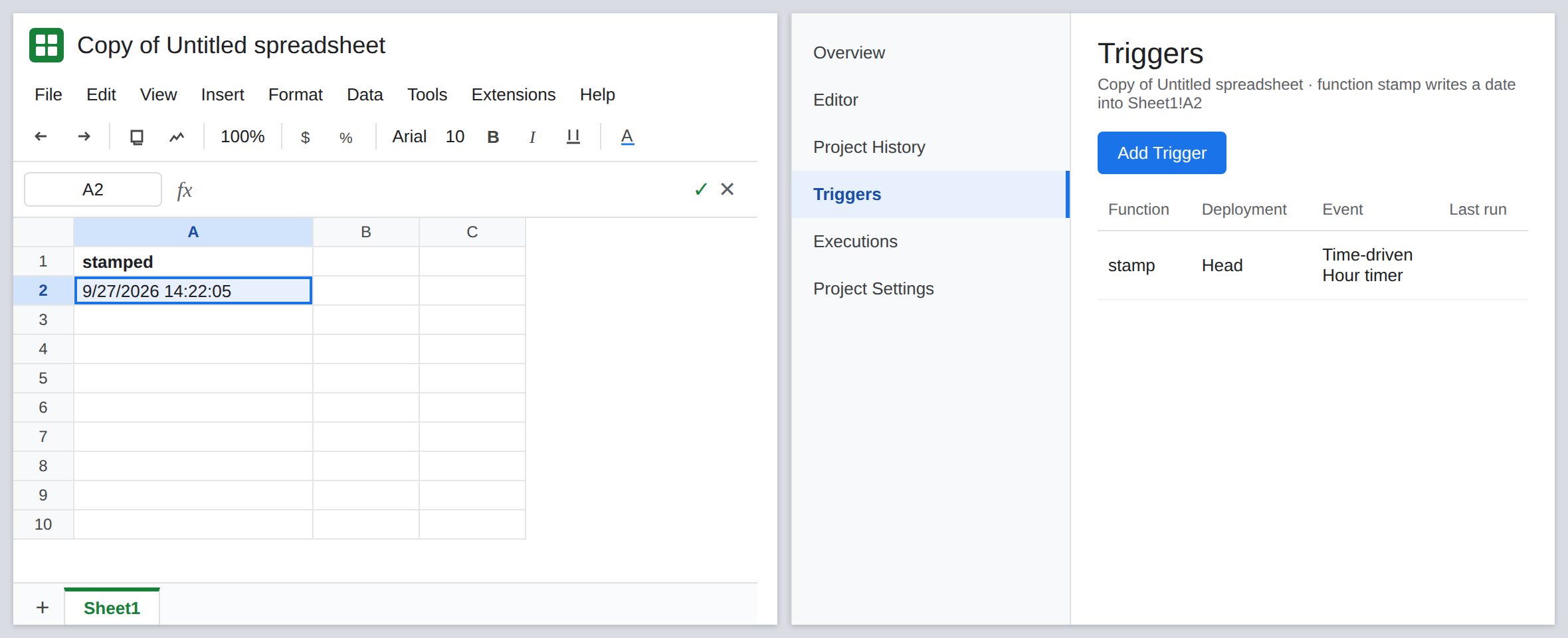
Read Executions if it still fails. Executions (the list next to Triggers) shows Authorization is required to perform that action when the click was dismissed. Run stamp again and allow the dialog. If the message is the protected-cell sentence instead, the target range is protected against this user. See protected cell. Authorization will not remove a protection rule.
Do not add a second copy of the trigger on the original “so the copy wakes up.” Triggers do not follow the file. Each file needs its own row.
If the copy’s Triggers page is empty, the hour will never call stamp. Add the trigger and authorize. If the cell says #NAME?, you called a custom function that is not saved. That is not a missing clock.