

Fix LET #NAME? or #ERROR! in Google Sheets (name typo, reserved name, or a name used before it is defined)
Updated
LET assigns names inside one formula, then uses them in the last argument. #NAME? here is usually a typo of those names (shiftt vs shift), or a name that is not defined in this LET. #ERROR! (or a LET-specific refusal) shows up when the name is illegal — a cell-style id like A1, a reserved word, or a name used before the pair that defines it. The formula parsed enough to be LET. The names did not.
This page is LET names. It is not unknown function (VLOKUP is not VLOOKUP; LET itself is spelled correctly). It is not named range #REF! / #NAME? (Data → Named ranges). Keep the Google Sheets UI in English. The helper name is LET.
Recreate it on a blank sheet
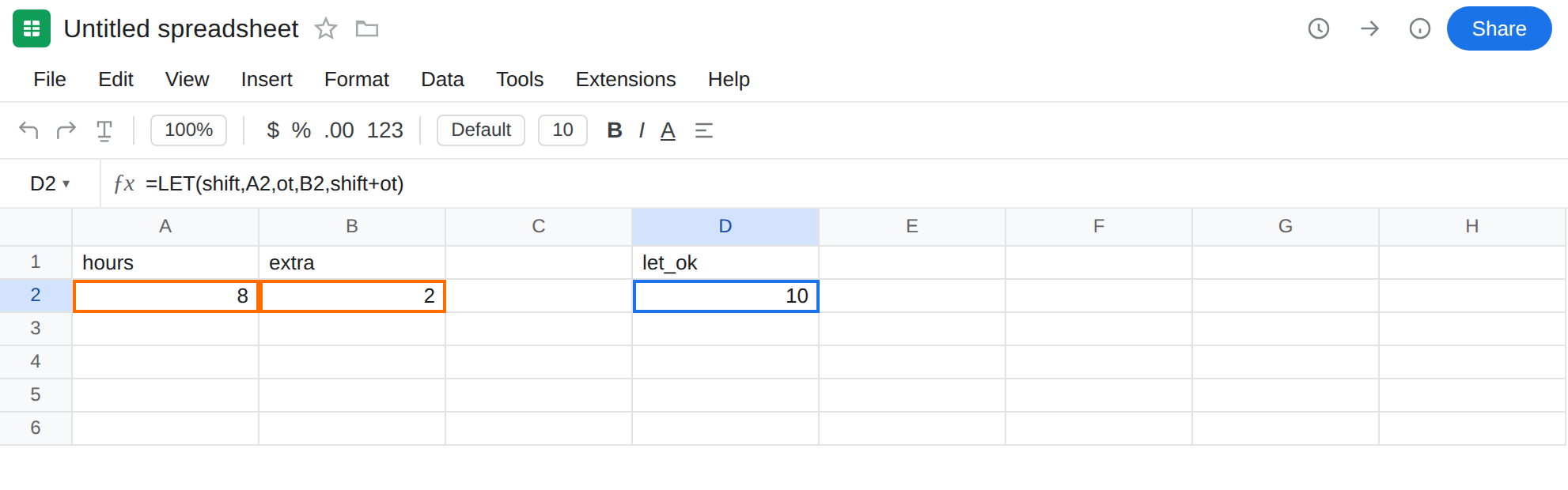
Section titled “Recreate it on a blank sheet”- Open a blank spreadsheet. In A1 type
hours. A28. B1extra. B22. Dock shift length and overtime hours.
A LET that works. In D1 type let_ok. In D2 enter =LET(shift,A2,ot,B2,shift+ot). The cell shows 10. Two names, each defined before they are used in the sum. That row is the control.
Typo in the formula part. In D4 type typo. In D5 enter =LET(shift,A2,ot,B2,shiftt+ot). The cell shows #NAME?. shift was defined. shiftt was not. Leave D5 broken.
Name used before it is defined. In D7 type order. In D8 enter =LET(total,ot+A2,ot,B2,total). ot appears in the first value (ot+A2) before the pair ot, B2. Sheets cannot resolve that ot yet. The cell errors (#NAME? or #ERROR! depending on build). Leave D8 broken.
Reserved / cell-style name. In D10 type a1name. In D11 enter =LET(A1,A2,A1+B2). A1 is already a cell address. LET will not use it as a local name. The cell shows #ERROR! (or a formula parse / LET argument error). Leave D11 broken.
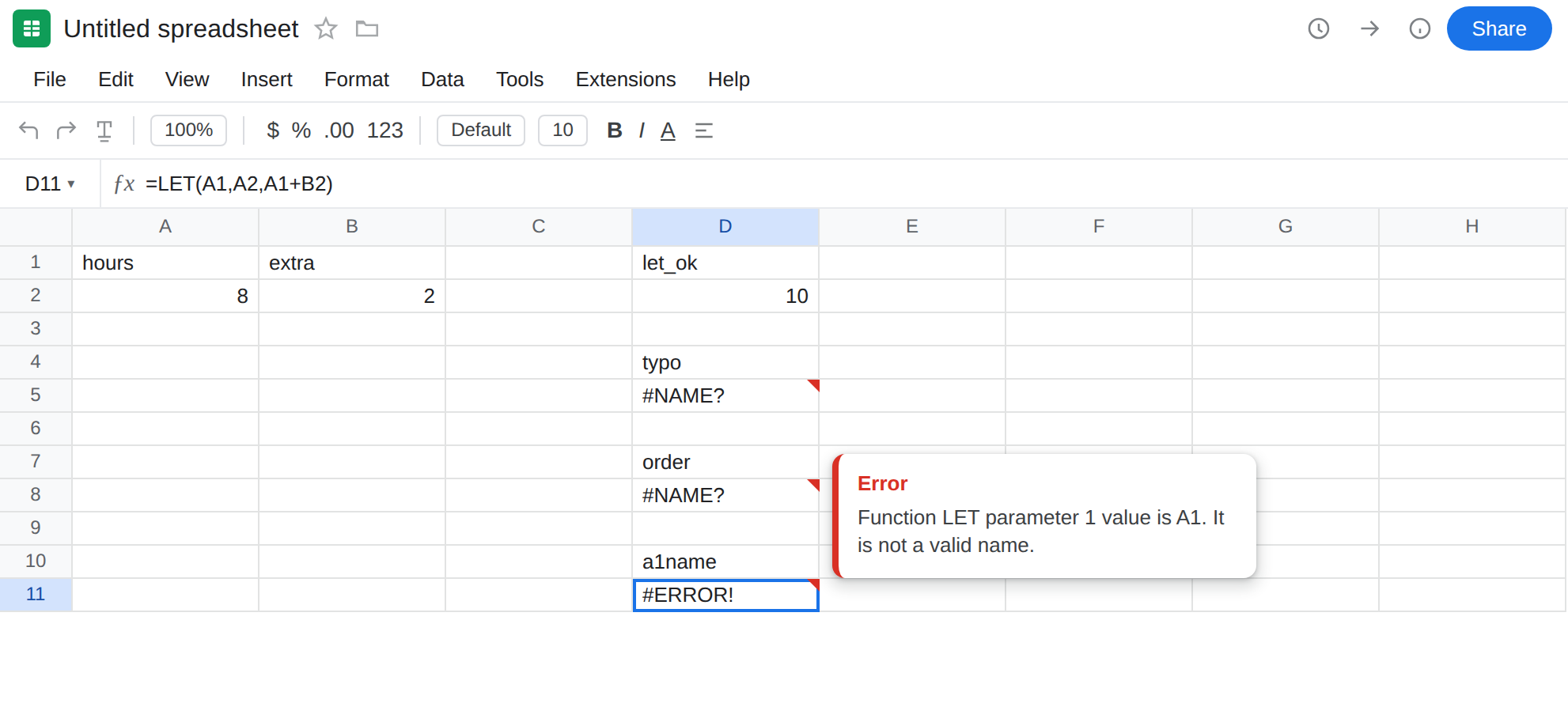
Unknown function contrast. In F2 enter =VLOKUP(A2,A2:B2,2,FALSE). #NAME?, Unknown function: ‘VLOKUP’. That is unknown function. Leave F2 as the contrast. Do not add a LET wrapper to “name” VLOKUP.
Leave D5, D8, and D11 as the broken formulas. Leave D2 as 10.
What is actually wrong
Section titled “What is actually wrong”LET(name1, value1, name2, value2, …, result)evaluates names in order. Eachvaluemay use names already defined to its left. It may not use a name that appears later. D8’sot+A2is too early.- Names are local to that formula. Spelling must match exactly (
shift≠shiftt). They are not case-sensitive (Shiftisshift), but extra letters are not optional. - Names must look like identifiers, not A1/R1C1 addresses, not
TRUE/FALSE.A1is the cell in the corner of the sheet. Calling aLETnameA1is D11. LETdoes not register Data → Named ranges.shiftin D2 will not appear in that sidebar. Other cells cannot useshiftunless they repeatLETor you create a named range on purpose.
This is not VLOKUP. See unknown function. D5’s tooltip is an unknown name inside LET, not Unknown function: ‘LET’. If the tooltip is Unknown function: ‘LET’, the spreadsheet is too old or the name is misspelled LTE. That is the name-error primer.
This is not a deleted named range. See named range #REF! / #NAME?. Open Data → Named ranges. shift should not be there from D2. If you also created a named range shift, you now have two different mechanisms. This recreate does not need that sidebar.
This is not a Formula parse error from commas vs semicolons. See locale parse error. D2 uses the same commas as D5.
This is not #N/A. Nothing is being looked up. See what #N/A means.
Leave D5, D8, and D11 broken so the name errors stay on the sheet. Leave D2 as 10.
Spell the name you defined. In G5 enter =LET(shift,A2,ot,B2,shift+ot). The cell matches D2. Read the last argument. Every identifier there must be a LET name, a real range (A2), a function (SUM), or a literal.
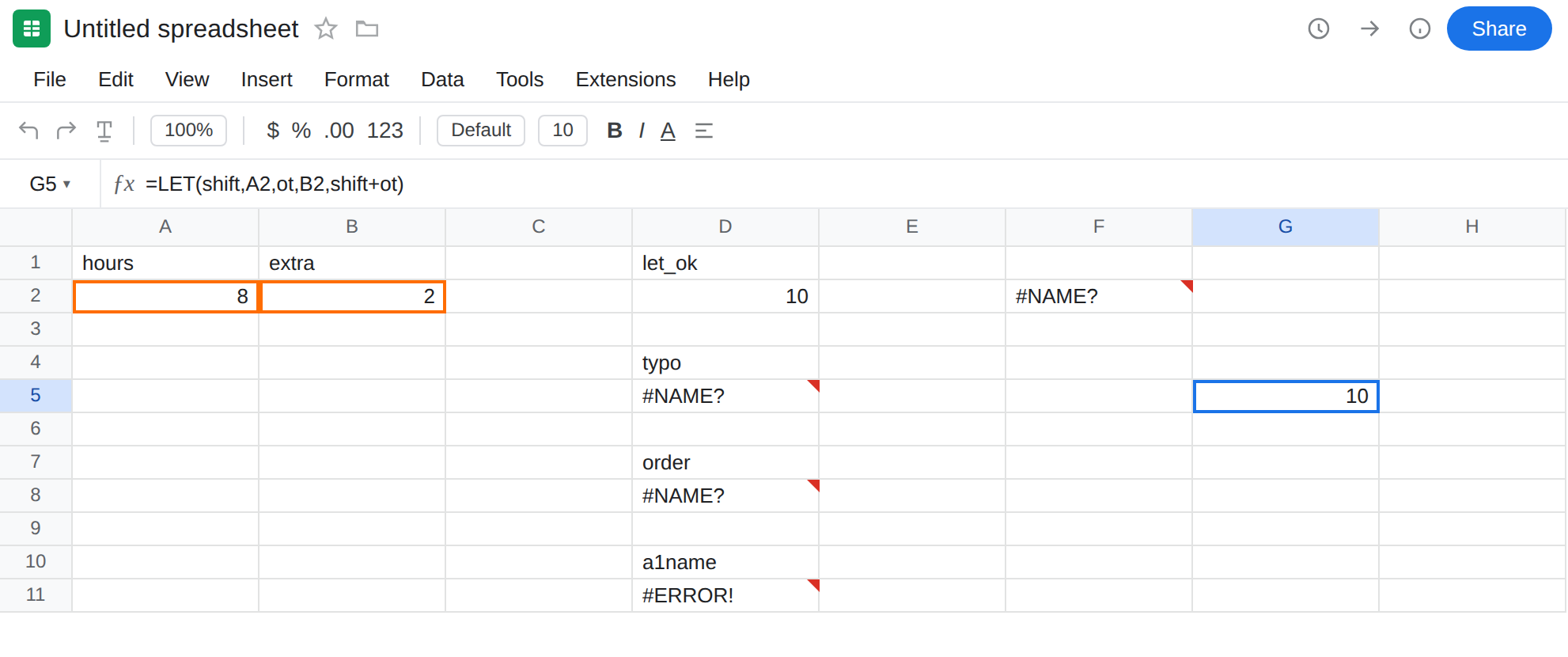
Define before use. In G8 enter =LET(ot,B2,total,ot+A2,total). ot is assigned first. total uses it. Same 10.
Pick a legal name. In G11 enter =LET(base,A2,base+B2). base is not a cell address. Avoid C2, R1, TRUE, SUM as names even if a build accepts some of them — they are confusing next to real functions and addresses.
Do not wrap D5 in IFERROR while shiftt is still in the formula. See IFERROR vs IFNA. IFNA will not catch #NAME? from a typo in some cases and will not catch #ERROR! from D11.
If LET is #NAME?, read the last argument for a word that does not appear as a name, pair. If it is #ERROR!, look for A1-style names or a name used before its assignment. If Unknown function names LET or VLOKUP, you are on the generic #NAME? page.
LET vs a named range
Section titled “LET vs a named range”A named range (Data → Named ranges) is spreadsheet-wide. Deleting it is #NAME?. Deleting its cells is #REF!. See named range #REF! / #NAME?.
A LET name exists only while that formula calculates. It does not appear in the named-range sidebar. Other tabs cannot call shift from D2.
Do not create a named range shift to debug D5. Fix shiftt. If many formulas need the same alias, use a named range. If only this formula needs a readable intermediate, use LET. You can still read a named range from LET: =LET(hours,A2,hours*rate) when rate is file-scoped and hours is local.