

HYPERLINK opens for editors and tells viewers they need access
Updated
HYPERLINK(url, label) shows label in the cell and opens url when someone clicks it. The function does not grant access. A link to a Drive file that only editors of the spreadsheet can open will still look like a link to a Viewer. The click lands on Drive’s You need access page. The cell is not #VALUE!. The label is still there. Editors who own the file never see that page, so the link looks fine in the account that built it.
An empty URL, and a label that is itself a HYPERLINK, are HYPERLINK. A picture fetched from Drive, rather than a click, is IMAGE Drive share. Keep the Google Sheets UI in English. Sheet Error is an independent formula-error library, not a Google product.
Recreate it on a blank sheet
Section titled “Recreate it on a blank sheet”- Open a blank spreadsheet you can share. Upload a file you own to Drive and leave that file Restricted. Copy a
https://drive.google.com/file/d/FILE_ID/viewlink. You can open it. A stranger cannot.
The link looks healthy. In A1 type spec. In A2 enter =HYPERLINK("https://drive.google.com/file/d/FILE_ID/view","Spec") with your id. A2 shows Spec as a link. Click it from the owner account. The file opens. That cell is the control for “the formula is valid.” There is no error triangle.
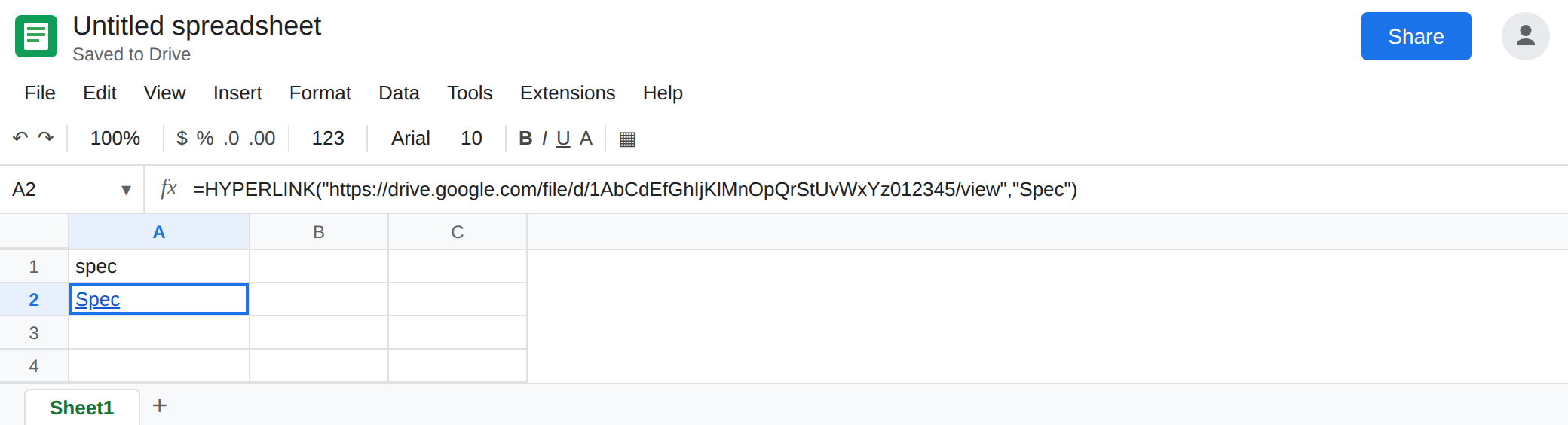
Share the spreadsheet, not the file. Click Share on the spreadsheet. Add a second account as Viewer (or Commenter). Do not add that account to the Drive file. Open the spreadsheet as that account. A2 still shows Spec. Click it. Drive shows You need access, and offers a request. The formula did not change. The owner can still open the same cell.
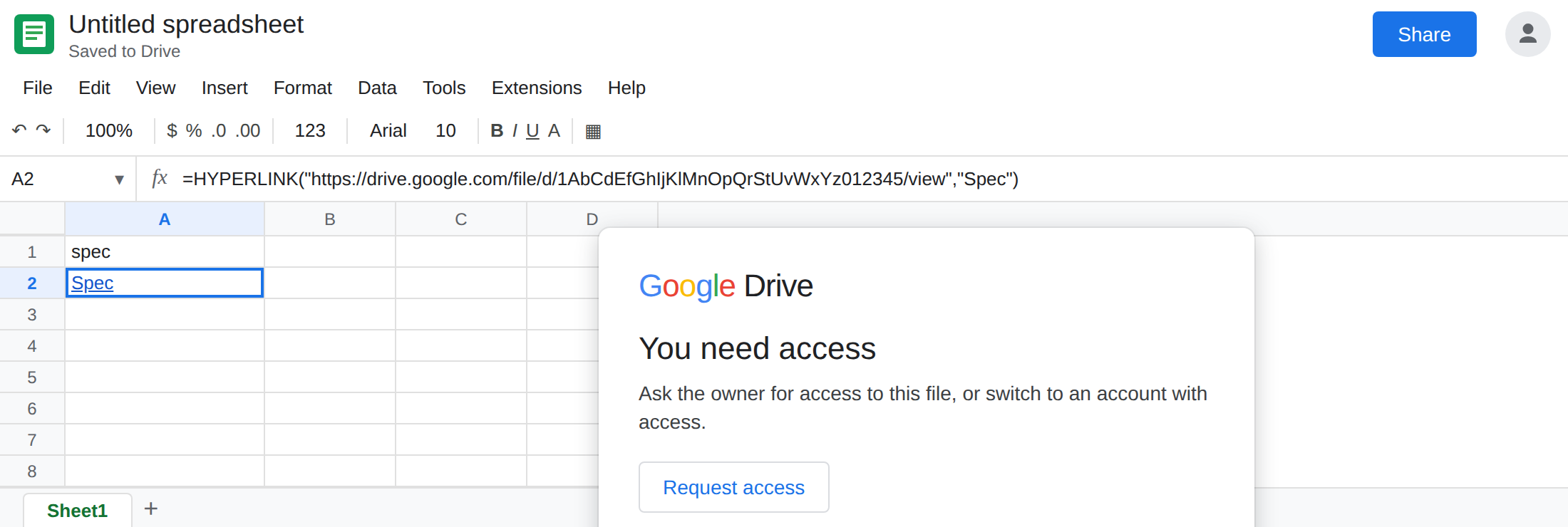
Editor of the sheet is not the exception. If the second account is an Editor of the spreadsheet and still not on the Drive file, the click fails the same way. Spreadsheet role and file role are two lists. Commenter versus Editor on the sheet itself is Commenter role. That page is about typing in the grid. This page is about the file the link points at.
Leave the Drive file Restricted while the viewer’s click fails. Leave A2 as the formula.
What is actually wrong
Section titled “What is actually wrong”HYPERLINKstores an address and a label. It does not copy the file into the spreadsheet, and it does not add the viewer to the file’s share list. Anyone who can see the cell can click. Drive decides what happens next.- You need access means the signed-in user is not allowed to open that id. It is not a bad formula. The owner’s click cannot test it. Test with an account that matches the people who will read the sheet.
- Anyone with the link on the spreadsheet does not change the Drive file. Anyone with the link on the file does. They are separate Share dialogs.
- A
/viewURL is the right shape for a click. It is the wrong shape forIMAGE, which needs bytes. Do not switch this formula toIMAGEto “fix” access. See IMAGE Drive share. - A label that shows
#VALUE!never became a link. That is an empty URL or a bad label on HYPERLINK. A2 showingSpecmeans you are past that check.
This is not IMPORTRANGE. A cross-sheet import asks you to connect the spreadsheets. See IMPORTRANGE access. A hyperlink does not show that prompt inside the cell.
Leave A2’s formula as it is if the label and the URL are right.
Share the target with the same people. Open the Drive file → Share → add the viewers of the spreadsheet, or set General access to Anyone with the link, Viewer, if that file may be link-visible. Those people click A2 and the file opens. The formula does not change.
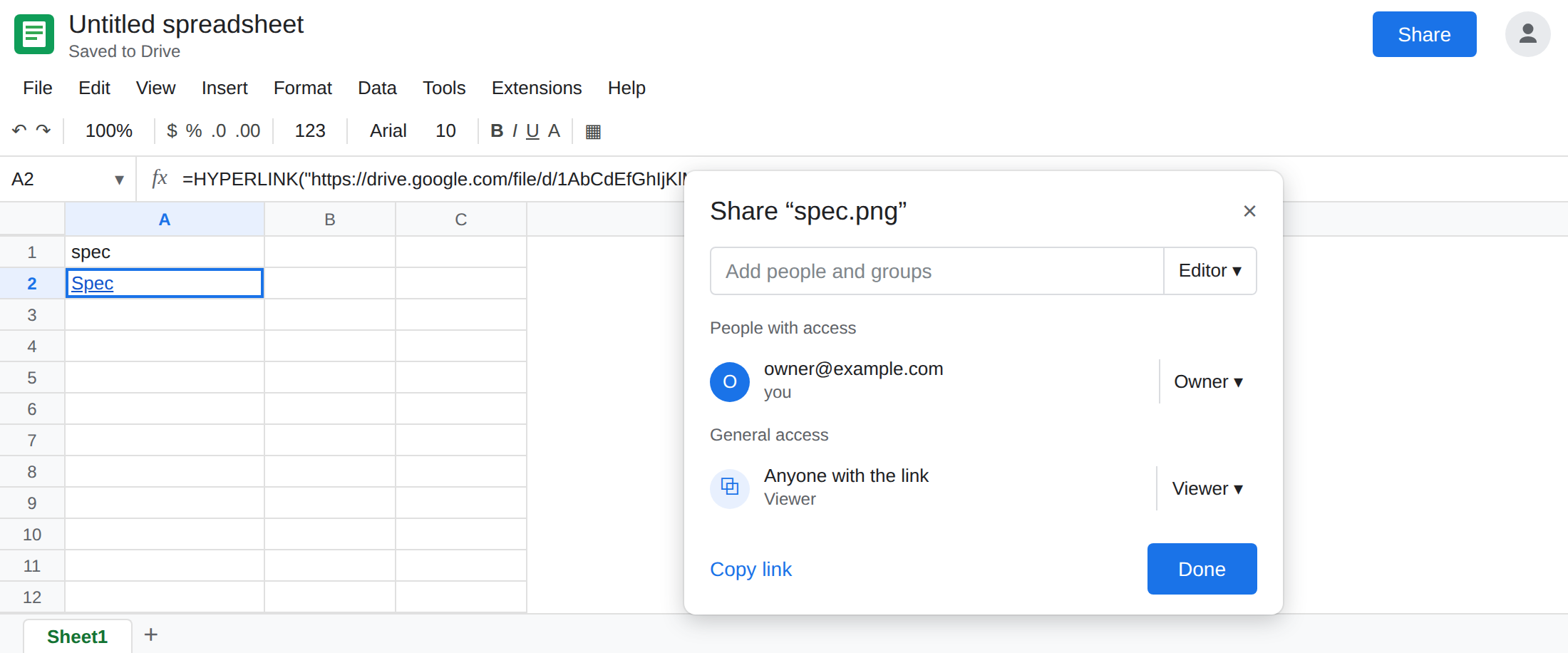
Or stop linking out. If the file must stay Restricted, paste the contents onto a tab, or Insert → Image for a picture, so opening the spreadsheet is the only permission. A HYPERLINK cannot point at a private file and also open it for every viewer.
Check the account before you call the formula broken. If the owner’s click works and a viewer’s click shows You need access, sharing on the file is the whole defect.
Do not wrap A2 in IFERROR. The cell is not an error. You would remove a working label. See IFERROR vs IFNA.
If the label is visible and only some people get You need access, share the Drive file with those people or drop the link. If the cell is #VALUE!, the URL or the label is the HYPERLINK page, not this one.