

SPLIT treats each character of the delimiter as its own cut unless split_by_each is FALSE
Updated
SPLIT(text, delimiter, [split_by_each], [remove_empty_text]) cuts a string into cells. split_by_each defaults to TRUE. In that mode every character inside delimiter is its own separator. The delimiter the does not mean the word the. It means t, or h, or e. remove_empty_text defaults to TRUE, so the empty pieces between those letters disappear and the row looks shorter than the damage. Set split_by_each to FALSE when the delimiter is a multi-character string you want kept together.
A blocked spill and an empty delimiter "" are SPLIT spill / delimiter. Capping a wide row on purpose is SPLIT column limit. Keep the Google Sheets UI in English. Sheet Error is an independent formula-error library, not a Google product.
Recreate it on a blank sheet
Section titled “Recreate it on a blank sheet”- Open a blank spreadsheet. In A1 type
raw. In A2 typeother-the-note. The wordothercontainst,h, ande. The delimiter you are about to pass is the same three letters as a word.
Default: each character. In C1 type each. Leave D2:H2 empty. In C2 enter =SPLIT(A2,"the"). You did not pass the third argument, so split_by_each is TRUE, and you did not pass the fourth, so empty pieces are removed. The spill is o, r-, -no. The letters t, h, and e were eaten wherever they appeared, including inside other and inside note. The word the in the middle was not a special token. It was three more cuts. Leave C2 as that shred.
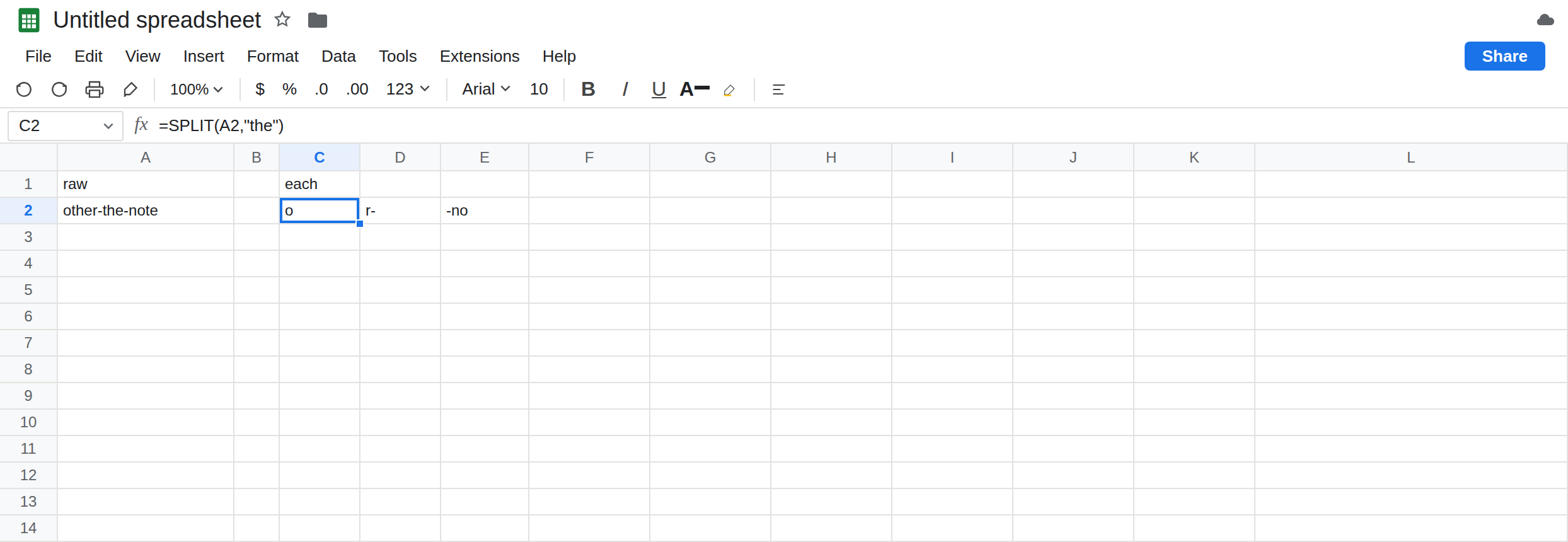
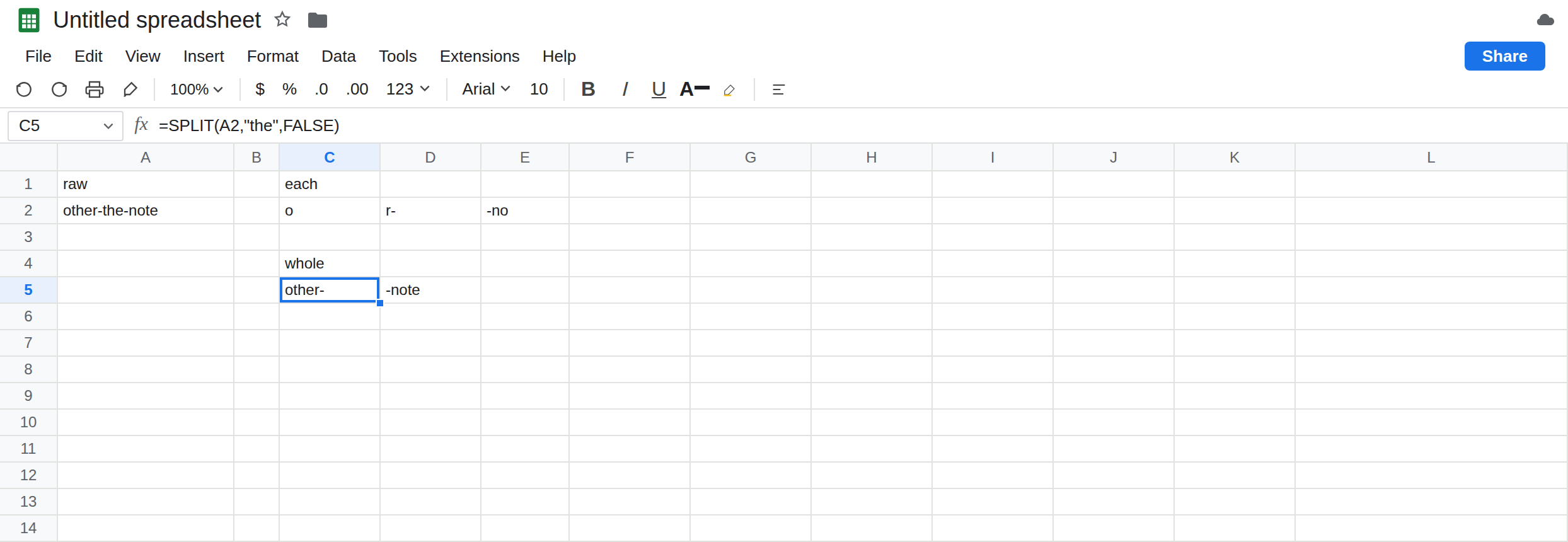
The same delimiter as one string. In C4 type whole. In C5 enter =SPLIT(A2,"the",FALSE). The third argument is FALSE. Sheets cuts only where the three characters the sit in a row. The spill is other- and -note. other stays intact because its t, h, and e are not the delimiter anymore. That row is the control.
A doubled colon that looks fine. In A7 type north::east::west. In C7 enter =SPLIT(A7,"::"). Default TRUE treats each colon as a delimiter. The two colons in a row are consecutive delimiters, and remove_empty_text TRUE drops the empty cell between them. The spill is north, east, west. In C8 enter =SPLIT(A7,"::",FALSE). That spill is also north, east, west. The bug is invisible. :: is the delimiter people pass when they want “one separator made of two colons,” and the defaults accidentally agree.
Turn the empty pieces back on. In C10 enter =SPLIT("north::east","::",TRUE,FALSE). split_by_each stays TRUE and remove_empty_text is FALSE. The spill is north, a blank cell, east. The blank is the empty string between the two colons. In C11 enter =SPLIT("north::east","::",FALSE,FALSE). One delimiter, the two-character string ::. The spill is north, east, with no blank between them. Leave C10 as the row with the hole. That hole is how you prove the default was splitting on each colon.
If D2 is already filled, C2 is #REF! instead of the shred. Clear it. That collision is SPLIT spill / delimiter. The #REF! is not what split the into letters.
Leave C2 as o, r-, -no. Leave C5 as other- and -note. Leave C10 with the blank cell.
What is actually wrong
Section titled “What is actually wrong”delimiteris a set of characters whensplit_by_eachisTRUEor omitted. Order does not matter."the","eth", and"het"are the same three cuts. The word you pictured is not in the call.FALSEswitches the delimiter to one string, matched in order."the"then means those three letters in a row."::"means two colons in a row, not “a colon, and also a colon.”remove_empty_textTRUE, the default, deletes the gaps between consecutive delimiter characters. That is whynorth::east::weststill looks like three clean fields under the default. The function did split on each colon. It then threw away the empties. PassingFALSEas the fourth argument puts the gaps back, which is the test, not the layout you usually want.- Letters in the payload that happen to be in the delimiter are data, and the default eats them.
otherlostt,h, andeand becameoplus a laterr-. Nothing in the tooltip says “I split on each character.” The row just looks like a bad parse. - A one-character delimiter does not hit this trap.
SPLITon"-"cuts on the hyphen in either mode. The third argument matters when the delimiter is longer than one character.
This is not SPLIT of "". See SPLIT spill / delimiter. Here the delimiter is the or ::.
This is not a locale list separator. Array-literal commas versus backslashes are array literal locale.
Leave C2 and C10 as the broken parses. Leave C5 as the control.
Pass FALSE when the delimiter is a word or a multi-character mark. Keep =SPLIT(A2,"the",FALSE). In H2 enter =SPLIT(A7,"::",FALSE). H2 is north, east, west, and it stays that if you later set the fourth argument to FALSE as well: there is no empty piece, because :: was one separator. Use H2 when the source really uses a double colon. Use C7 only if you have checked that a single colon never appears on its own.
Several different one-character delimiters are the TRUE case, on purpose. =SPLIT(A2,"-,",TRUE) cuts on a hyphen or a comma. That is the mode the default is for. Do not set FALSE there or Sheets will look for the two-character sequence hyphen-comma.
Keep the empties only while you are debugging. C10’s blank cell is the evidence. For a real import, remove_empty_text TRUE is what you want after split_by_each is correct. A blank field that was in the source (north::::east, four colons, meaning an empty column) is a different choice: FALSE for split_by_each and FALSE for remove_empty_text preserves one empty between :: pairs. Decide that from the file, not from the default.
Do not wrap C2 in IFERROR. The shred is not an error value. See IFERROR vs IFNA. If the row is #REF!, clear the cells to the right or move the formula. See SPLIT column limit if you only wanted the first two fields of a long row.
If SPLIT on a multi-character delimiter returns pieces of words, you omitted FALSE or passed TRUE. If a double colon and a single-character mode agree, turn remove_empty_text off once and look for a blank cell. If the delimiter is one character, this page is the wrong one.
Each character vs the whole delimiter
Section titled “Each character vs the whole delimiter”SPLIT("other-the-note","the") is o, r-, -no. With FALSE it is other-, -note. SPLIT("north::east","::",TRUE,FALSE) has a blank between the pieces. With split_by_each FALSE it does not. A default :: looks clean only because empty pieces are removed.