

LET calculates names in order, including names the result never reads
Updated
LET binds each name immediately, left to right, then evaluates the last argument. A nested LET can read names that are already bound outside it. It cannot read a name that is assigned further to the right. That inner use is #NAME?. Bindings are not lazy. A name the result never reads is still calculated, so 1/0 in an unused name is #DIV/0! for the whole cell. An inner LET that reuses a word does not update the outer binding. The outer value is the one from the outer assignment. People read that as a stale number.
A typo, a name used before it exists in a flat list, and a name spelled A1 are LET #NAME?. Repeating a name in the same LET is an error, not an update. See LET name clash. Keep the Google Sheets UI in English. Sheet Error is an independent formula-error library, not a Google product.
Recreate it on a blank sheet
Section titled “Recreate it on a blank sheet”- Open a blank spreadsheet. In A1 type
net. A280.
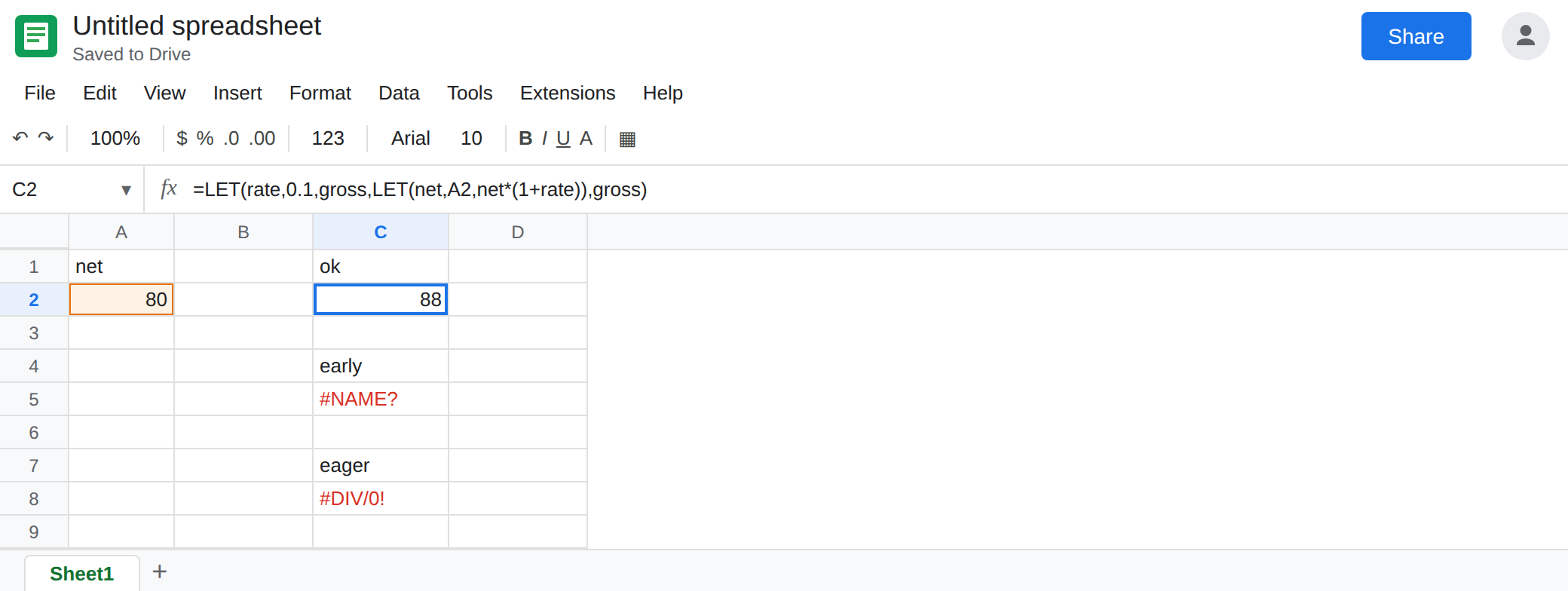
Outer name, then a nested LET that uses it. In C1 type ok. In C2 enter =LET(rate,0.1,gross,LET(net,A2,net*(1+rate)),gross). rate is bound before gross runs. The inner LET reads that 0.1. The cell shows 88. That is the control.
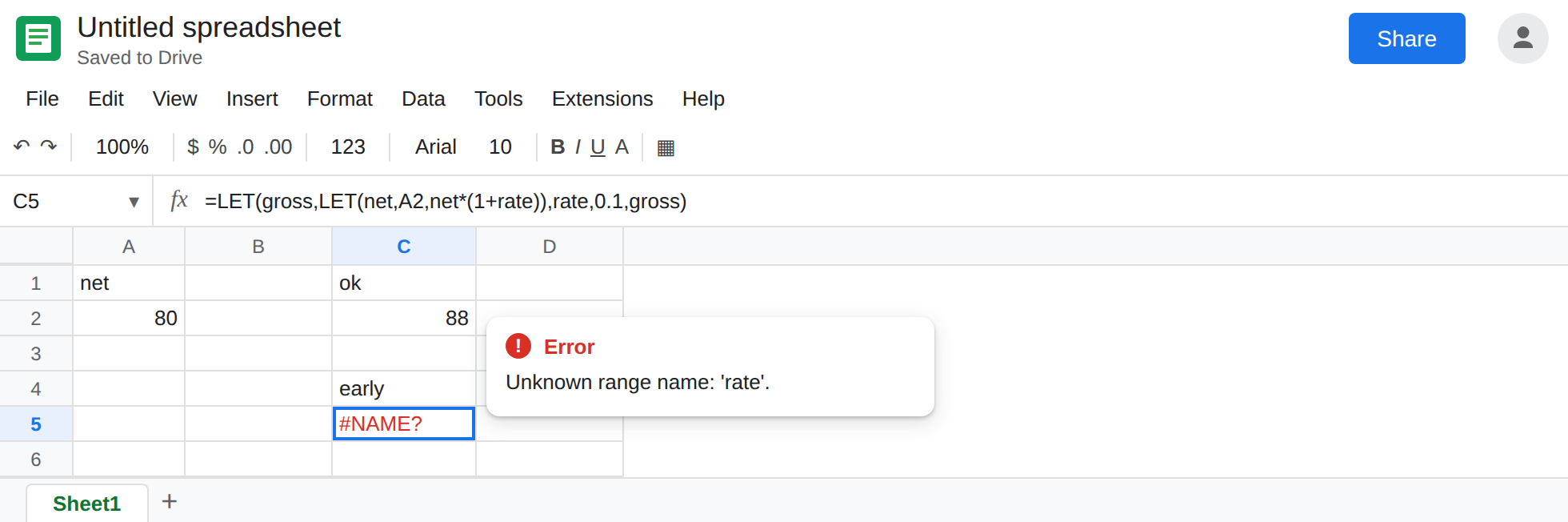
The nested LET runs before the name exists. In C4 type early. In C5 enter =LET(gross,LET(net,A2,net*(1+rate)),rate,0.1,gross). The value of gross is the inner LET, and that inner formula uses rate. The pair rate, 0.1 is to the right, so it has not been bound. The cell shows #NAME?. Leave C5 broken. The flat version of “used too soon” is on LET #NAME?. This one hides the early use inside the nested call.
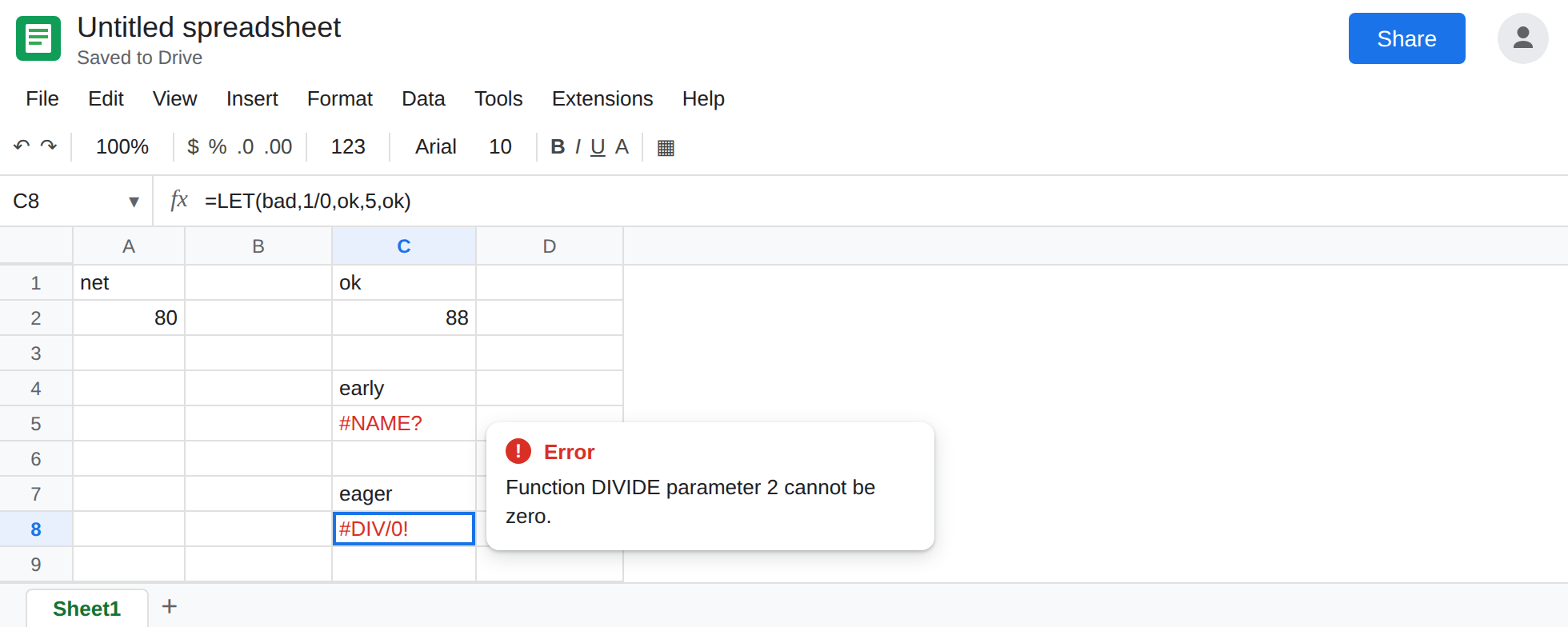
Unused names still run. In C7 type eager. In C8 enter =LET(bad,1/0,ok,5,ok). The last argument is ok. A lazy binding would never divide by zero. The cell shows #DIV/0!. Leave C8 broken.
Inner scope does not write back. In E1 type shadow. In E2 enter =LET(rate,0.1,inner,LET(rate,0.2,rate),rate). E2 shows 0.1. The inner LET returns 0.2 into inner, and that inner rate ends when the inner LET ends. The last rate is the outer 0.1. In E3 enter =LET(rate,0.1,inner,LET(rate,0.2,rate),inner). E3 shows 0.2. Nothing is stale inside the inner formula. The outer name was never assigned a second time. Leave E2 as 0.1 so the “it did not update” reading stays on the sheet.
Same-list repeat is not this shadow. In E5 enter =LET(rate,0.1,rate,0.2,rate). That repeats rate in one LET. The cell errors. The tooltip says the name is already used. See LET name clash. Leave E5 broken. E2 is legal. E5 is not.
Leave C5, C8, and E5 broken. Leave C2 as 88. Leave E2 as 0.1 and E3 as 0.2.
What is actually wrong
Section titled “What is actually wrong”- Order is the scope rule. Each value expression may use names bound to its left, including names bound by an outer
LETthat has already started. C5 usesratewhile bindinggross, which is beforerate. The nested formula does not get a special pass. - Calculation is eager. Sheets evaluates
badbecause it is in the list, not because the last argument mentions it. C8. Moving1/0into a name “for later” still breaks the cell. Do not rely on an unused branch to hold an error you hope to skip. - Shadowing is a new binding in the inner list, not an assignment to the outer name. E2’s last
rateis0.1because that is the outer value. If you needed the inner number, the result has to beinner, which is E3. There is no second write to the outerrate. - One
LETcannot rebind the same word. E5 is the clash page. Adding an innerLETonly to silence E5 changes the scope. Do that only when you want E2’s split on purpose.
This is not Unknown function: ‘LET’. The function ran. C5’s #NAME? is the inner rate. See unknown function only when the tooltip names LET or LTE.
This is not a named range. rate in these formulas is local. Data → Named ranges does not list it. See named range #REF! / #NAME?.
Leave C5, C8, and E5 in place.
Bind a name before any nested formula reads it. Keep C2. The inner LET is allowed to use rate because the outer pair is to the left.
Drop bindings the result does not need. In C10 enter =LET(ok,5,ok). The cell shows 5. The 1/0 is gone, so it cannot run. If the division is real, fix the denominator. Do not hide it in an unused name.
Read the scope you wrote. Use E3 when the inner 0.2 is the answer. Use the outer name when 0.1 is the answer. Use a second word (rate_inner) if both numbers must appear in the last argument: =LET(rate,0.1,inner,LET(rate_inner,0.2,rate_inner),rate+inner) is 0.3.
Do not wrap C5 in IFERROR. The name is still used too early. See IFERROR vs IFNA. IFERROR would also hide C8’s #DIV/0!, which is a real divide.
If a nested LET is #NAME?, the missing word is assigned later in the outer list, or it is a typo on the LET name page. If an unused name throws #DIV/0! or #VALUE!, Sheets calculated it anyway. If you expected an inner LET to change the outer number, return the inner name. A repeated word in one list is the clash page.