

LAMBDA and REDUCE hit the calculation limit in Google Sheets
Updated
A LAMBDA that calls itself, or a REDUCE / MAP / BYROW that touches a huge grid, can stop with this tooltip: Calculation limit was reached while trying to compute this formula. Google’s help names two causes: the computation takes too long, or it uses too much memory. The formula parsed. Sheets refused to finish it. The fix they document is a simpler formula.
This page is that limit. It is not locale parse error (#ERROR! Formula parse error from commas on a semicolon locale). It is not circular dependency (#REF! because a cell refers to itself). It is not BYROW / MAP LAMBDA or BYCOL LAMBDA when the lambda returns an array. Keep the Google Sheets UI in English. Helper names stay English: LAMBDA, REDUCE, LET.
Recreate it on a blank sheet
Section titled “Recreate it on a blank sheet”- Open a blank spreadsheet. You will run a small accumulator that succeeds, then the same shape on a sequence long enough to hit the limit. Do not stack this on a file that already struggles to calculate.
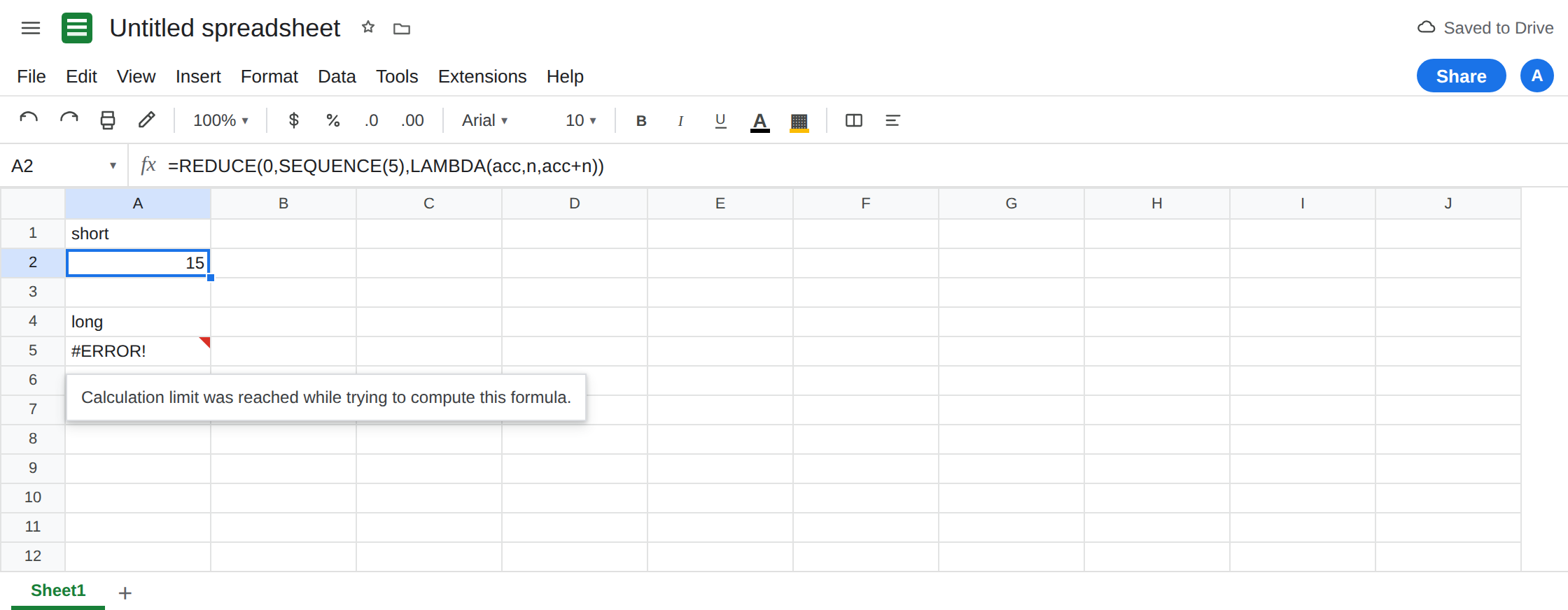
A short REDUCE. In A1 type short. In A2 enter =REDUCE(0,SEQUENCE(5),LAMBDA(acc,n,acc+n)). A2 is 15 (1+2+3+4+5). One name pair, acc and n, and a single addition. That cell is the control: this lambda shape is legal.
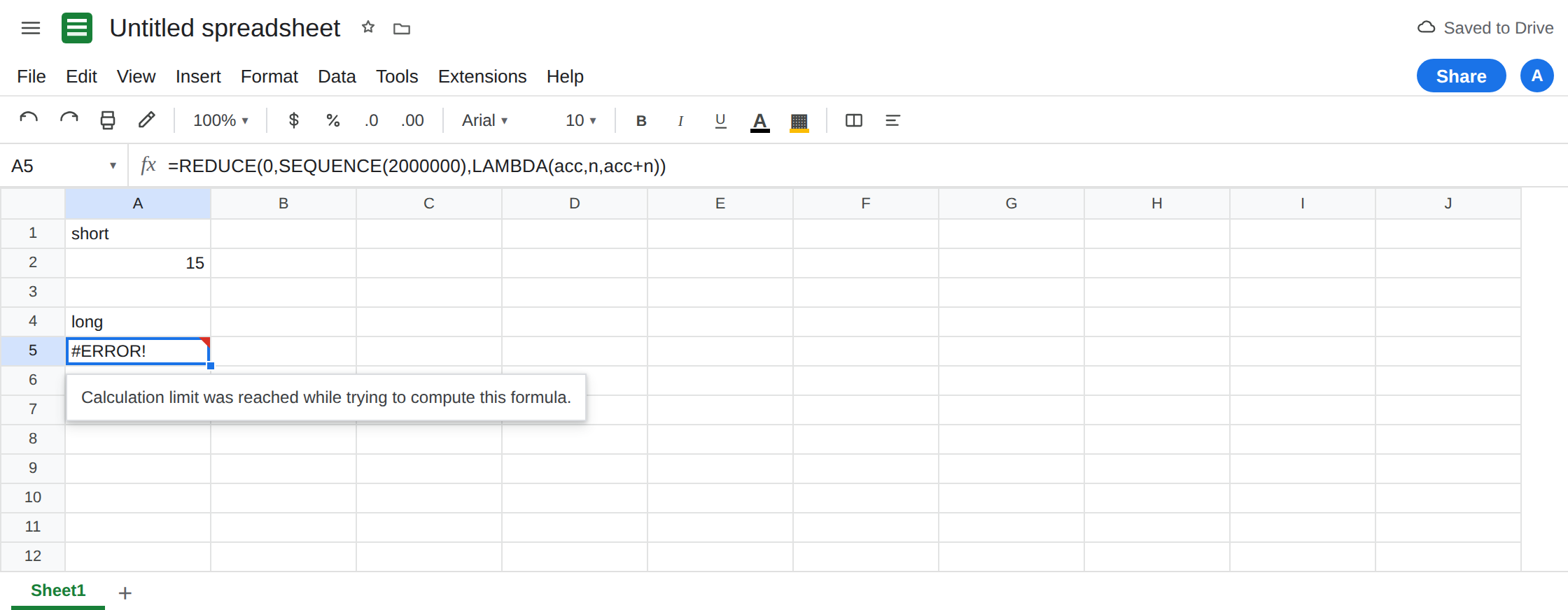
The same lambda, far past a normal list. In A4 type long. In A5 enter =REDUCE(0,SEQUENCE(2000000),LAMBDA(acc,n,acc+n)). The cell errors. The tooltip is Calculation limit was reached while trying to compute this formula. It may appear as that sentence in the hover, not as #NUM! and not as Formula parse error. Leave A5 broken. If your account still returns a number, add work inside the lambda rather than inventing a new function: LAMBDA(acc,n,acc+n+n+n). The limit depends on steps and memory, so the exact length that fails can move. The lesson is the tooltip, not a magic cutoff you should memorize.
A recursive LET. In C1 type walk. In C2 enter =LET(walk,LAMBDA(self,n,IF(n<=0,0,n+self(self,n-1))),walk(walk,5)). C2 is 15. The lambda receives itself as self and the remaining count. In C4 enter =LET(walk,LAMBDA(self,n,IF(n<=0,0,n+self(self,n-1))),walk(walk,200000)). C4 hits the same calculation-limit tooltip. Five steps worked. A deep chain of calls did not. Leave C4 broken.
Not a parse error. In E1 type parse. In E2 enter =REDUCE(0;SEQUENCE(5);LAMBDA(acc,n,acc+n)) on a United States locale (semicolons). E2 is #ERROR! Formula parse error. The tooltip does not say calculation limit. That semicolon formula is locale parse error. Leave E2 only if you want the contrast. Delete it if it distracts. A5’s commas are already valid.
Nested array is still the other error. =BYROW(A2:C4,LAMBDA(row,row)) is Single value expected, even when the range is three cells. A tiny nested array fails for shape, not for the step limit. See BYROW / MAP LAMBDA.
Leave A5 and C4 broken. Leave A2 and C2 as 15.
What is actually wrong
Section titled “What is actually wrong”- Sheets counts the work a lambda helper does, not the number of characters in the formula bar.
SEQUENCE(2000000)asksREDUCEto call the lambda millions of times. Eachacc+nis another step. Google documents the failure as time or memory, and the user-visible sentence is the calculation limit. - Recursion multiplies calls.
walk(walk,5)is five additions.walk(walk,200000)builds a deep chain. Naming it withLETdoes not give it a higher budget. A named function that calls itself is the same wall. See recursive LAMBDA limit. The named-function help answers this tooltip with “use a simpler formula.” - The cell is not
#REF!from a loop between A5 and another cell. A5 does not mention A5. See circular dependency. Wrapping A5 inIFERRORhides the limit and looks like a blank total. - A formula that parses can still hit the limit. E2 never started calculating. A5 started and was stopped. Read the tooltip before you edit separators.
- Helper functions share the budget.
MAPover a full columnA:Awith a heavy lambda can hit the same sentence on a grid that looks innocent. Open-ended columns are a common way to get here without a literal2000000. AnARRAYFORMULAon that kind of range is ARRAYFORMULA calc limit.
This is not SCAN returning {acc,v}. That is a nested-array #N/A. See SCAN / REDUCE LAMBDA.
Leave A5 and C4 broken so the tooltip stays on the sheet.
Do the small problem. Keep A2: =REDUCE(0,SEQUENCE(5),LAMBDA(acc,n,acc+n)) is 15. If the real task is the sum of 1 through n, =SUM(SEQUENCE(5)) is the same 15 and does not spend a lambda call per row. Prefer the built-in when it exists.
Shrink the array the lambda walks. Sum a bounded range (A2:A500) instead of A:A. Split one REDUCE into two shorter ones and add those results in an ordinary cell. Pass a smaller n into the recursive LET. Google’s resolution is less work per formula, not a setting that raises the cap.
Do not nest a second copy to “help.” LAMBDA wrapped around another LAMBDA that walks the same million rows costs more, not less. If you needed recursion for a tree, stop at a depth you measured with C2’s pattern, and write the rest as rows.
Do not wrap A5 in IFERROR. The blank will look like a finished total of zero. See IFERROR vs IFNA. IFNA does not catch this tooltip.
If the hover says Calculation limit was reached, the lambda is doing too much. Shrink SEQUENCE, bound the range, or replace the walk with SUM or another built-in. If the hover says Formula parse error, fix separators first. The limit never ran.