

Fix IFS #N/A in Google Sheets when there is no default pair
Updated
IFS returns the value beside the first TRUE condition. If every condition is FALSE, the cell is #N/A. The tooltip is No TRUE condition found. There is no slot for a loose default the way SWITCH has a loose last argument. Pasting "other" on the end, the way a SWITCH default is pasted, gives IFS an odd argument count or a condition with no value. The grade C is still unmatched until a final pair says TRUE,"other".
This page is the missing pair, including the SWITCH default pasted into IFS. The short form of “add TRUE” is also IFS no condition. SWITCH’s own default is SWITCH no match. Type mismatches inside SWITCH are SWITCH types. Keep the Google Sheets UI in English.
Recreate it on a blank sheet
Section titled “Recreate it on a blank sheet”- Open a blank spreadsheet. In A1 type
grade. In A2 typeC.
Two pairs, no else. In D1 type ifs. In D2 enter =IFS(A2="A","alpha",A2="B","beta"). Both tests are FALSE. The cell shows #N/A. Tooltip: No TRUE condition found. Leave D2 broken.
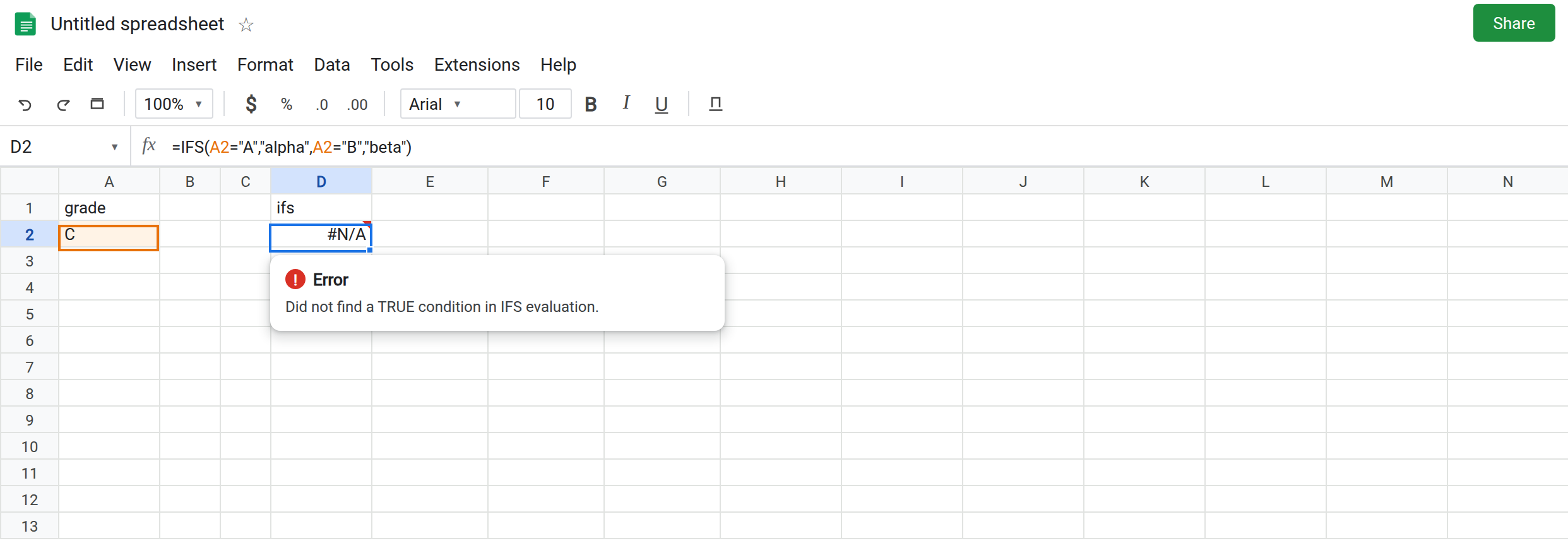
A SWITCH-style tail. In D4 enter =IFS(A2="A","alpha",A2="B","beta","other"). Three values would be a default on SWITCH. IFS wants condition, value, condition, value. The extra "other" makes an odd list. The cell shows #N/A. The tooltip is Wrong number of arguments to IFS. Expected an even number of arguments. "other" was not returned. Leave D4 broken. If a build treats the bare "other" as a condition, a non-empty string is TRUE and then there is still no value paired with it — you get the argument-count error or #N/A, not the word other. Either way D4 is not a working else.
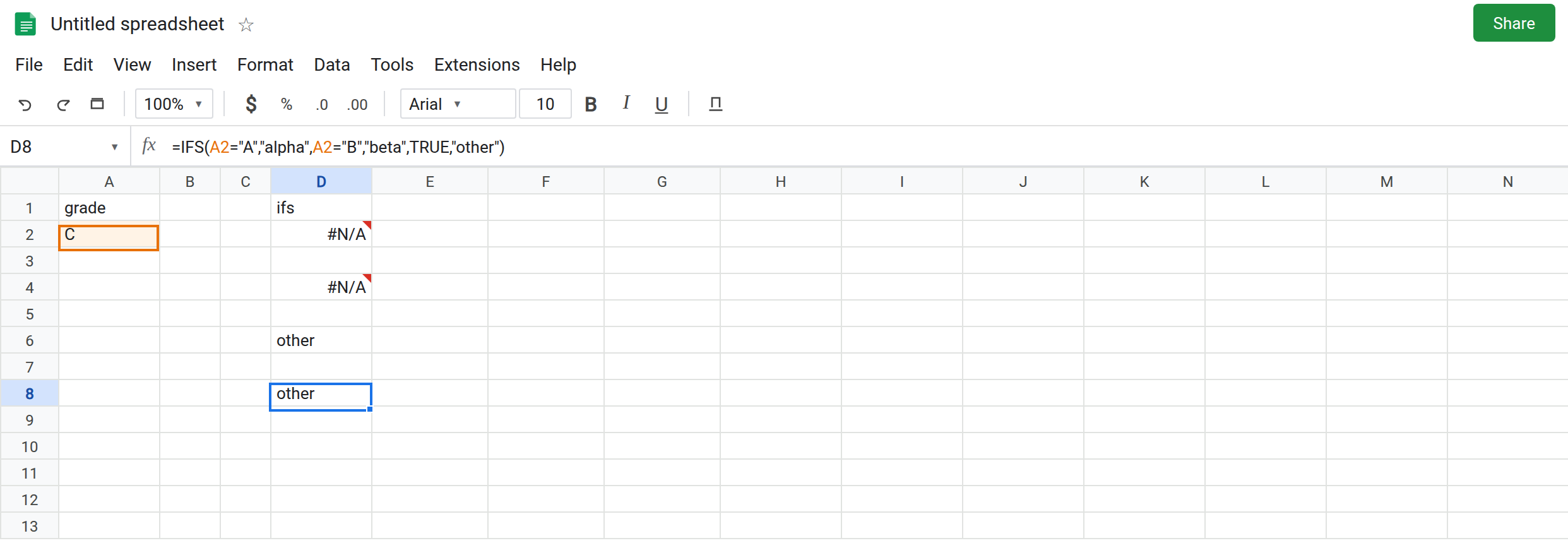
TRUE in the middle. In D6 enter =IFS(TRUE,"other",A2="A","alpha"). The cell shows other even when A2 is A. The first TRUE wins. A default pair that is not last swallows every later branch. Leave D6 as other so that trap stays visible. Change A2 to A and D6 does not become alpha.
The pair that works. In D8 enter =IFS(A2="A","alpha",A2="B","beta",TRUE,"other"). The cell shows other while A2 is C. Type A in a copy of the grade, or watch a second row: in A3 type A, and in D9 enter the same formula pointed at A3. D9 shows alpha. D8 stays other. That pair of results is the control.
SWITCH already has the slot. In F2 enter =SWITCH(A2,"A","alpha","B","beta","other"). F2 shows other for C. The last argument is unpaired on purpose. That formula is SWITCH no match. Do not paste F2’s tail onto D2 and expect D4 to match F2.
Leave D2 and D4 as #N/A. Leave D6 as the too-early other. Leave D8 as other.
What is actually wrong
Section titled “What is actually wrong”IFShas no “arguments left over are the default” rule. Arguments come in pairs. D2 has two complete pairs and no pair that can succeed forC.#N/A, No TRUE condition found.- A leftover string is not silently the else. D4. The tooltip changes from “no TRUE condition” to an argument-count error. Both are
#N/A. Read the tooltip before you add another comma. TRUEis a condition. It belongs in the condition slot, last, with a value after it. D8. In the value slot,TRUEwould print the boolean, which is a different formula.- The first TRUE stops the walk. D6 never consults
A2="A". Order is the bug when the default seems to ignore a grade you know is present. - A blank A2 fails the
"A"and"B"tests the same wayCdoes. AddA2="","blank"as its own pair if blank is a real status, or let it fall through toTRUE,"other". Do not assume blank is"C".
This is not IFERROR. Wrapping D2 prints a fallback and also hides a #NAME? if IFS is misspelled. See IFERROR hides the cause. The missing branch is visible only while D2 stays raw.
This is not FILTER with zero rows. See FILTER no match. D2 is one cell.
Leave D2, D4, and D6 broken.
Last pair: TRUE, then the fallback. Keep D8: =IFS(A2="A","alpha",A2="B","beta",TRUE,"other").
Put a real grade in its own pair when it should not share the fallback. A2="C","gamma" before the TRUE pair. TRUE remains last.
Use SWITCH when every branch is equality on one cell. F2 is that function. Use IFS when a branch is A2>=90 or AND(...). Do not keep both and wonder which default wins. They do not talk to each other.
Do not wrap D2 in IFNA and delete the TRUE pair. The next grade you add will also look like other until you unwrap it. See IFERROR vs IFNA.
If the tooltip says no TRUE condition, you need another pair, usually TRUE and a fallback. If it says IFS expected an even number of arguments, you pasted an unpaired default. If the fallback shows for a grade that has a pair, that pair is below a TRUE that already matched.