

REDUCE with a missing or array initial_value
Updated
REDUCE(initial_value, array, LAMBDA(acc, value, …)) starts the accumulator at initial_value, then walks the array. That first argument is required, and it has to be the same shape the lambda returns, usually one number or one string. Leave it out and the call does not have three arguments. Leave a blank in that slot and the first addition is #VALUE!. Pass a two-cell array and the lambda returns a row, which REDUCE refuses.
A product that starts at 0 and stays 0, and a lambda that returns only the last element, are REDUCE accumulator. Every step spilled down the sheet is SCAN / REDUCE LAMBDA. Keep the Google Sheets UI in English. Helper names stay English: LAMBDA, REDUCE. Sheet Error is an independent formula-error library, not a Google product.
Recreate it on a blank sheet
Section titled “Recreate it on a blank sheet”- Open a blank spreadsheet. In A1 type
hours. A22. A33. A41. The total is6.
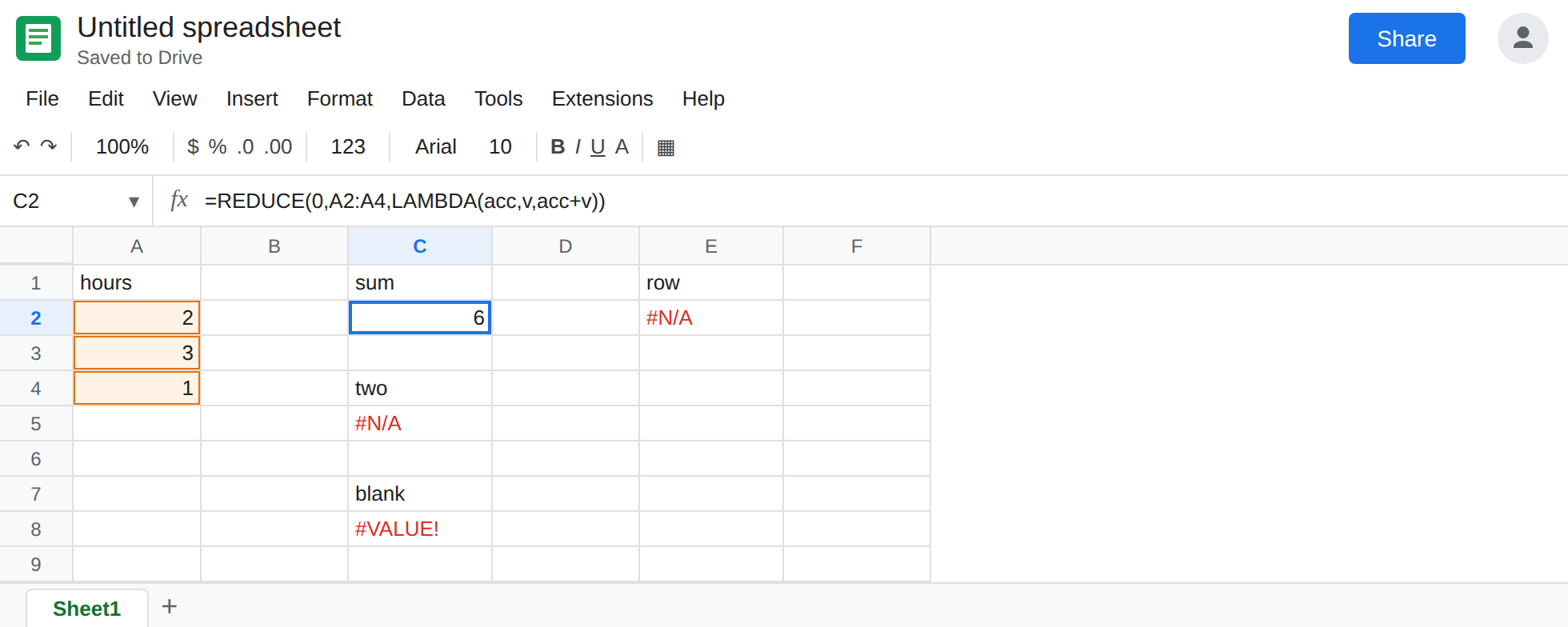
A scalar seed. In C1 type sum. In C2 enter =REDUCE(0,A2:A4,LAMBDA(acc,v,acc+v)). The cell shows 6. The 0 is the accumulator before A2 is added. That cell is the control.
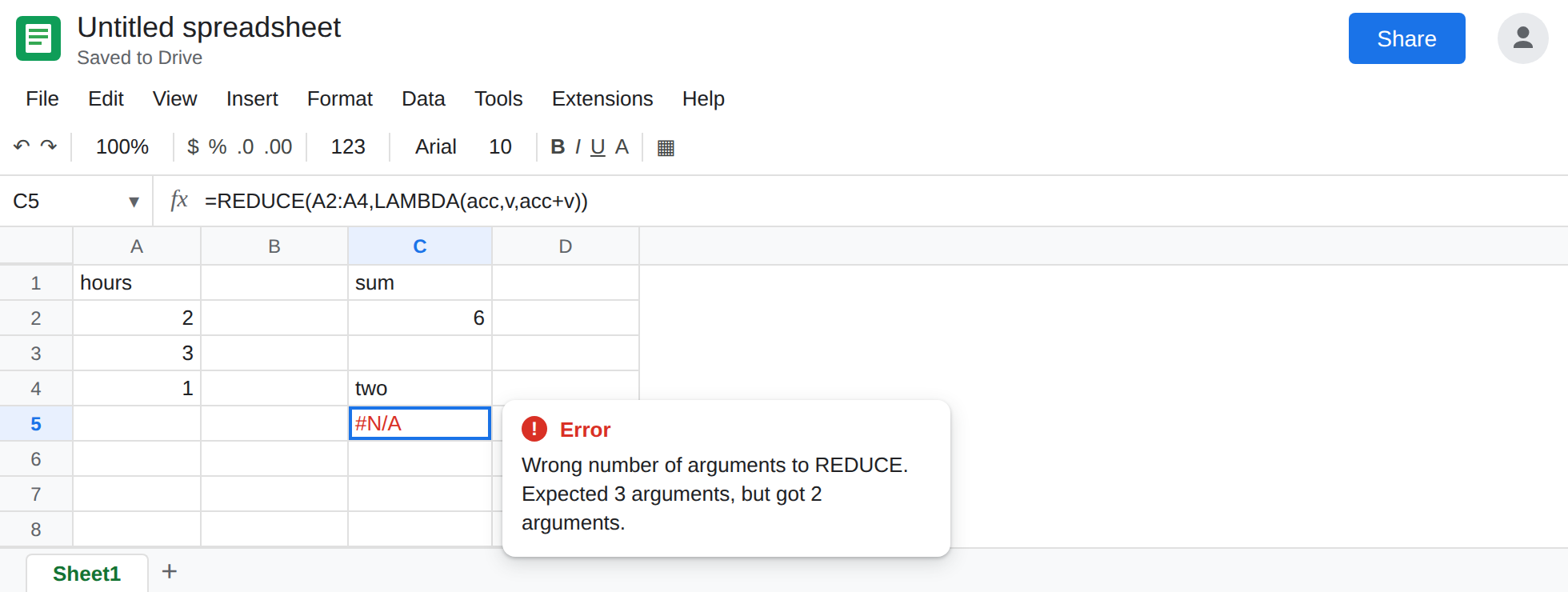
The seed argument omitted. In C4 type two. In C5 enter =REDUCE(A2:A4,LAMBDA(acc,v,acc+v)). Two arguments. The cell shows #N/A. The tooltip is Wrong number of arguments to REDUCE. Expected 3 arguments, but got 2 arguments. The range slid into the initial-value slot and the lambda slid into the array slot. There is no array left to walk. Leave C5 broken.
A blank seed. In C7 type blank. In C8 enter =REDUCE(,A2:A4,LAMBDA(acc,v,acc+v)). The comma is there. The value in front of it is empty. The first step adds 2 to a blank. The cell shows #VALUE!. Leave C8 broken. This is not the two-argument call. Count the commas.
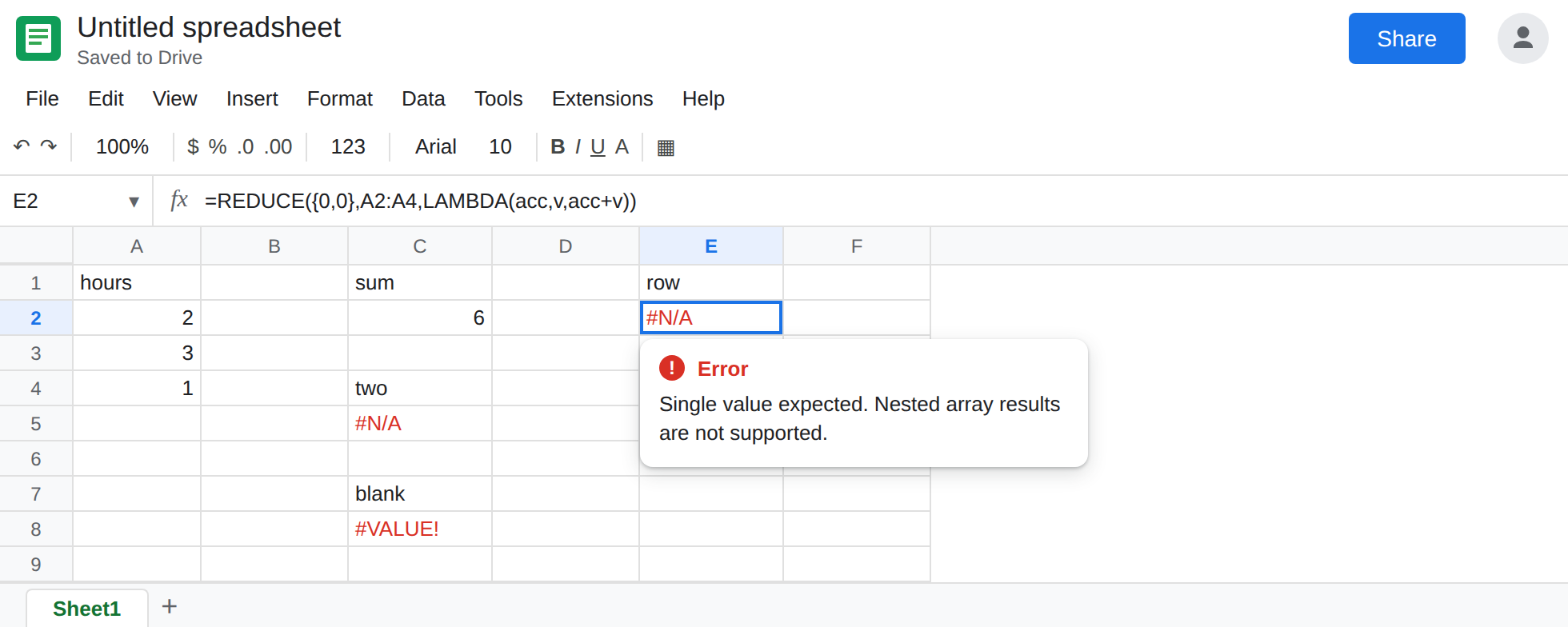
A row as the seed. In E1 type row. In E2 enter =REDUCE({0,0},A2:A4,LAMBDA(acc,v,acc+v)). {0,0} is two cells. acc+v stays two cells. The cell shows #N/A or #VALUE!. The tooltip is Single value expected. Nested array results are not supported. If {0,0} is #ERROR! with a Formula parse error, this locale uses \ between array columns. Write {0\0}. See array literal locale. That parse error is not a missing seed. Leave E2 broken once the literal parses.
Arguments swapped. In E4 type swap. In E5 enter =REDUCE(A2:A4,0,LAMBDA(acc,v,acc+v)). The range is now the initial value, so acc starts as a column. The array being walked is the single number 0. Returning that column is the same nested-array refusal, or a total that is not 6. Leave E5 as that failure. C2 is the order that matches the hours.
Leave C5, C8, E2, and E5 broken. Leave C2 as 6.
What is actually wrong
Section titled “What is actually wrong”- The signature is seed, then array, then lambda. C5 drops the seed and Sheets reports the argument count on
REDUCE, not onLAMBDA. A one-name lambda is a different tooltip, Wrong number of arguments to LAMBDA, on REDUCE accumulator. - An empty argument is a blank, not zero. C8’s first addition cannot coerce that blank the way a typed
0can.#VALUE!is the same family as adding""to a number. See wrong type. The repair is a typed0, not a second comma. - The seed is the shape of every later accumulator. A row seed forces a row result.
REDUCEwill not spill that row. E2. If you need a pair of running values, use twoREDUCEcalls or keep a single text or number. - Swapping the range into the first slot does not “default the seed.” E5 starts from the hours themselves and walks
0. It is not a shorter way to write C2. - A seed of
0is right for a sum and wrong for a product. A product that returns0with no triangle is the other page. Do not change C2’s0to fix a multiply.
This is not SCAN. SCAN would spill 2, 5, 6 under the formula. C2 is one cell. See SCAN / REDUCE LAMBDA.
Leave C5, C8, and E2 in place.
Put a scalar in the first slot. Keep C2. For a product of these hours, =REDUCE(1,A2:A4,LAMBDA(acc,v,acc*v)) in E8 is 6. The 1 is the identity. It is still one cell. The why of a 0 product is REDUCE accumulator.
Blank means you still need a value. If the starting total is “nothing yet,” type 0 for numbers or "" only when the lambda uses &. Do not leave the slot empty to mean zero.
Do not wrap C5 in IFERROR. You would turn a missing argument into a blank total and it would not match C2. See IFERROR vs IFNA.
If the tooltip names REDUCE and says it expected 3 arguments, the seed is missing. If it says Single value expected, the seed or the lambda return is an array. If the first step is #VALUE! and the formula shows REDUCE(,, the seed is blank. A quiet 0 on a product is the accumulator page, not this one.