

An IMPORTRANGE cycle between two workbooks never finishes
Updated
IMPORTRANGE pulls a range from another spreadsheet. If spreadsheet A imports from B, and B imports that imported range back from A, the two files refer to each other. Google’s help tells you to avoid that cycle. The files keep trying to fetch each other and never produce the output. On the grid that looks like Loading… that does not settle, or #REF! that appears and disappears when you reload. The formula text can be perfect. The loop is the two files.
A cell in one file that mentions itself is circular dependency (#REF!, Circular dependency detected). A one-way import that sits on Loading… because the range is huge is IMPORTRANGE loading. Allow access is IMPORTRANGE access. This page is the cycle across workbooks. Sheet Error is not a Google product. Keep the Google Sheets UI in English.
Recreate it on sheets you own
Section titled “Recreate it on sheets you own”You need two spreadsheets. A single file cannot make this loop.
-
File A, the source numbers. Tab
Sheet1. In A1 typesku, B1qty. A2101, B22. Copy A’s spreadsheet id (the string between/d/and/edit). -
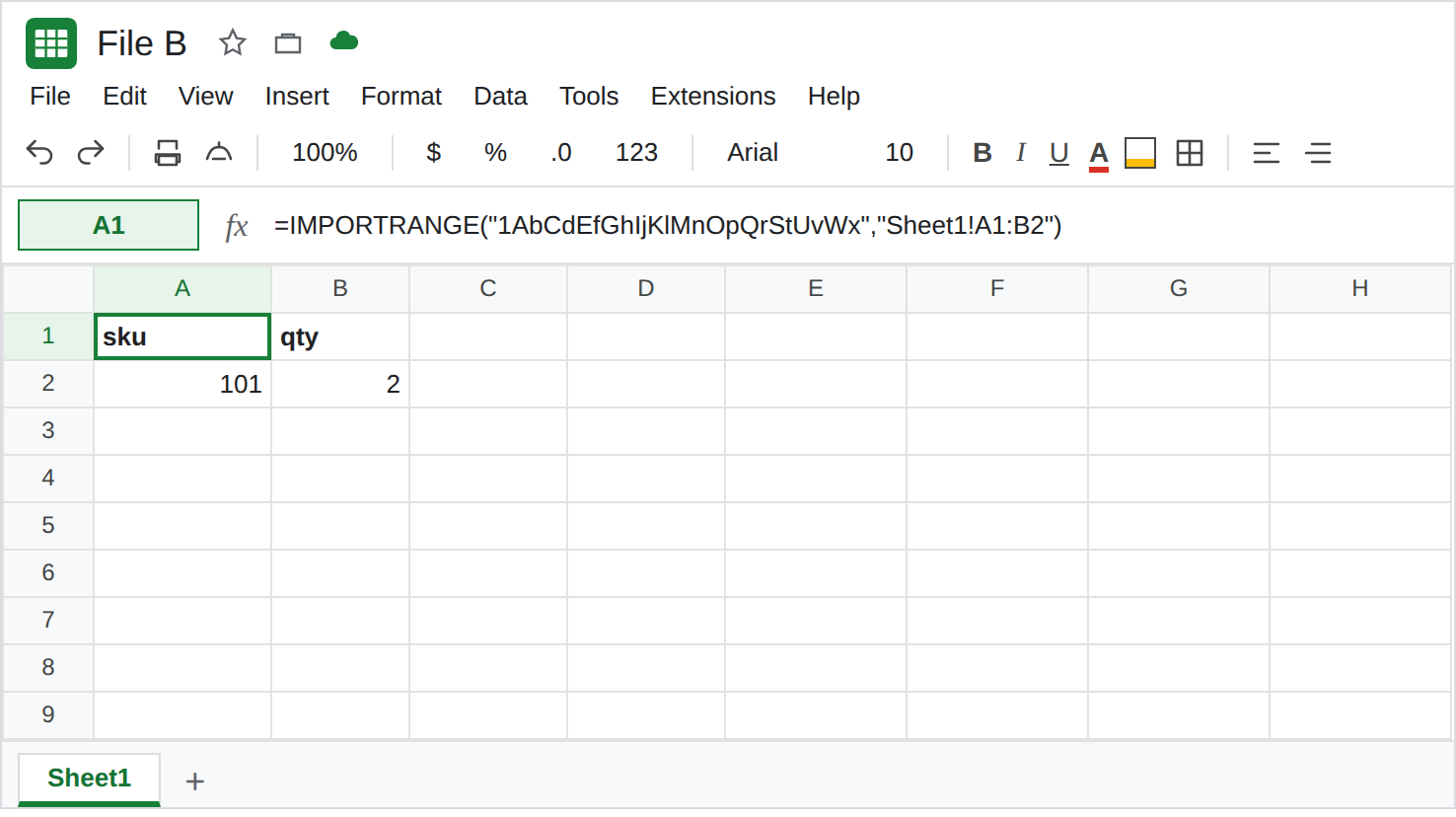
File B, a one-way import. In A1 enter
=IMPORTRANGE("FILE_A_ID","Sheet1!A1:B2"), pasting A’s id. If A1 is#REF!with You need to connect these sheets, click Allow access. Wait until A1:B2 showssku,qty,101,2. That spill is the control. Loading… on this rectangle should last seconds. Copy B’s spreadsheet id.
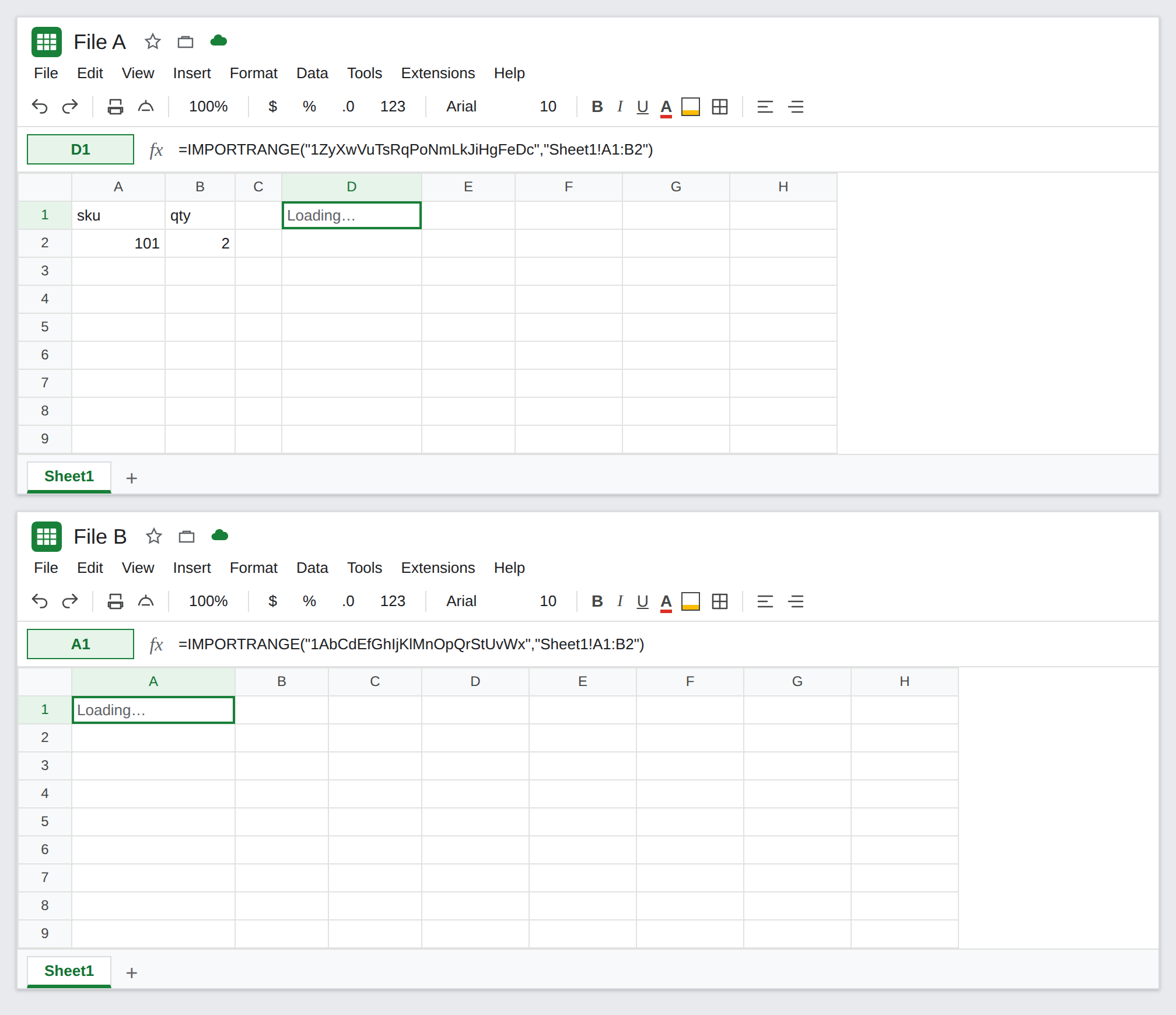
- Close the cycle. On file A, in D1 enter
=IMPORTRANGE("FILE_B_ID","Sheet1!A1:B2"). Allow access if asked. D1 is not reading A’s own101. It is reading B, and B’s101is an import of A. Google’s help describes this pair: each spreadsheet usesIMPORTRANGEon data that comes from the other, and the loop does not result in actual output. Leave D1. It may stay on Loading…, or flip to#REF!, or show values and then lose them on the next edit. B’s A1 can start doing the same, because B now depends on a file that depends on B.
- A chain in one direction is not this loop. File C importing B, while B imports A, and A imports nobody, is a chain. Google’s help says chains delay: the source changes, then each hop catches up. The cells can sit on Loading… for a long time and still finish. That wait is IMPORTRANGE loading. The cycle in step 3 has no file that holds the number without fetching the other. Do not add file C to “debug” D1.
A self-cell is the other #REF!. On file A, in F1 enter =F1. #REF!, Circular dependency detected. F1 names itself. D1 names another file. Leave F1 only as a contrast, then delete it if it distracts. See circular dependency.
What is actually wrong
Section titled “What is actually wrong”- The cycle is A fetches B while B fetches A. Sheets cannot finish either side, because each result depends on the other result. Google’s
IMPORTRANGEhelp states that this loop does not produce output. - Loading… means the request has not written a spill.
#REF!on a cycle is the fetch giving up or refusing the loop, not a deleted tab. Read the formula. If both files containIMPORTRANGEand the ids point at each other, you are here. A renamed tab is IMPORTRANGE tab rename and the tooltip is a missing range, on a one-way import. - Reloading starts the fetches again. It does not pick a winner. Copying the same pair of formulas into two new files reproduces the loop.
- Allow access is necessary and not sufficient. After both files are connected, the cycle still has nothing stable to show. Clicking Allow access again does not break the loop. See IMPORTRANGE access only when the tooltip is You need to connect these sheets and the other file does not import you back.
- A long chain (A to B to C) is delay and traffic, not a circle. Many imports across files you own can also sit on Loading… with a message about the number of requests. That quota text is IMPORTRANGE loading. D1’s partner formula is the thing to find.
Leave the cycle in place until you have seen Loading… or #REF! on D1. Then break it. Do not keep reloading.
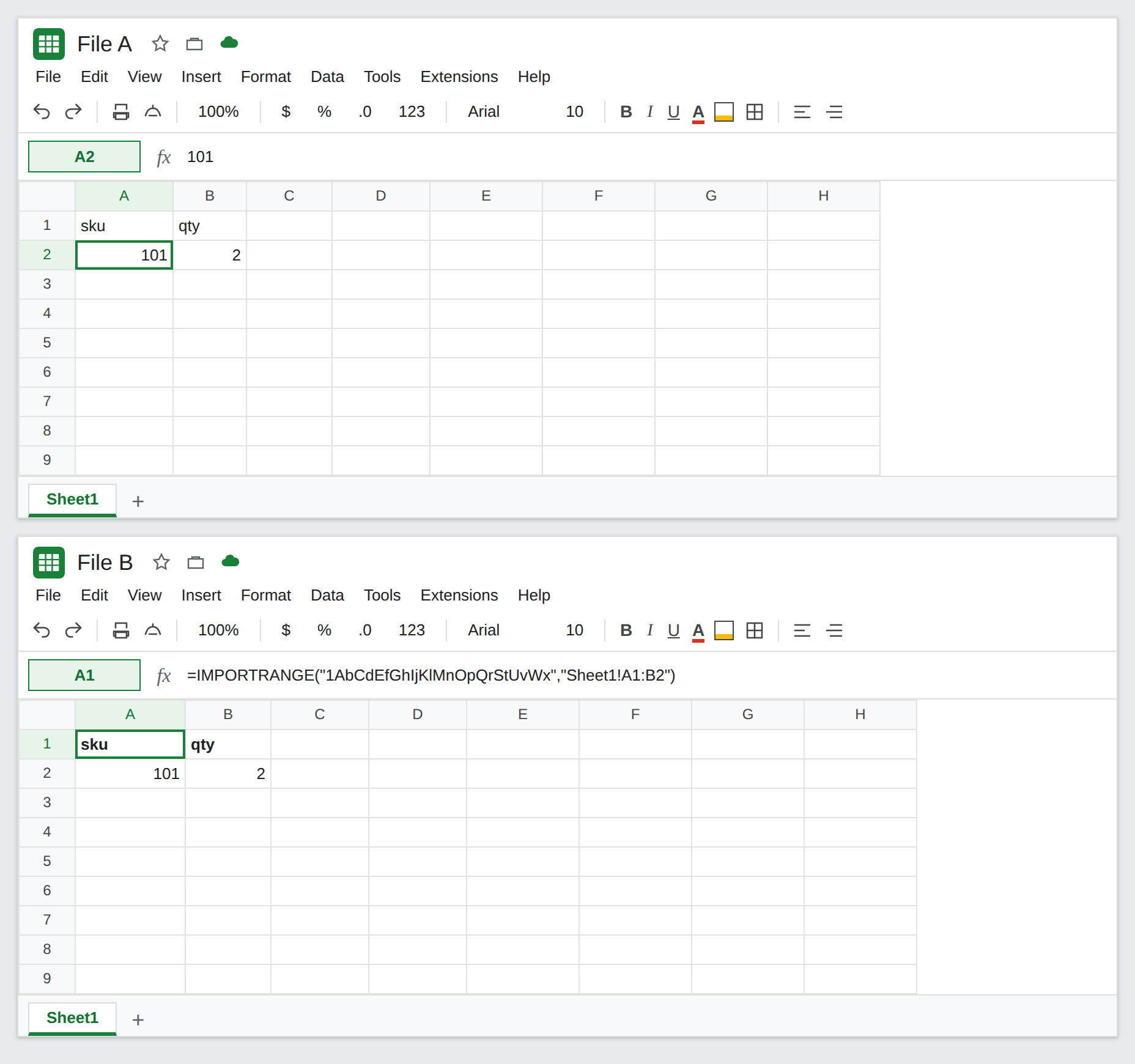
One file owns the numbers. Delete D1 on file A, or replace it with the typed 101. File B’s A1 stays =IMPORTRANGE("FILE_A_ID","Sheet1!A1:B2") and should return to sku / 101 / 2 after it refreshes. The arrow points one way.
If you needed a copy of B inside A, paste values. On B, copy A1:B2. On A, Edit → Paste special → Values only. Those cells do not fetch B. They will not follow later edits on B. That is a snapshot, not a live cycle.
Do not wrap the cycle in IFERROR. A blank D1 looks like a missing sku. See IFERROR vs IFNA.
If both files import each other and the cells stay on Loading… or #REF!, delete one direction. If only one file imports the other and the cell is still Loading…, the range is wide or the chain is long. That is the loading page. If the formula mentions its own cell, it is a circular dependency inside one spreadsheet.