

CHOOSE returns #VALUE! when a calculated index is 0 or past the list
Updated
CHOOSE picks a value by position, starting at 1. A blank cell is not position 1. It is coerced to 0, and CHOOSE of 0 is #VALUE!. A position built with COUNTA or MATCH that comes out 0 or larger than the list is the same #VALUE!. The list in the formula did not grow because a column on the sheet grew.
The static case — you typed 0, 4, or -1 yourself — is CHOOSE #VALUE!. This page is an index that a formula produced. Keep the Google Sheets UI in English.
Recreate it on a blank sheet
Section titled “Recreate it on a blank sheet”- Open a blank spreadsheet. In B1 type
signal. B2Open. B3Hold. B4Closed. Three statuses. They are not theCHOOSElist until you repeat them as arguments.
A blank becomes 0. Leave A2 empty. In D1 type blank. In D2 enter =CHOOSE(A2,"Open","Hold","Closed"). The cell shows #VALUE!. The tooltip says the first parameter is 0 and valid values are between 1 and 3. A2 looks empty, not zero, until you read the tooltip. Leave D2 broken.
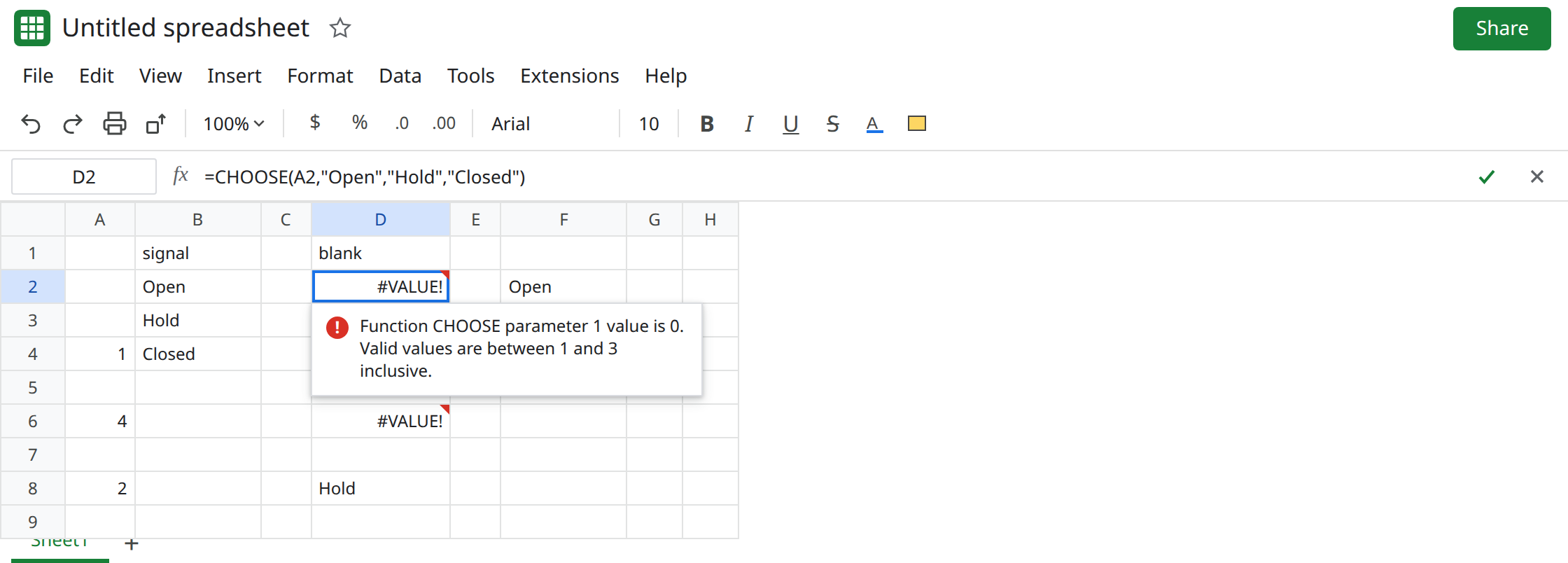
Subtracting 1 from a position lands on 0. In A4 enter =MATCH("Open",B2:B4,0). A4 is 1. In D4 enter =CHOOSE(A4-1,"Open","Hold","Closed"). 1-1 is 0. D4 is #VALUE!. People subtract 1 to “make it zero-based” because another language’s lists start at 0. CHOOSE does not. Leave D4 broken.
COUNTA walks past the list. In A6 enter =COUNTA(B1:B4). A6 is 4 (the header plus three statuses). In D6 enter =CHOOSE(A6,"Open","Hold","Closed"). Four is past three arguments. D6 is #VALUE!. The header was counted. The CHOOSE list has no fourth slot for it. Leave D6 broken.
A control. In A8 type 2. In D8 enter =CHOOSE(A8,"Open","Hold","Closed"). D8 is Hold.
INDEX row 0 is not this error. In F2 enter =INDEX(B2:B4,0). Row 0 means the whole column. F2 spills Open, Hold, Closed if the cells below are empty. It is not #VALUE!. See INDEX row 0. Leave F2 as that contrast. Do not “fix” CHOOSE by switching to 0 and expecting one status.
What is actually wrong
Section titled “What is actually wrong”CHOOSE’s first argument has to be an integer from1through the number of values you listed. Blank coerces to0before that check. The tooltip names0.N(A2)on a blank is also0.- The list is the arguments, not B2:B4.
COUNTAof the column can be4whileCHOOSEonly has three values. AddingClosedagain in B5 does not add an argument. MATCHreturns#N/Awhen the label is missing, not0. See MATCH no match. D4 is#VALUE!because you subtracted from a successful1. A missing label would makeA4-1into#N/A, andCHOOSEof#N/Ais#N/A. Read which error you have before you treat it as a bad index.- Fractional indexes truncate toward zero. That part is on CHOOSE #VALUE!. This page’s indexes are already integers, and they are still illegal.
This is not SWITCH missing a case. SWITCH compares labels and returns #N/A. See SWITCH no match. D2’s function is CHOOSE.
Leave D2, D4, and D6 broken.
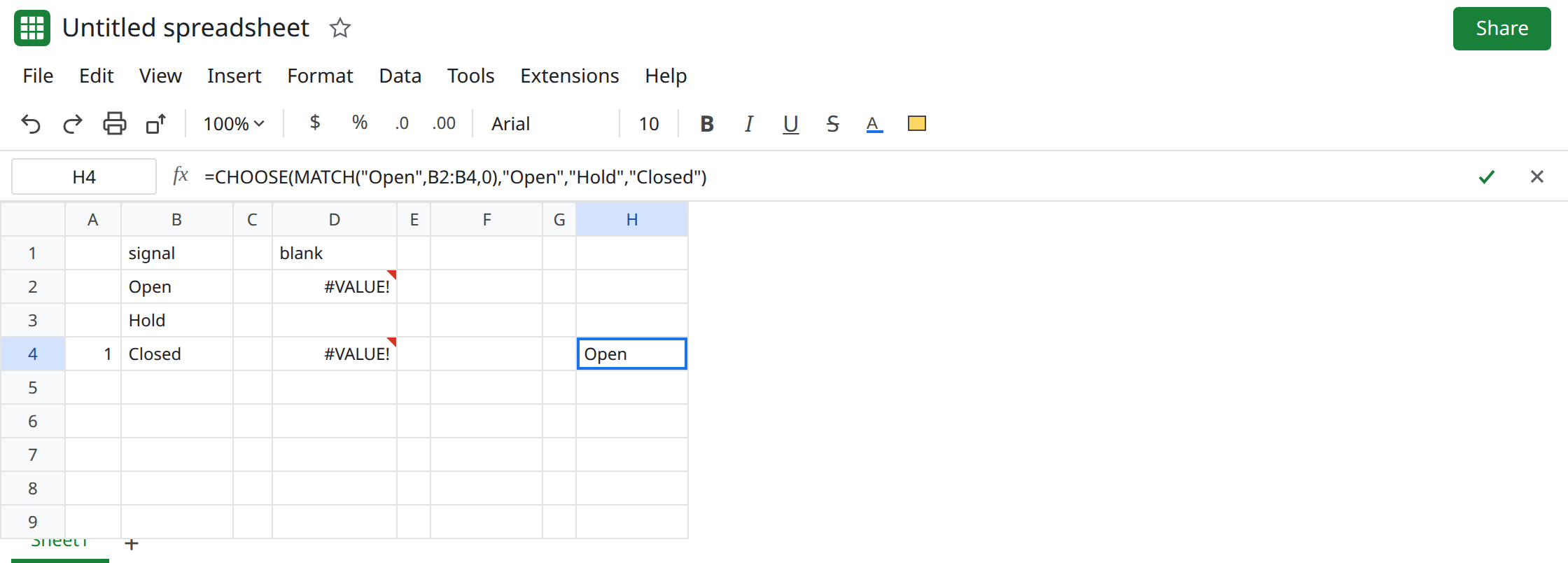
Pass a 1-based index that fits the arguments. In H2 enter =IF(A2="", "", CHOOSE(A2,"Open","Hold","Closed")) after you type 1 in a copy of the index, or simply =CHOOSE(2,"Open","Hold","Closed") which is Hold. For the MATCH, drop the -1: =CHOOSE(MATCH("Open",B2:B4,0),"Open","Hold","Closed") returns Open. For the count, count the body without the header, and only if that count is 1, 2, or 3: =CHOOSE(COUNTA(B2:B4),"Open","Hold","Closed") is Closed because three body rows match three arguments. If you add a fourth status on the sheet, add a fourth argument. The count will not do it for you.
Guard 0 without hiding other errors. =IF(OR(NOT(ISNUMBER(A8)),A8<1,A8>3),"",CHOOSE(A8,"Open","Hold","Closed")) stays blank when the index is out of range. Do not wrap D2 in IFERROR. See IFERROR vs IFNA. IFNA does not catch #VALUE!.
If CHOOSE is #VALUE! and the tooltip says the index is 0, the cell you passed was blank or you subtracted down to 0. If the tooltip says the index is larger than the list, you counted a row you never added as an argument. INDEX of 0 spilling the column is a different function.