

IMPORTDATA shows mojibake when the CSV is not the UTF-8 text you think
Updated
IMPORTDATA fetches a CSV or TSV and spills it. It does not take a character encoding. A file whose bytes are UTF-8 comes back with the letters you typed in the source. A file whose bytes are Windows-1252 or Latin-1, or a file that was already saved with the wrong letters, spills those wrong letters. The header can read Türkiye where the source was Türkiye. QUERY still calls that column Col1. A condition written with the real word does not match the mojibake word. The columns did not move. The text did.
The delimiter and the locale argument are IMPORTDATA delimiter. Could not fetch url is IMPORTDATA fetch. A 301 or a 403 is IMPORTDATA redirect. Keep the Google Sheets UI in English. Sheet Error is an independent formula-error library, not a Google product.
Recreate it on a blank sheet
Section titled “Recreate it on a blank sheet”- Open a blank spreadsheet. If Allow access appears the first time you import, click it once. That banner lets Sheets fetch URLs. It does not choose UTF-8.
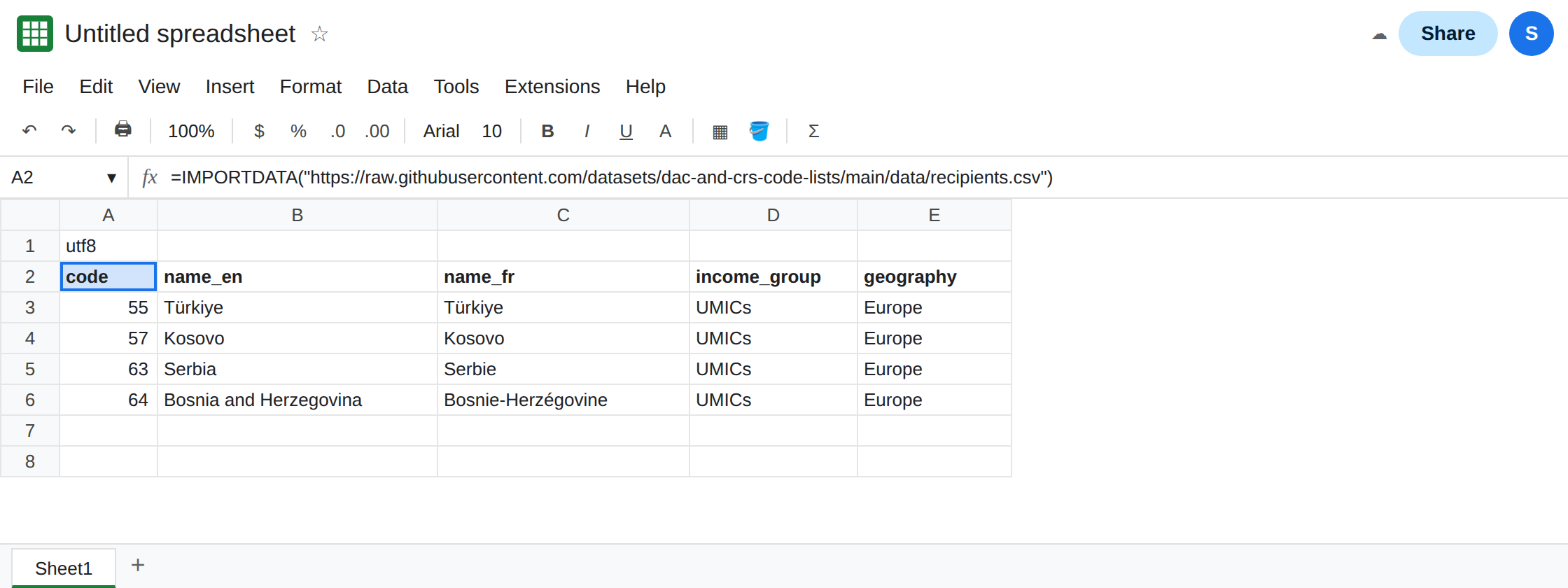
A UTF-8 file that contains ü. In A1 type utf8. In A2 enter:
=IMPORTDATA("https://raw.githubusercontent.com/datasets/dac-and-crs-code-lists/main/data/recipients.csv")
After the fetch, A2 spills a table. One of the name cells is Türkiye. The ü is one character. That spill is the control: the URL is https, the body is UTF-8, and the non-ASCII letter survived. If A2 is #N/A Could not fetch url, the host did not answer and you are on IMPORTDATA fetch. Stop until a CSV spills. Do not debug letters on an empty fetch.
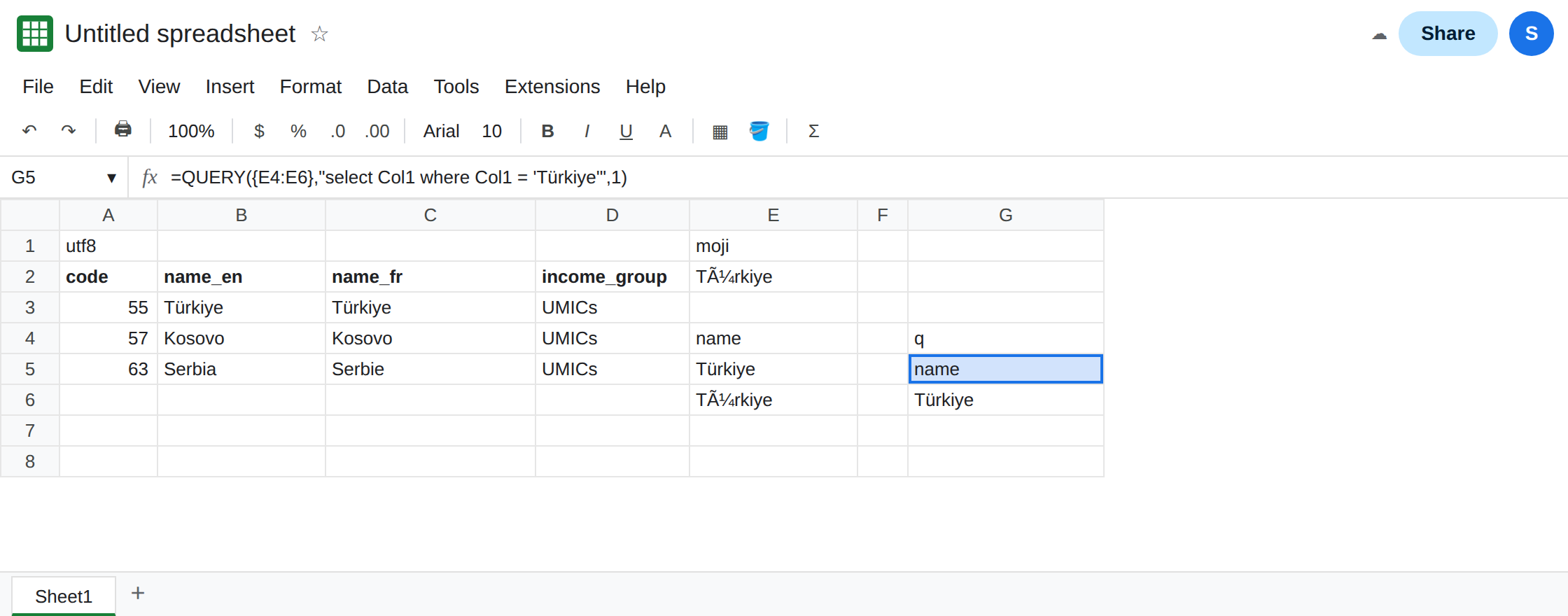
The same letters, misread. In E1 type moji. In E2 type Türkiye. That is what the UTF-8 bytes of Türkiye look like when a Windows-1252 reader consumes them: ü where ü was. E2 is text you typed, so you can see the shape without hosting a second file. It is not the A2 spill. Leave E2 as that word.
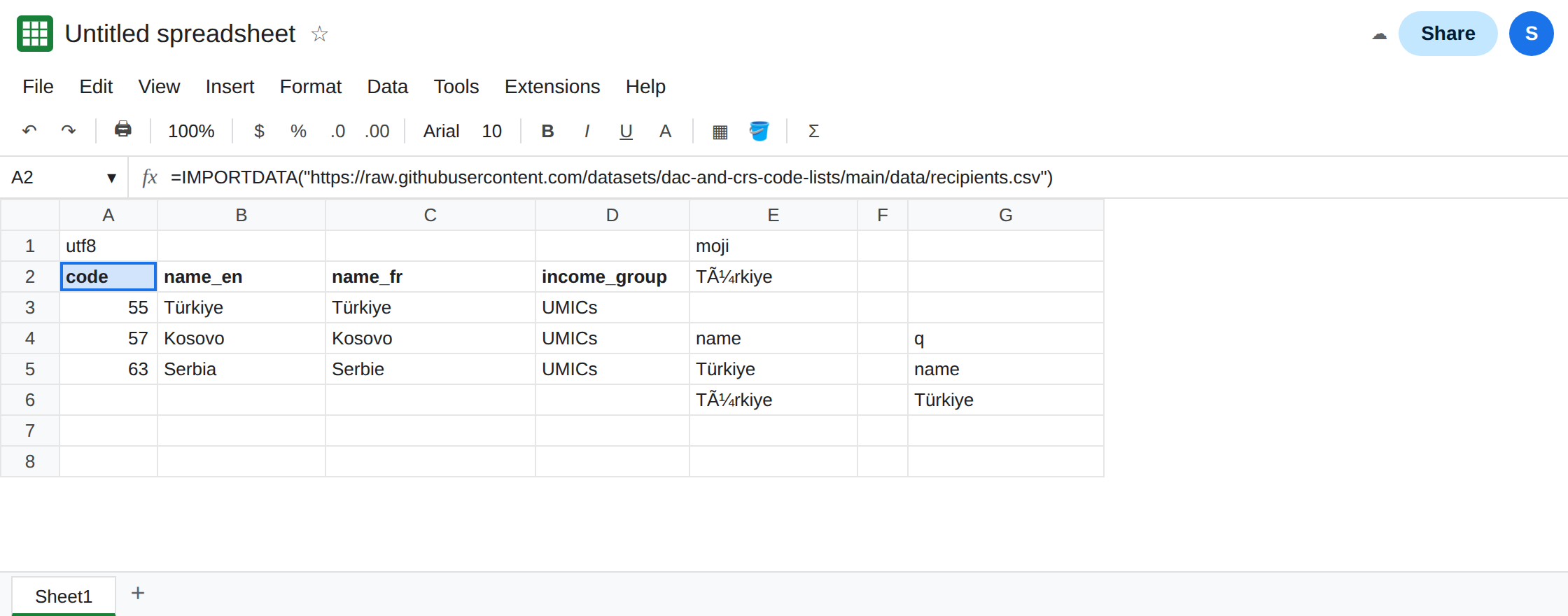
QUERY misses the mojibake word. In E4 type name. In E5 type Türkiye. In E6 type Türkiye. In G4 type q. In G5 enter =QUERY({E4:E6},"select Col1 where Col1 = 'Türkiye'",1). The braces make an array, so the column is Col1, not E. The spill is the header and Türkiye only. Türkiye is a different string. It stays in E6 and does not appear in the result. Leave G5 as that short spill. The third argument 1 is a header row. It does not repair encoding, and it does not rename Col1 to the header text.
There is no encoding argument to add. IMPORTDATA has a delimiter and a locale. The locale parses numbers and dates inside fields you already fetched. de_DE does not turn Türkiye into Türkiye, and it does not reinterpret Latin-1 bytes. See IMPORTDATA delimiter. Do not put "UTF-8" in the second argument. That slot is the delimiter. A quoted UTF-8 on a comma file glues each row into one cell.
Leave E6 as the mojibake word. Leave A2 as the clean spill.
What is actually wrong
Section titled “What is actually wrong”- Sheets reads the import as UTF-8. Bytes that are not valid UTF-8 become a replacement character, a dropped letter, or a wrong letter, depending on the byte. Bytes that are valid UTF-8 of the wrong characters come through faithfully.
Türkiyein a cell means the file, or an earlier save of the file, already contains those characters. The fetch did not “fail.” It copied the text. Ãfollowed by a second garbled character is the usual picture of UTF-8 read as Latin-1 or Windows-1252. A lone replacement box is the usual picture of a single Latin-1 byte read as UTF-8. Both are encoding. Neither is a comma-versus-semicolon split. If every field is in column A, you are on the delimiter page.QUERYon an import, or on{E4:E6}, names columnsCol1,Col2, and so on, by position. A header that displays as mojibake does not renumber them.Col1is still the first column. What breaks is a comparison to a literal you typed in the real language. G5 keepsTürkiyeand dropsTürkiye. Looking at the header and deciding the columns “shifted” is the visual mistake. The letters changed. The positions did not. A bare sheet range can use a column letter instead ofCol1. See QUERY Col1 vs A. The letter is still a position. It is still not the garbled header text.- The header row argument (
1or0) only tellsQUERYwhether row 1 is labels. It does not decode bytes. See QUERY headers for the header count. Awhereclause that quotes the word is still case-sensitive. See QUERY contains. - File → Import of a CSV on your computer is a different path from
IMPORTDATA. The import dialog can guess a type. The formula cannot. See CSV text vs number when the letters are right and the IDs became numbers.
This is not IMPORTRANGE. A range from another Google spreadsheet is already Sheets text. It does not pass through a CSV encoding. See IMPORTRANGE access.
Leave E6 as Türkiye so the mismatch stays on the sheet. Leave G5 selecting only the real spelling.
Save the file as UTF-8 and import that URL. Keep A2. For a file you control, open it in an editor that shows the encoding and save it as UTF-8. Excel’s CSV UTF-8 is that save. Excel’s older CSV (Comma delimited) on a Western European Windows install is often Windows-1252, which is how the ü becomes one byte and then a bad character in Sheets. Put the UTF-8 file at an https address that returns the bytes with status 200. See IMPORTDATA redirect if the address only works after a hop.
Do not search-and-replace inside the spill. SUBSTITUTE of ü back to ü repairs one pair and misses the next accent. Re-save the source. If you already received a file whose text is permanently Türkiye and you cannot get the original, a SUBSTITUTE list is a patch for the pairs you name, not a decoder. Check one repaired cell against a word you can read before you trust the column.
Point QUERY at the text that is actually in the cell. Col1 stays Col1. Change the literal to match the cell, or change the cell to match the literal. Do not insert a blank column to “line the headers up” when the only problem is ü.
Do not wrap A2 in IFERROR. A mojibake spill is a successful import. You would hide a later fetch failure and keep last week’s wrong letters invisible. See IFERROR vs IFNA.
If the spill shows Türkiye and QUERY still returns nothing, the literal’s accents or case do not match the cell. If each row is one wide cell, you are on the delimiter page. If the cell is #N/A and never spills, you are on the fetch page.