

Fix XLOOKUP search_mode -1 / 2 surprises in Google Sheets
Updated
XLOOKUP’s sixth argument is search_mode: 1 first-to-last (default), -1 last-to-first, 2 binary search on data sorted ascending, -2 binary on descending. Duplicate keys plus -1 return the last price, not the first. Binary mode on an unsorted list returns #N/A or the wrong row. That is not “the sku is missing.”
This page is search_mode. It is not XLOOKUP #N/A (exact miss, if_not_found). It is not XLOOKUP vs VLOOKUP (left lookup, default exact). It is not XMATCH no match (XMATCH has its own search modes). Keep the Google Sheets UI in English.
Recreate it on a blank sheet
Section titled “Recreate it on a blank sheet”- Open a blank spreadsheet. In A1 type
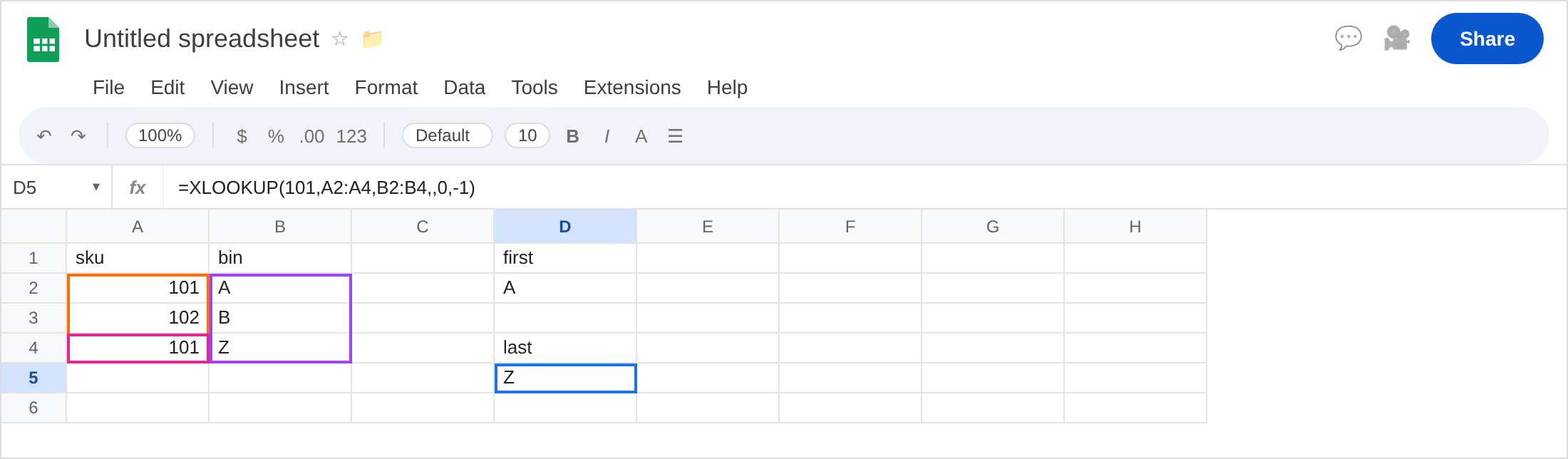
sku, B1bin. A2101. B2A. A3102. B3B. A4101. B4Z. Sku101is on two rows: first bin A, last bin Z. The list is not sorted.
Default first match. In D1 type first. In D2 enter =XLOOKUP(101,A2:A4,B2:B4). The cell shows A. Mode 1 implied. That row is the control.
Last match. In D4 type last. In D5 enter =XLOOKUP(101,A2:A4,B2:B4,,0,-1). Empty if_not_found, exact match_mode 0, search_mode -1. The cell shows Z. Same sku, later row. Not #N/A.
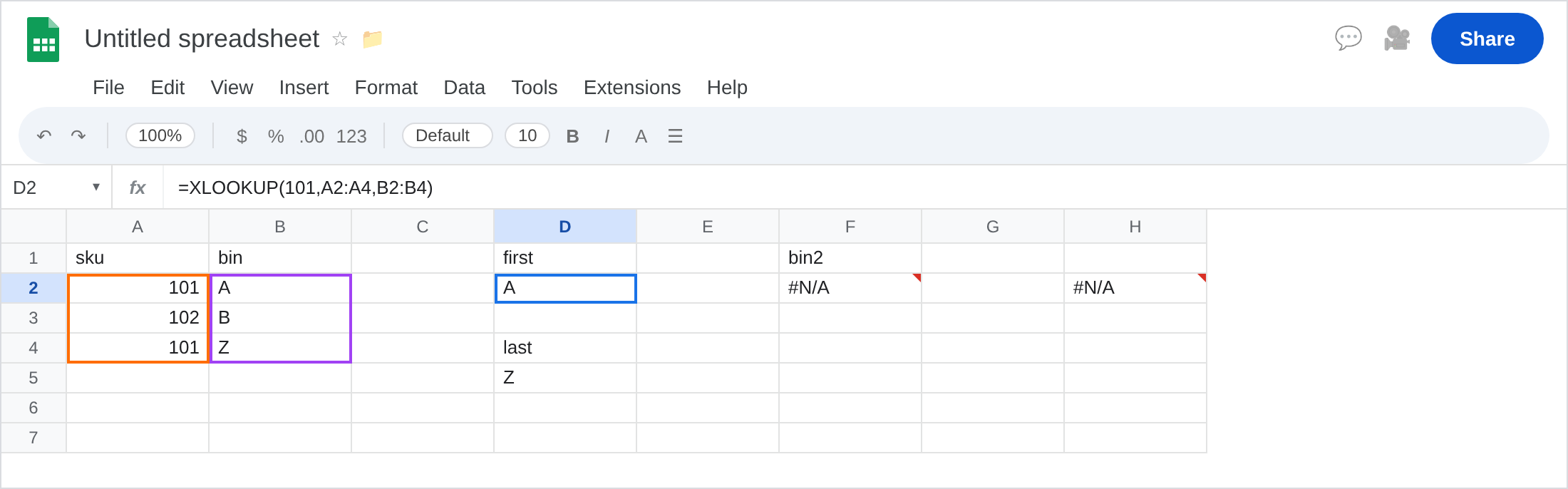
Binary search on unsorted data. In F1 type bin2. In F2 enter =XLOOKUP(101,A2:A4,B2:B4,,0,2). 2 means binary, range must be sorted ascending. A2:A4 is 101, 102, 101. F2 is #N/A or a wrong bin (not a reliable A). Leave F2 as that broken/wrong result. Do not “confirm the miss” by wrapping if_not_found yet — 101 is on the sheet twice.
Sorted control for binary. In A7 type sku_s, B7 bin_s. A8 101. B8 A. A9 101. B9 Z. A10 102. B10 B. Sorted by sku. In F6 enter =XLOOKUP(101,A8:A10,B8:B10,,0,2). Binary on a sorted list. You still get one row (typically the first of the equal run). Leave F6 as a working binary when it returns A or Z consistently — the point is F2 vs F6, not which duplicate binary picked.
Exact miss contrast. In H2 enter =XLOOKUP(999,A2:A4,B2:B4). #N/A, Did not find value ‘999’. That page is XLOOKUP #N/A. Leave H2 as contrast. 999 is truly absent. 101 in F2 is not.
Leave F2 as the unsorted binary. Leave D2 and D5 as first vs last. Leave H2 as a real miss.
What is actually wrong
Section titled “What is actually wrong”search_mode-1is last-to-first. Duplicate skus are a choice, not an error. Dashboards that assumed “the first bin” silently switch when someone adds a later101.search_mode2/-2are binary searches. They are not “faster exact match” you can drop onto a messy column. Unsorted →#N/Aor wrong bin.- The fourth argument
if_not_founddoes not fire on a wrong binary hit. It fires when XLOOKUP believes there is no match. A wrongZwill not become"none". match_mode(fifth) is exact / next-larger / wildcard. Do not confuse-1match (next smaller) with-1search (last-to-first). The recreate passes0then-1to keep exact match and last search.XMATCHsearch modes are a sibling API. This formula isXLOOKUP. See XMATCH no match.
This is not number vs text. See VLOOKUP no match. Both 101s are numbers.
This is not a blocked return spill. See XLOOKUP return range. B2:B4 is one column.
Leave F2 and H2 broken/wrong.
First vs last on purpose. Keep D2 for first bin. Keep D5 for last bin. If you need every bin, =FILTER(B2:B4,A2:A4=101) — not a single XLOOKUP.
Do not use binary until the lookup column is sorted the way that mode requires. Prefer default 1 on operational lists. If you need binary, SORT the table (or the recreate in A8:B10) first.
True misses: pass if_not_found on H2’s pattern, not on F2. See XLOOKUP #N/A.
Do not wrap F2 in IFERROR so an unsorted binary looks like "none". See IFERROR vs IFNA.
If -1 as the sixth argument returned the last duplicate, that is this page. If #N/A and the sku is visible, check mode 2 and sort order before you clean spaces. If #N/A and the sku is not visible, the miss primer.
search_mode -1 vs binary 2 vs exact miss
Section titled “search_mode -1 vs binary 2 vs exact miss”-1 + duplicates → last row (D5). Working surprise.
2 + unsorted → #N/A / wrong row (F2). Broken binary.
Default XLOOKUP(999,…) → real miss (H2). XLOOKUP #N/A. if_not_found belongs there, not on a binary you have not sorted.