

OFFSET ranges recalculate on every edit and drag FILTER and charts with them
Updated
OFFSET builds a range by stepping from a start cell. It is volatile. Sheets recalculates it on ordinary edits, then recalculates every FILTER, SUM, chart, and named formula that reads that range. The numbers can be correct. The file still lags, and a chart of the window twitches when something else on the sheet calculates. People use OFFSET because the height follows COUNTA. The height is not what makes it expensive. The volatility is.
This page is that cost. An OFFSET that walks off the grid is OFFSET off sheet. Height or width of 0 is OFFSET height 0. Keep the Google Sheets UI in English.
Recreate it on a blank sheet
Section titled “Recreate it on a blank sheet”- Open a blank spreadsheet. In A1 type
sku. A2101. A3102. A4103. Leave A5 blank.
A window that looks dynamic. In C1 type window. In C2 enter =OFFSET(A2,0,0,COUNTA(A2:A),1). C2 spills 101, 102, 103. COUNTA(A2:A) is 3 while A5 is blank, so the height is 3. The spill is the control: the size is right. Type x in E1 and delete it. The three skus do not change, and the formula still recalculates. Leave C2 as OFFSET.
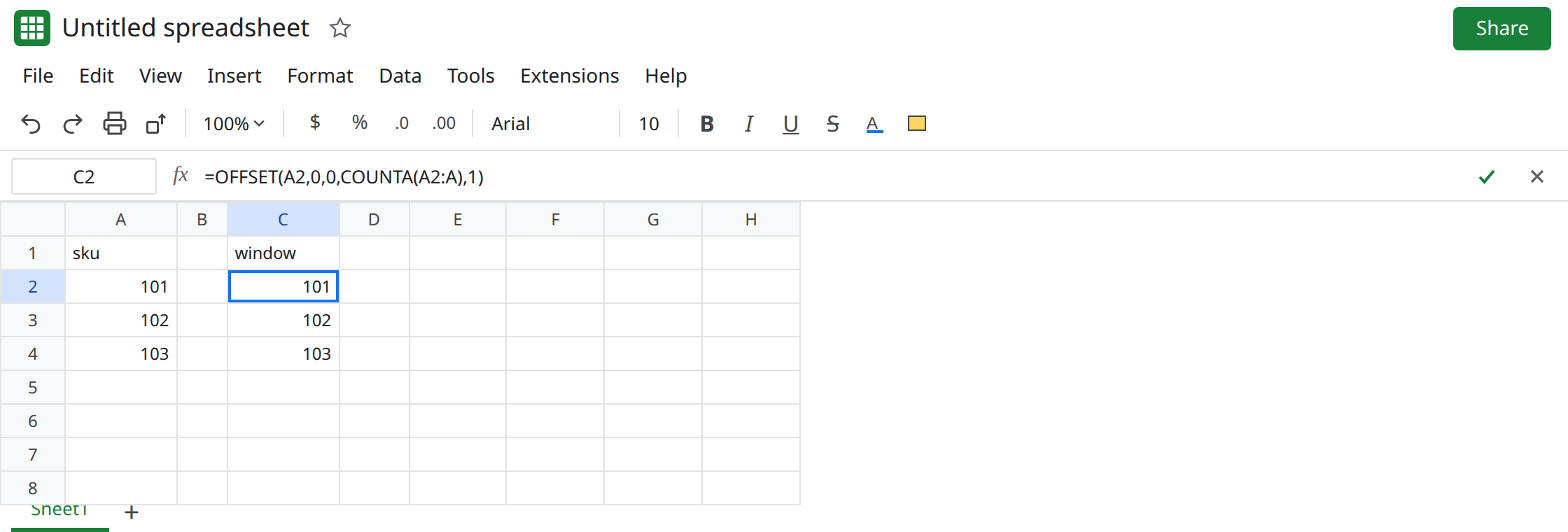
FILTER and a chart sit on that window. In G1 type f. In G2 enter =FILTER(C2:C4,C2:C4<>""). G2 repeats the three skus. Insert → Chart with the data range set to C2:C4. Edit E1 again. The chart’s source recalculates with OFFSET. On this tiny range you may only see a refresh. A tall OFFSET under several charts is the lag. Leave G2 and the chart in place. Sheets does not use Excel’s # spill operator. A cell that contains C2# is Excel spilled arrays become static.
Height 0, so the error stays a different page. In C6 enter =OFFSET(A2,0,0,0,1). C6 is #REF!. Zero is not “as tall as the data.” See OFFSET height 0. Leave C6 broken. Making the height COUNTA does not answer this page, and fixing C6 does not make C2 non-volatile.
A name does not opt out. If you define a named range as =OFFSET(A2,0,0,COUNTA(A2:A),1) under Data → Named ranges, every formula that uses the name inherits the volatility. The name is a label for the same formula. See named range #REF! / #NAME? only when the name is broken. A slow name that returns 101 is this page.
What is actually wrong
Section titled “What is actually wrong”OFFSETdoes not publish a stable precedent the wayA2:A4does. Sheets recalculates it when the workbook calculates.COUNTAinside it recalculates too. Dependents recalculate because their input recalculated, even when every sku is identical.- Charts read the range after calc. A volatile window looks like a chart bug. The series did not get a new sku. The range was recomputed.
FILTERof that window is not volatile by itself. It becomes part of the storm because it depends on one. See filter hides spill only when a sheet filter is hiding rows. G2 is not hidden. It is downstream ofOFFSET.- Open-ended
A2:Ais also a large range, and it is not the same problem. It does not rebuild a starting corner on every edit. It can be heavy for other reasons. Do not replace a slowOFFSETwithINDIRECTof a built address.INDIRECTis volatile too. See INDIRECT volatility.
This is not the calculation-limit tooltip. See calculation limit. If you see that sentence, the formula is also too large, not only volatile.
Leave C2 as the volatile window and C6 as #REF!.
Mark the last row with INDEX. In I1 type idx. In I2 enter =A2:INDEX(A2:A,COUNTA(A2:A)). I2 spills 101, 102, 103. The end of the range is INDEX, which is not a volatile function. Add 104 in A5. Both C2 and I2 grow to four rows if COUNTA sees A5. Delete A5. Both shrink. Edit E1. I2 does not need an OFFSET replay to stay correct.
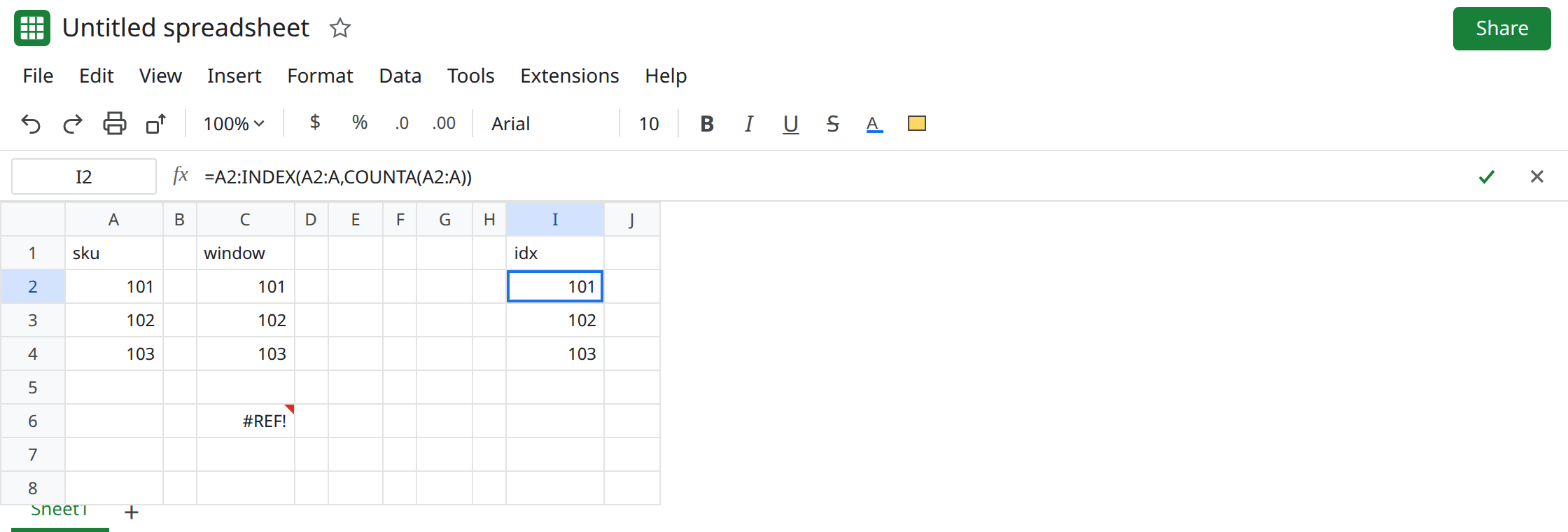
Point the chart and the FILTER at I2’s spill, not at C2. If a named range was the volatile OFFSET, edit the name to the INDEX expression or delete the name and use I2.
Do not wrap C2 in IFERROR. A slow correct spill is not an error. See IFERROR hides cause.
If the formula is OFFSET and unrelated edits refresh its charts, replace it with a normal range or INDEX for the last row. If the cell is #REF! and the height is 0, you are on the height page. If the step leaves the grid, you are on the off-sheet page.