

Fix WRAPROWS / WRAPCOLS #NUM! or #REF! in Google Sheets (wrap count 0 / overwrite)
Updated
WRAPROWS takes a vector and writes it left to right, starting a new row every wrap_count cells. WRAPCOLS writes top to bottom, starting a new column every wrap_count cells. #NUM! means wrap_count is not a positive length — 0, a negative, or a value that rounds to 0. #REF! means the wrapped array would overwrite a cell that already has a value. Leftover cells in the last row pad with #N/A unless you pass pad_with.
This page is wrap count and wrap overwrite. It is not TOCOL / TOROW (flatten first, ignore blanks vs errors). It is not SORT / UNIQUE spill. It is not SEQUENCE spill. Keep the Google Sheets UI in English.
Recreate it on a blank sheet
Section titled “Recreate it on a blank sheet”- Open a blank spreadsheet. In A1 type
codes. A2N12. A3E7. A4W4. A5S9. A6C2. Five dock codes in a column.
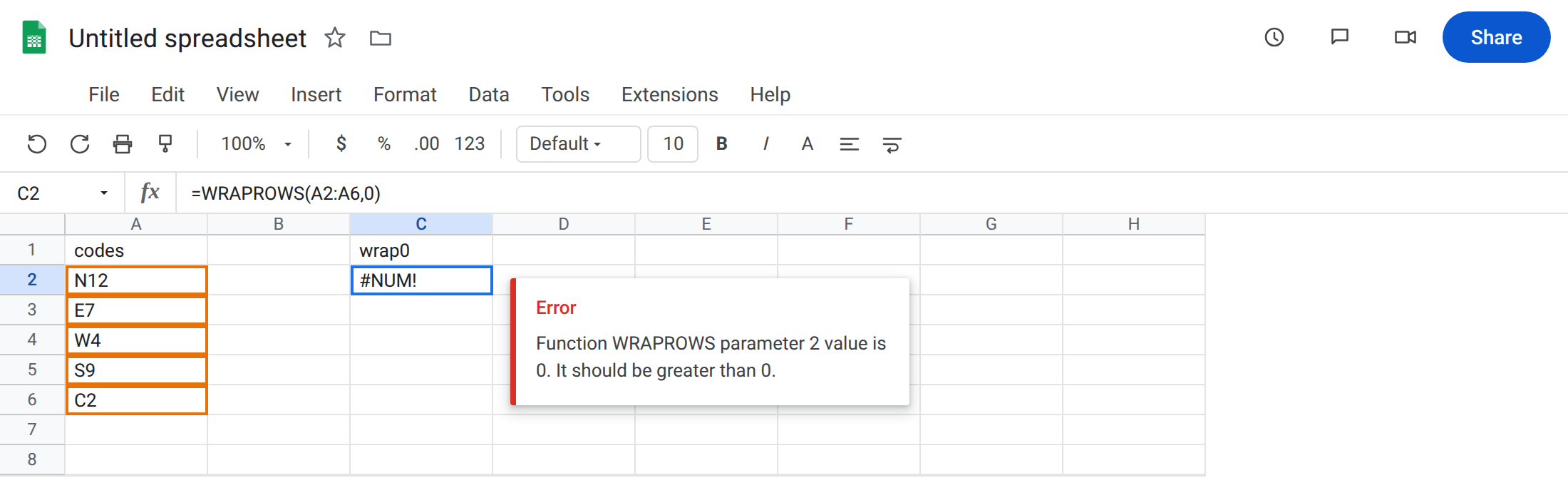
Wrap count 0. In C1 type wrap0. In C2 enter =WRAPROWS(A2:A6,0). The cell shows #NUM!. There is no row of length zero. wrap_count must be a positive whole number (non-integers round down). Leave C2 broken.
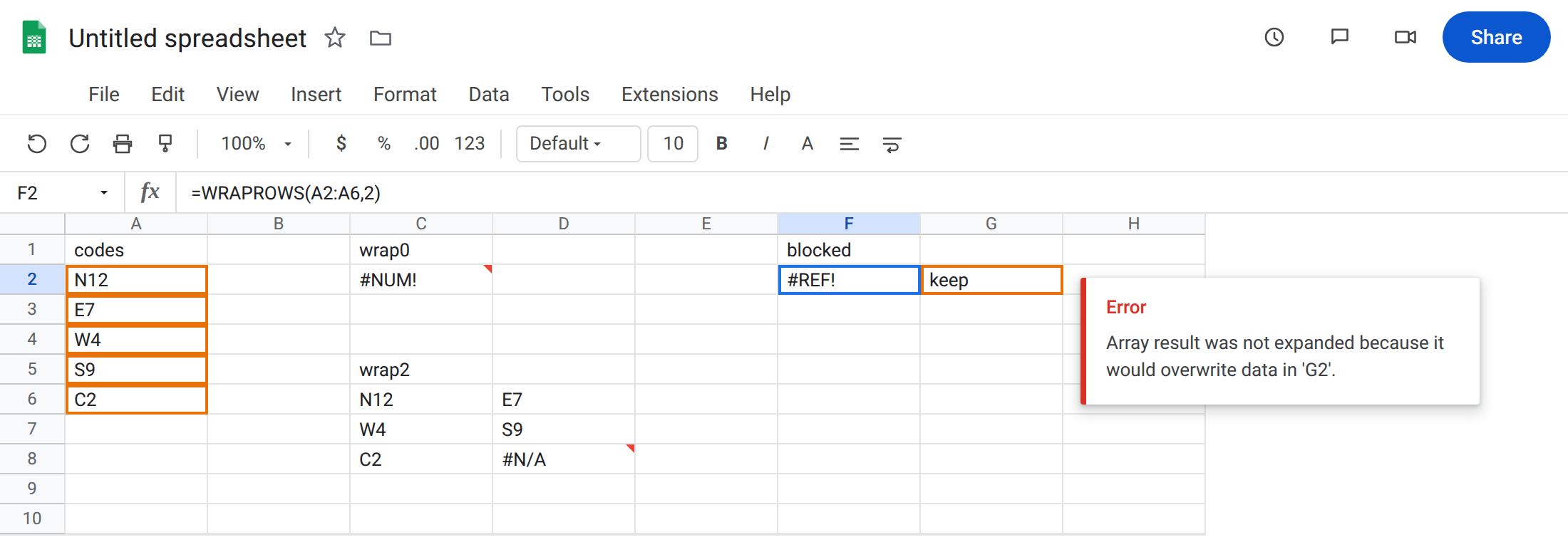
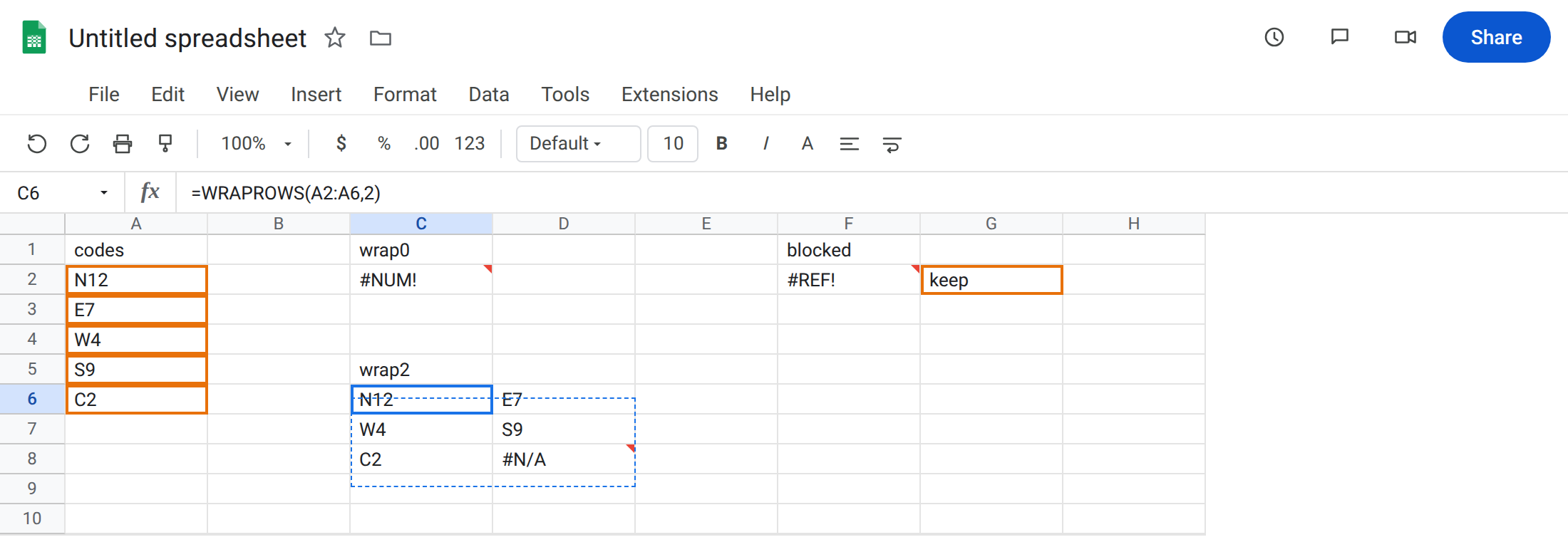
A wrap that works. In C5 type wrap2. Leave C6:D8 empty. In C6 enter =WRAPROWS(A2:A6,2). The formula spills two columns: N12 / E7, then W4 / S9, then C2 / #N/A. Five codes, width 2, last cell padded. That block is the control.
Blocked wrap spill. In F1 type blocked. In G2 type keep. Leave F2 empty. In F2 enter =WRAPROWS(A2:A6,2). The cell shows #REF!. The tooltip is Array result was not expanded because it would overwrite data in ‘G2’. Width 2 needs F2 and G2. Leave F2 broken.
WRAPCOLS is the other axis. In I1 type cols. Leave I2:K3 empty. In I2 enter =WRAPCOLS(A2:A6,2). Two rows, then a new column: N12 / E7 down the first column, W4 / S9 in the next, C2 / #N/A in the third. Same five codes, different layout.
Count that rounds to zero. In C10 enter =WRAPROWS(A2:A6,0.9). 0.9 rounds down to 0. #NUM! again. Leave C10 broken.
Leave C6 as the working wrap. Leave C2 and F2 as the two errors.
What is actually wrong
Section titled “What is actually wrong”wrap_countis a width (or height forWRAPCOLS), not a row index and not “how many leftover cells.”0is not “do not wrap.” It is an illegal length. Negative is the same#NUM!.- A fractional count is truncated toward zero before the wrap.
2.9becomes2and works.0.9becomes0and#NUM!. - The result is an array. Two-wide wrap of five cells needs three rows and two columns. One occupied cell in that rectangle is
#REF!for the whole formula. - Default pad is
#N/A, not blank. That is not a lookup miss. See what #N/A means for the token only. - A 2-D block is still read as a vector, then wrapped. Flatten with
TOCOLfirst if you need column-wise order. See TOCOL / TOROW.
This is not CHOOSECOLS past the range. See CHOOSEROWS / CHOOSECOLS. wrap_count is a chunk size, not an index. This is not a deleted name. See after you delete. F2 still shows WRAPROWS(A2:A6,2).
Leave C2, C10, and F2 broken.
Pass a positive wrap count. Keep C6: =WRAPROWS(A2:A6,2). For a single row of five, =WRAPROWS(A2:A6,5) (no pad). For a column of five, =WRAPCOLS(A2:A6,5) or just leave the source column.
Replace pad #N/A when a blank should print. In C12 enter =WRAPROWS(A2:A6,2,""). The last cell is empty instead of #N/A. Use IFNA only if you wrapped first and now want to blank pads without changing pad_with. Prefer pad_with. See IFERROR vs IFNA.
Clear G2 or move F2 so the two-column wrap can spill. Do not wrap F2 in IFERROR. You still have no grid.
If #NUM!, the count rounded to 0 or is negative. If #REF! and the formula still says WRAPROWS / WRAPCOLS, look one cell right (rows) or one cell down (cols). If the extra corner is #N/A after a successful spill, that is pad, not a miss.
Count 0 vs occupied spill
Section titled “Count 0 vs occupied spill”Two errors, one function family.
#NUM! is the argument. C2 never tried to write a grid. Fix 0, 0.9, or -1 first.
#REF! is occupancy. Count 2 is legal. F2 needs a clear rectangle. Same overwrite family as SORT / UNIQUE spill. TOCOL makes a vector; WRAPROWS turns a vector into a table. Do not pass wrap_count 0 expecting flatten.