

A sheet filter hides FILTER spill rows for everyone else
Updated
FILTER the function spills matching rows into the grid. Data → Create a filter hides rows. Those are different tools with the same word. A sheet filter on the spill’s rows collapses part of the spill. The formula bar still has the full FILTER. Collaborators see the same hidden rows, because a sheet filter is part of the file, not a private view. The list looks unfinished. It is not #N/A.
Zero matching rows are FILTER no match. SUBTOTAL skipping filtered rows on purpose is SUBTOTAL hidden rows. Keep the Google Sheets UI in English. Sheet Error is an independent formula-error library, not a Google product.
Recreate it on a blank sheet
Section titled “Recreate it on a blank sheet”- Open a blank spreadsheet. In A1 type
region, B1qty. A2East, B210. A3West, B320. A4East, B430. A5West, B540.
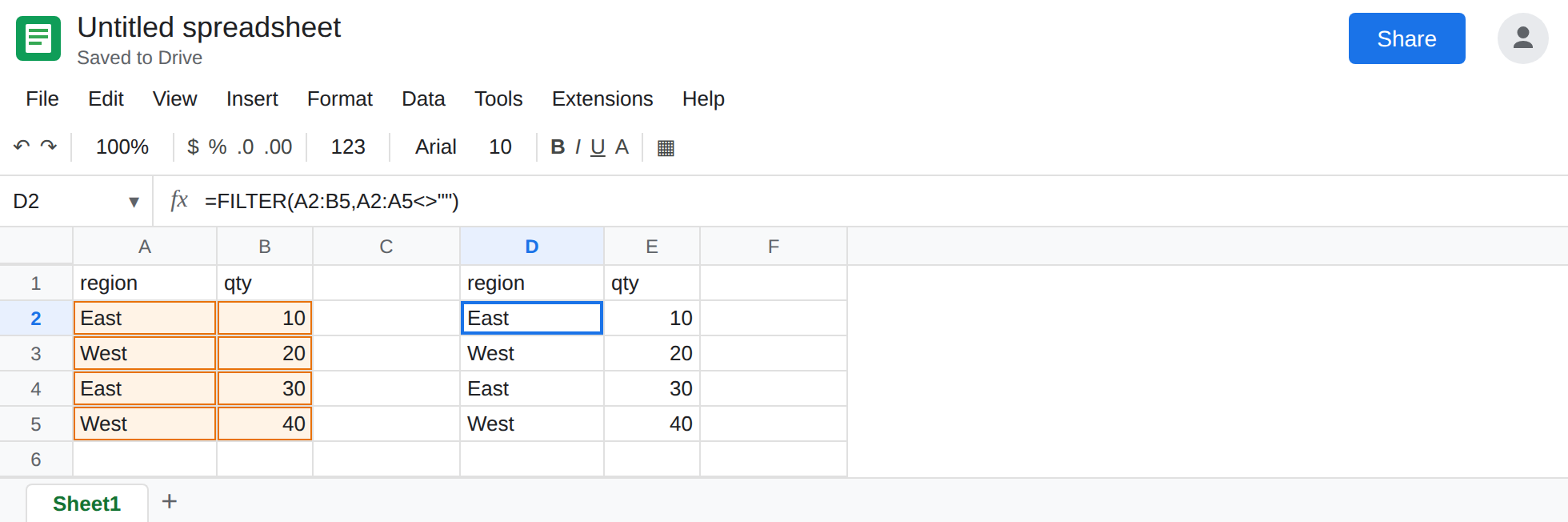
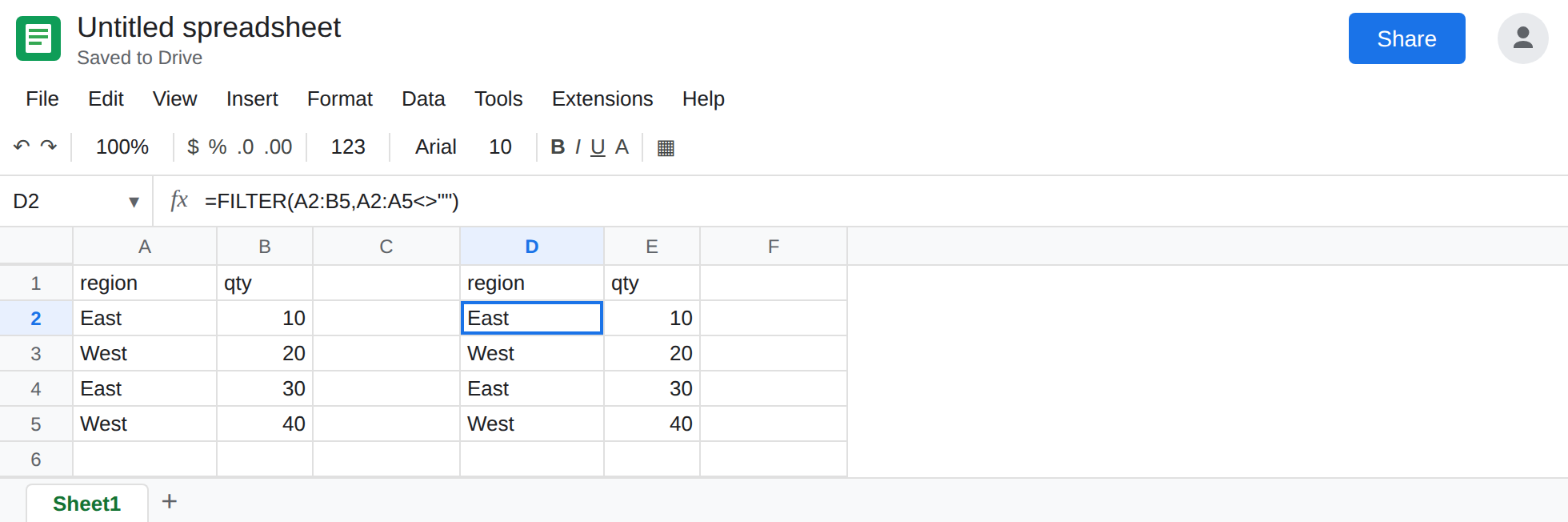
The spill with no filter. In D1 type region, E1 qty. Leave D2:E5 empty. In D2 enter =FILTER(A2:B5,A2:A5<>""). The spill is all four data rows. That is the control. Every region is visible.
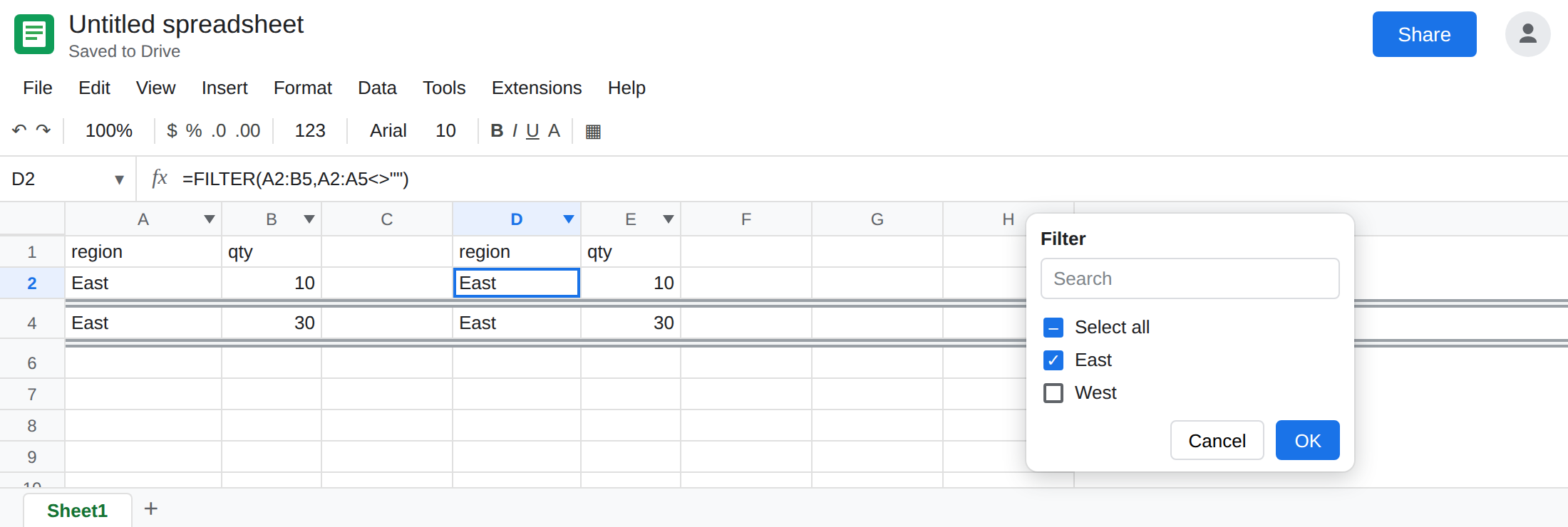
Turn on a sheet filter that hides a spill row. Select row 1, or select A1:E5 so the filter covers the source and the spill. Data → Create a filter. Open the filter icon on column A (region). Clear West. Click OK.
Row 3 and row 5 hide, because A3 and A5 are West. The spill’s second and fourth results live on those same rows, so they hide with them. What remains on screen is East 10 and then East 30. West is gone from view. It looks like FILTER dropped West. The formula does not mention West. Open the filter icon again and you will see West unchecked. Leave the filter on.
The formula row itself. If you also clear East, the filter hides row 2 and row 4. D2 is on row 2. Hiding the formula’s row hides the whole spill. The sheet looks empty even though four matches exist. Turn East back on so you can see the partial list, and leave West off.
A filter view is per person. This menu is not. Data → Filter views → Create new filter view can hide rows for you and leave another editor on the unfiltered grid. The filter you just created with Create a filter is the sheet filter. Another editor who opens the file sees West hidden too. That is why their copy of the spill looks short.
Leave the sheet filter on, with West cleared, so the spill looks like two East rows.
What is actually wrong
Section titled “What is actually wrong”FILTERwrites a block that starts at D2 and continues downward. It does not draw on a private layer. Hiding row 3 hides whatever sits on row 3, including the second spilled record.- The function does not read the filter checkboxes. West is still inside the spill. You cannot see that row.
COUNTAof the visible cells is the wrong audit. Turn the filter off and count, or use a formula that does not depend on which rows are hidden. - Source rows hidden by a filter are still in
FILTER’s input. If you expected the function to drop whatever the menu hid, it will not.SUBTOTALis the aggregate that skips those rows. See SUBTOTAL hidden rows. ASUMof column B still includes West while the filter is on. The spill looking short and the sum staying100is the same sheet. #N/Awith no records is a different tooltip. See FILTER no match. D2 here returned four rows. Two of them are hidden.- Commenters and viewers see the sheet filter the owner left on. They cannot turn it off if they cannot edit. See Commenter role. An Editor can. Ask an editor if the file is filtered before you rewrite the formula.
This is not a blocked spill. #REF! and Array result was not expanded means a value is sitting in the way. See SORT / UNIQUE spill. Hidden rows are not values in the blocker sense. The rows are still the spill.
Turn the sheet filter off to see the spill. Select the filtered range. Data → Remove filter. D2:E5 shows four rows again, same formula. You can also open the column A filter icon and choose Select all, which shows West without removing the filter. Remove it if this tab should not be filtered for other people.
Put the condition in the formula if the short list should be real. =FILTER(A2:B5,A2:A5="East") spills two East rows on a sheet with no filter menu. Everyone sees two rows because only two rows exist. That is a different report from a hidden West.
Use a filter view when one person wants a temporary hide. Data → Filter views. Name it. Closing the view restores the rows for that person and never hid them for anyone else. Do not leave a sheet filter on a tab whose job is to display a spill.
Do not wrap D2 in IFERROR because two rows seem to be missing. The matches are on hidden rows. See IFERROR vs IFNA.
If a FILTER spill looks shorter than the matches you can count in the source, look for a filter icon in the header row. Remove it or select all values. If the cell is #N/A and nothing is hidden, you are on the no-match page. If a total should ignore the hidden rows, use SUBTOTAL, not a shorter spill.