

Fix two-way INDEX / MATCH #N/A or #REF! in Google Sheets (row and column headers)
Updated
A two-way lookup sits on a matrix: row labels on the left, column labels on the top, values in the body. INDEX(body, MATCH(row_key, row_labels, 0), MATCH(col_key, col_labels, 0)) returns the intersection. #N/A means one of the headers is missing (or approximate MATCH on unsorted labels). #REF! means INDEX’s row or column index is past the body — often because MATCH was pointed at a range that includes an extra header cell, or the body is narrower than the header row.
This page is row-header + column-header into a grid. It is not INDEX/MATCH two-criteria (two columns in a list, boolean MATCH). It is not INDEX past range as a generic primer, though the #REF! token matches. It is not MATCH no match alone. Keep the Google Sheets UI in English.
Recreate it on a blank sheet
Section titled “Recreate it on a blank sheet”- Open a blank spreadsheet. In A1 type
store. B1Jan. C1Feb. D1Mar. A2East. B210. C212. D29. A3West. B34. C38. D37. A4North. B45. C46. D43. Stores down, months across.
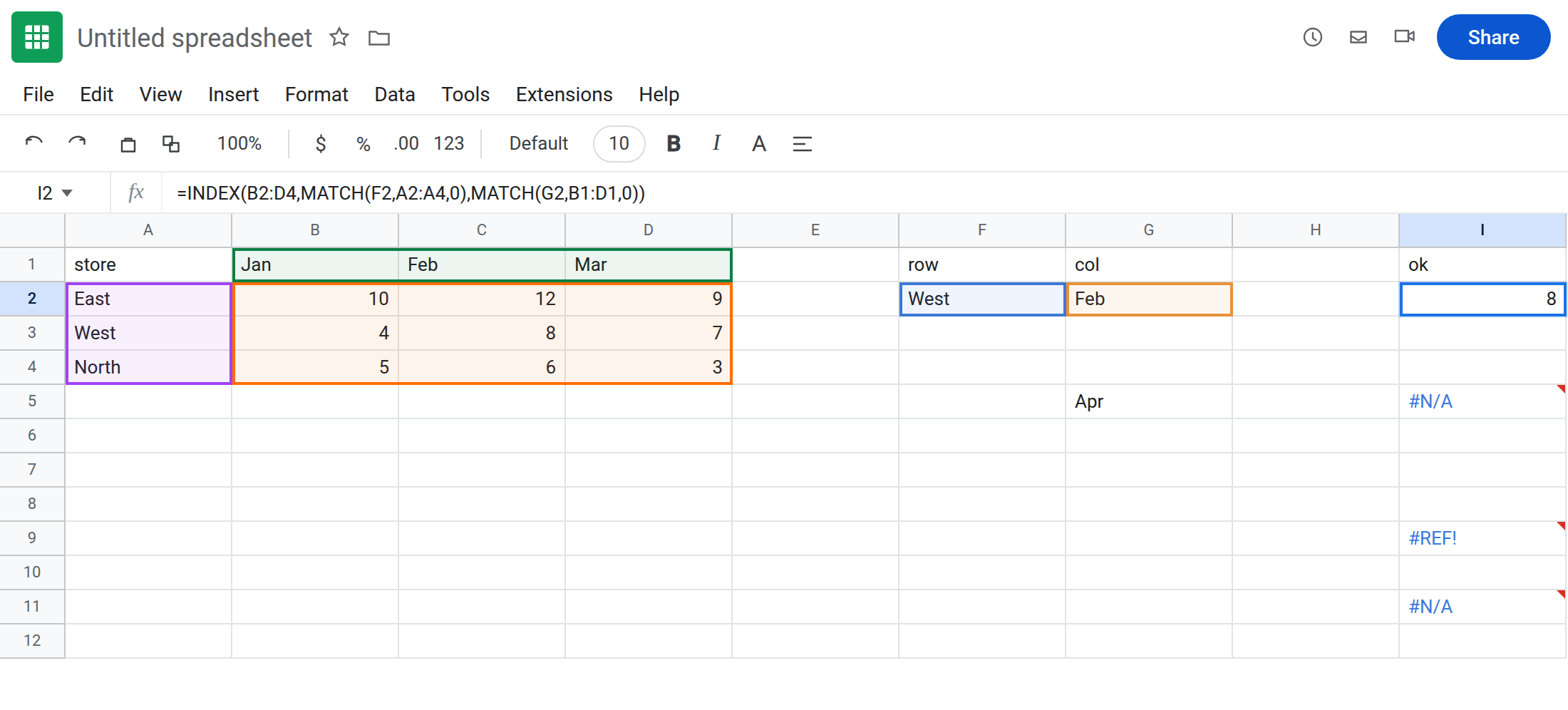
Working two-way. In F1 type row. F2 West. G1 col. G2 Feb. In I1 type ok. In I2 enter =INDEX(B2:D4,MATCH(F2,A2:A4,0),MATCH(G2,B1:D1,0)). The cell shows 8 (West / Feb). That cell is the control.
Missing column header. In G5 type Apr. In I5 enter =INDEX(B2:D4,MATCH(F2,A2:A4,0),MATCH(G5,B1:D1,0)). Apr is not in B1:D1. #N/A from the inner MATCH. Leave I5 broken.
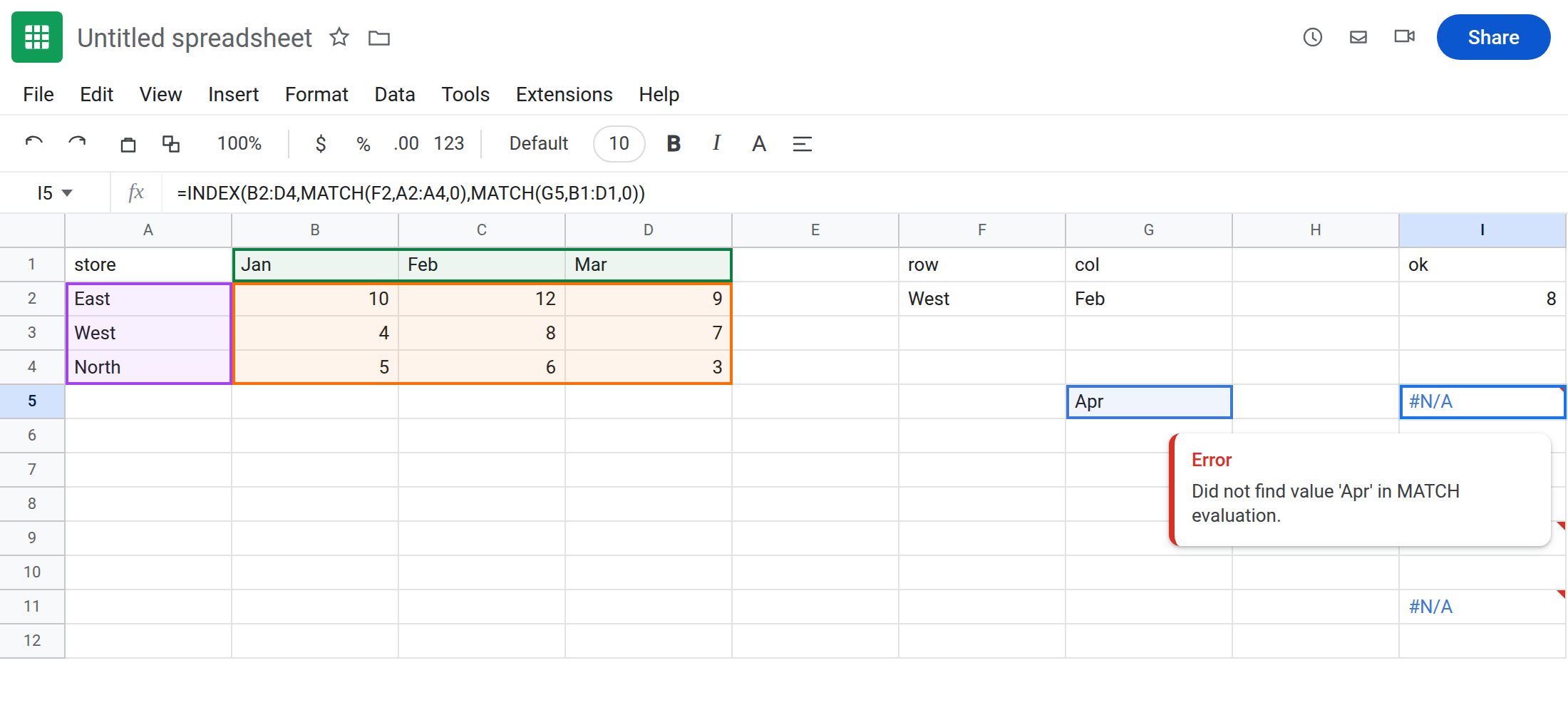
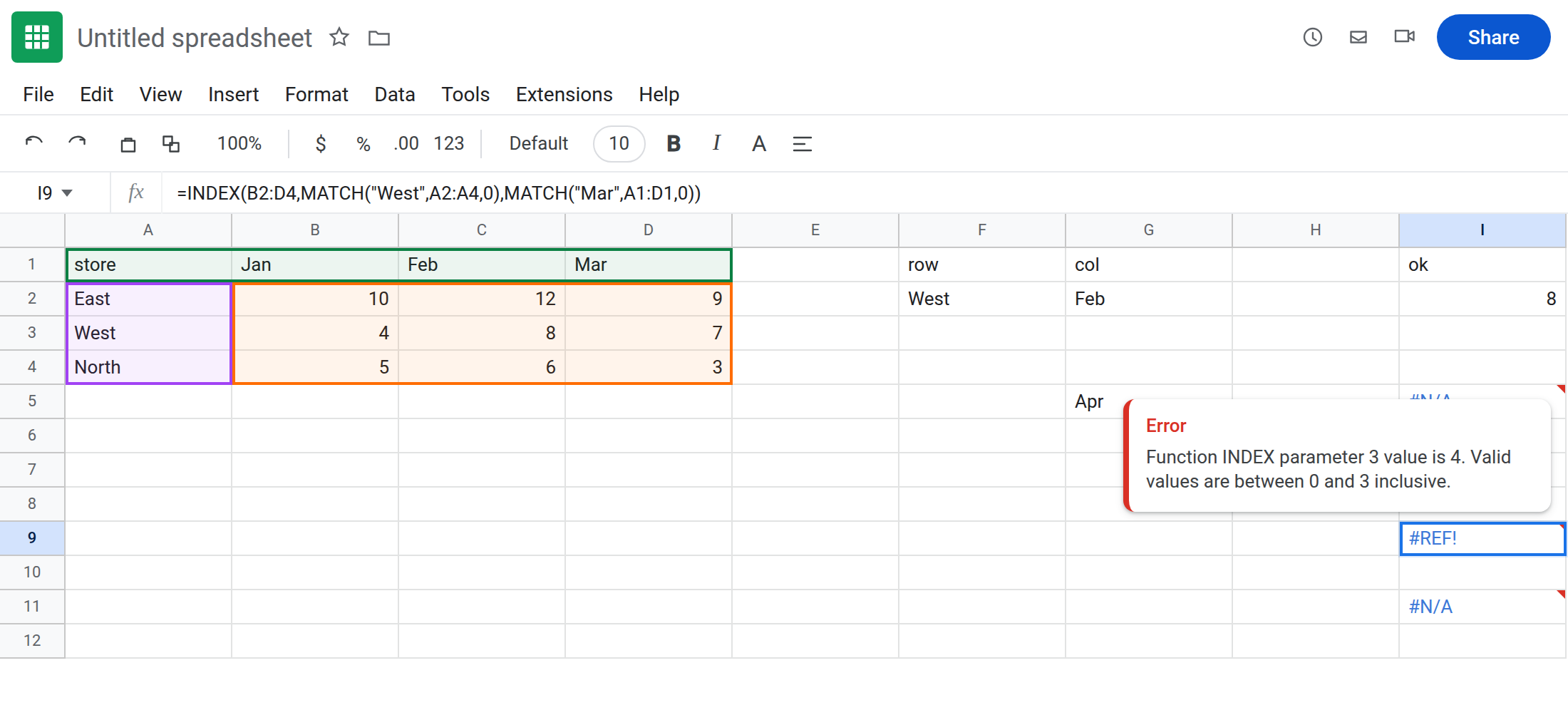
MATCH on the header row including A1. In I8 enter =INDEX(B2:D4,MATCH("West",A2:A4,0),MATCH("Feb",A1:D1,0)). MATCH("Feb",A1:D1,0) returns 3 (A1 store, B1 Jan, C1 Feb). INDEX(B2:D4, …, 3) is Mar, not Feb — silent wrong month — or, if you MATCH a label that lands on index 4, #REF! because B2:D4 has only three columns. In I9 enter =INDEX(B2:D4,MATCH("West",A2:A4,0),MATCH("Mar",A1:D1,0)). Mar is position 4 in A1:D1. INDEX(...,4) is #REF!. Leave I9 broken.
Missing store. In I11 enter =INDEX(B2:D4,MATCH("South",A2:A4,0),MATCH("Feb",B1:D1,0)). #N/A. Leave I11 broken.
Leave I5 and I9 as #N/A vs #REF!. Leave I2 as 8. A region+sku list is INDEX/MATCH two-criteria, not this matrix.
What is actually wrong
Section titled “What is actually wrong”- Row
MATCHmust walk A2:A4 (stores), not the body. ColumnMATCHmust walk B1:D1 (months), notA1:D1unless the body also includes column A. - If
MATCHincludes the cornerA1, every month index is off by one. Feb becomes Mar. Mar becomes#REF!(I9). #N/Ais a header that is not there (Apr, South) or approximateMATCHwithout0on unsorted labels. Pass0for exact headers.#REF!isINDEXpastB2:D4. Read INDEX past range. Here the index came fromMATCH, not a typed4.XLOOKUPtwo-way isXLOOKUPon rows nested withXLOOKUPon columns, orINDEXas above. A singleXLOOKUPof"West"cannot pick Feb.
This is not CHOOSECOLS index 3 on a two-column strip. See CHOOSEROWS / CHOOSECOLS.
This is not XLOOKUP wide return overwrite. See XLOOKUP return range. I9 is #REF! inside INDEX, not a spill tooltip.
Leave I5, I9, and I11 broken.
Match labels to the same width/height as the body. Keep I2: =INDEX(B2:D4,MATCH(F2,A2:A4,0),MATCH(G2,B1:D1,0)). Body B2:D4 is 3×3. Row labels 3. Column labels 3.
Missing headers: add Apr to the grid, or IFNA only when a month is allowed to be absent. See IFERROR vs IFNA. IFERROR will also hide I9’s #REF!.
Off-by-one: never MATCH on A1:D1 unless INDEX is A2:D4 (body includes the store column — usually wrong). Align ranges.
If #N/A, print the two MATCHes in helper cells. The one that is #N/A is the missing header. If #REF!, MATCH returned 4 on a 3-column body — the header range is wider than the body.
Grid vs fact-table two-criteria vs INDEX primer
Section titled “Grid vs fact-table two-criteria vs INDEX primer”Stores × months body → this page (I2).
Region and sku as two list columns → INDEX/MATCH two-criteria.
Typed INDEX(range,4) with no MATCH → INDEX past range. Same #REF!, no headers involved.