

GOOGLEFINANCE mutual fund symbols are not stock tickers
Updated
GOOGLEFINANCE treats a mutual fund as a different symbol from a stock. The prefix is MUTF: plus the fund ticker, as in MUTF:VFIAX. Attributes that describe a trading session (volume, and a historical close window copied from a stock formula) are not that product. The cell is #N/A. Google’s help lists fund attributes such as closeyest, date, returnytd, netassets, change, changepct, and the return family (return1, return4, return52, and others). Those names can still be #N/A when the feed has no row for that fund. This page does not promise a number.
A bad stock ticker is GOOGLEFINANCE #N/A. An exchange prefix on a stock is GOOGLEFINANCE exchange. A delayed number, when you do get one, is GOOGLEFINANCE delay. Sheet Error is not a broker and not Google. Do not trade from this page. Do not copy a value out of a cell into this article.
Recreate it on a blank sheet
Section titled “Recreate it on a blank sheet”- Open a blank spreadsheet. You need a network. Keep the Google Sheets UI in English.
Loading…is the fetch, not a result.
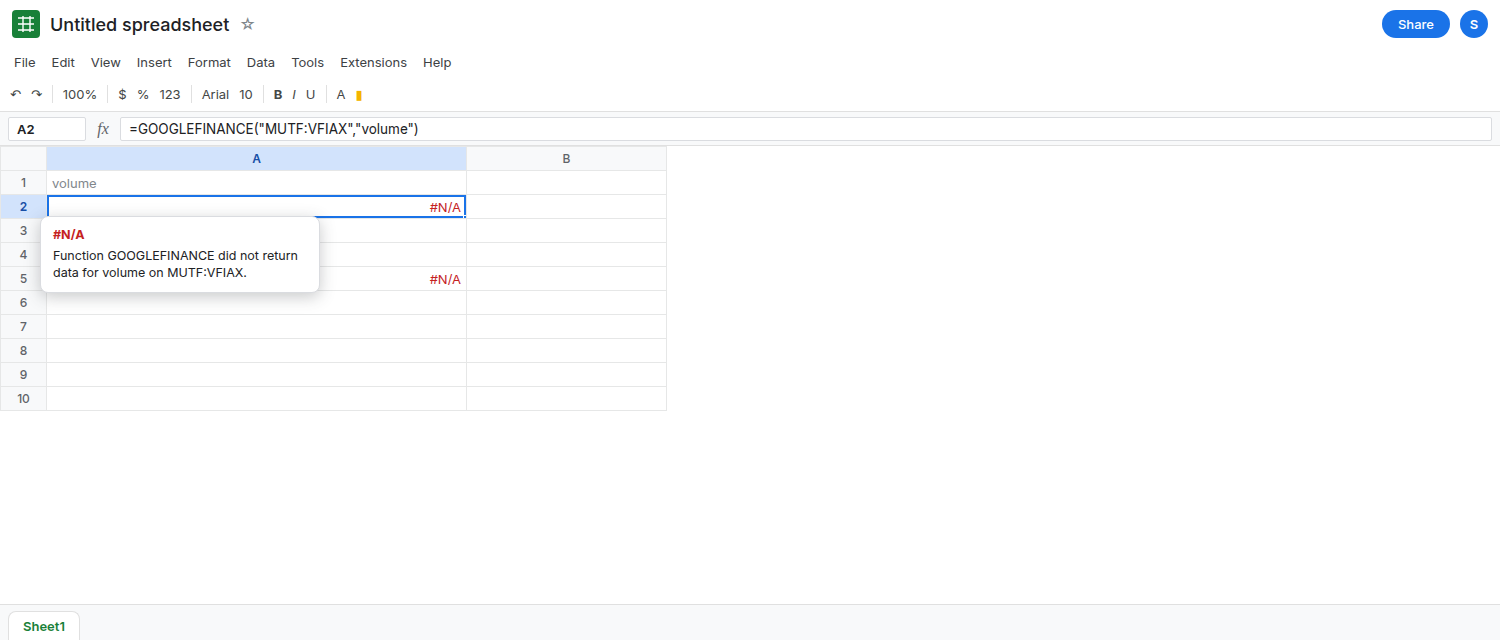
A stock-shaped call on a fund ticker. In A1 type volume. In A2 enter =GOOGLEFINANCE("MUTF:VFIAX","volume"). A2 is #N/A. volume is a session attribute. A mutual fund is not that call. Leave A2 broken. If your tooltip says the symbol is unknown instead, the prefix or the ticker did not resolve. That is still not a volume figure. Do not keep editing A2 until a share count appears.
A stock history window. In A4 type close_win. In A5 enter =GOOGLEFINANCE("MUTF:VFIAX","close","2024-01-02","2024-01-05"). A5 is #N/A, or it sits on Loading… and then #N/A. Historical close is the stock shape on GOOGLEFINANCE attribute. A fund reports a net asset value, not that session tape. Leave A5 broken. An empty spill is not a quiet zero you should chart as a price.
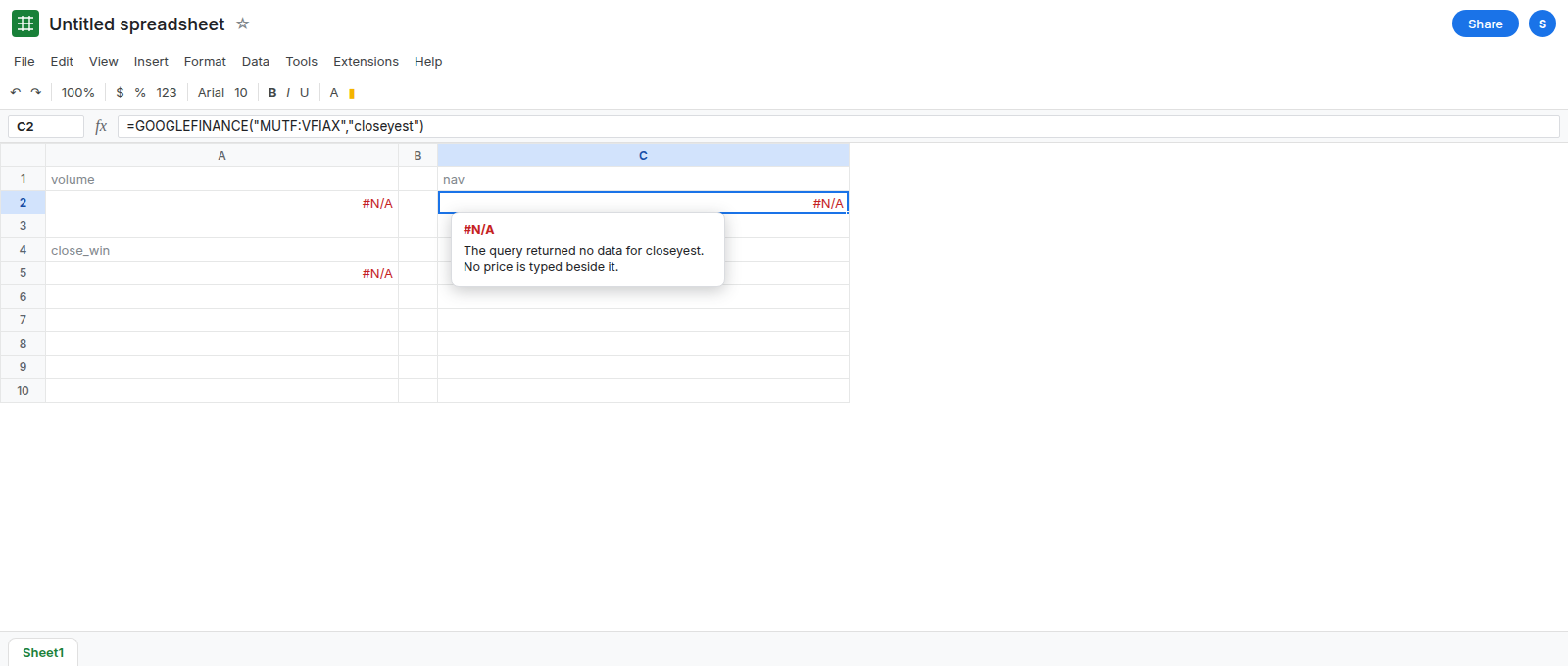
A fund attribute, which may still be #N/A. In C1 type nav. In C2 enter =GOOGLEFINANCE("MUTF:VFIAX","closeyest"). When the feed has that attribute, C2 is a number. When it does not, C2 is #N/A. Both outcomes are this page. Do not type a stand-in number if C2 fails. In C4 enter =GOOGLEFINANCE("MUTF:VFIAX","returnytd"). Same rule: a number means the feed returned it, #N/A means this attribute is not available for this symbol right now. Leave whichever result you got. Refreshing the browser is not a way to add the fund to the feed.
The prefix is part of the symbol. In C6 enter =GOOGLEFINANCE("VFIAX","closeyest"). Without MUTF:, Sheets may resolve a different listing or return #N/A. Leave C6 as that result beside C2. See GOOGLEFINANCE exchange for the same idea on stocks (NYSE: / NASDAQ:).
A bare stock attribute list will not finish the fund. price, eps, pe, and marketcap are not the fund list above. #N/A on those names is the attribute, not a sign that you should remove MUTF:.
What is actually wrong
Section titled “What is actually wrong”- The symbol and the attribute have to match the security type.
MUTF:VFIAXsays mutual fund.volumeand a datedclosesay stock session. A2 and A5 are that mismatch. They do not start working after the market closes. - Fund attributes are a separate list.
closeyestandreturnytdare on it. They are still requests to a feed.#N/Ameans no data for that pair of symbol and attribute. This page will not tell you to wait until C2 becomes a price. It may not. - A number you do get is delayed, the same policy as other
GOOGLEFINANCEquotes.datadelayon a stock is the delay page. Do not compare C2 to a broker and call#N/Aa fix. - Nothing here is a recommendation to buy, sell, or hold.
VFIAXis a widely cited example so the prefix is easy to read. It is not a pick. If your fund’s ticker is different, the sameMUTF:rule applies, and the feed may still have no row.
This is not currency pair. CURRENCY: is a different prefix, and percent change on a pair is currency percent.
Leave A2 and A5 as #N/A.
Ask for a fund attribute, and accept #N/A. Keep C2: =GOOGLEFINANCE("MUTF:VFIAX","closeyest"). If it is a number, label the column with the attribute name so nobody reads it as a live stock last. If it is #N/A, stop. Try one other documented fund attribute if you need a different field (returnytd, netassets). Do not cycle through volume and eps. Do not drop the prefix to “see if the stock ticker works.”
When the sheet must hold a figure you already trust from outside Sheets, type it yourself and label the source and the date. That typed cell is not GOOGLEFINANCE, and it will not refresh. A formula that is #N/A should stay #N/A until you understand which attribute failed.
Do not wrap A2 in IFERROR. You would hide an unsupported attribute and might show a blank where a reader expects an error. See IFERROR vs IFNA.
If volume or a close window on MUTF: is #N/A, you used a stock attribute. If a documented fund attribute is #N/A too, the feed has no row. Reloading does not create one.