

A Commenter can see formulas and cannot edit them
Updated
The Share dialog role is the permission on the whole file. Commenter can open the spreadsheet, select a cell, read the formula, and add a comment. Commenter cannot replace that formula, cannot paste a new one, and cannot type a value over it. The cell does not become #REF! or #NAME?. The edit never lands. Editor is the role that changes cells. Viewer can open the file and typically cannot comment.
This page is that role. A protected range that blocks an Editor is a different lock (Data → Protect sheets and ranges). A Drive file that a spreadsheet viewer cannot open is HYPERLINK for viewers. Keep the Google Sheets UI in English. Sheet Error is an independent formula-error library, not a Google product.
Recreate it on a blank sheet
Section titled “Recreate it on a blank sheet”- Open a blank spreadsheet you own. In A1 type
hours. In A2 enter=2+2. A2 shows4. You are the owner, so you are not the person this page is about.
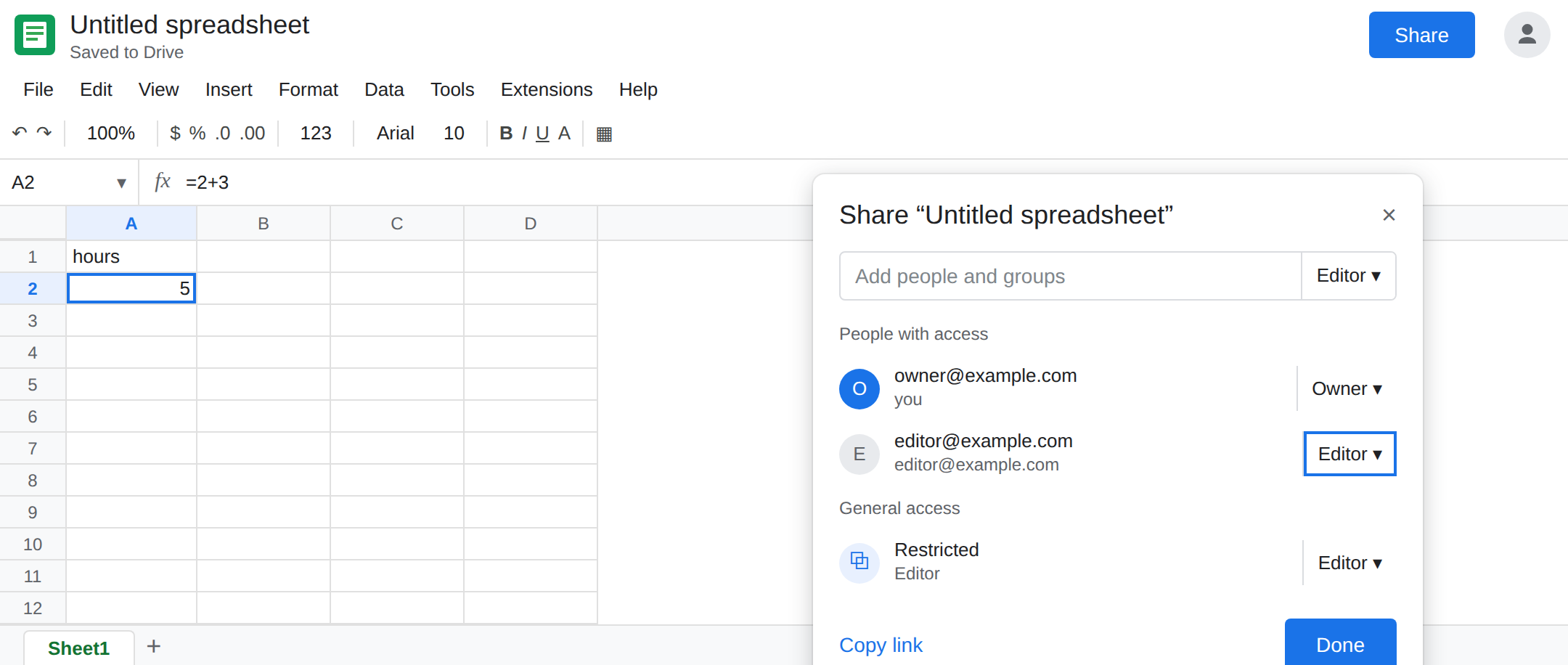
See the role. Click Share. Add a second Google account you can open, or a colleague, as Commenter. Not Editor. Copy the link if you use a link, and set the link’s role to Commenter as well. A link set to Editor overrides the story you think you are testing.
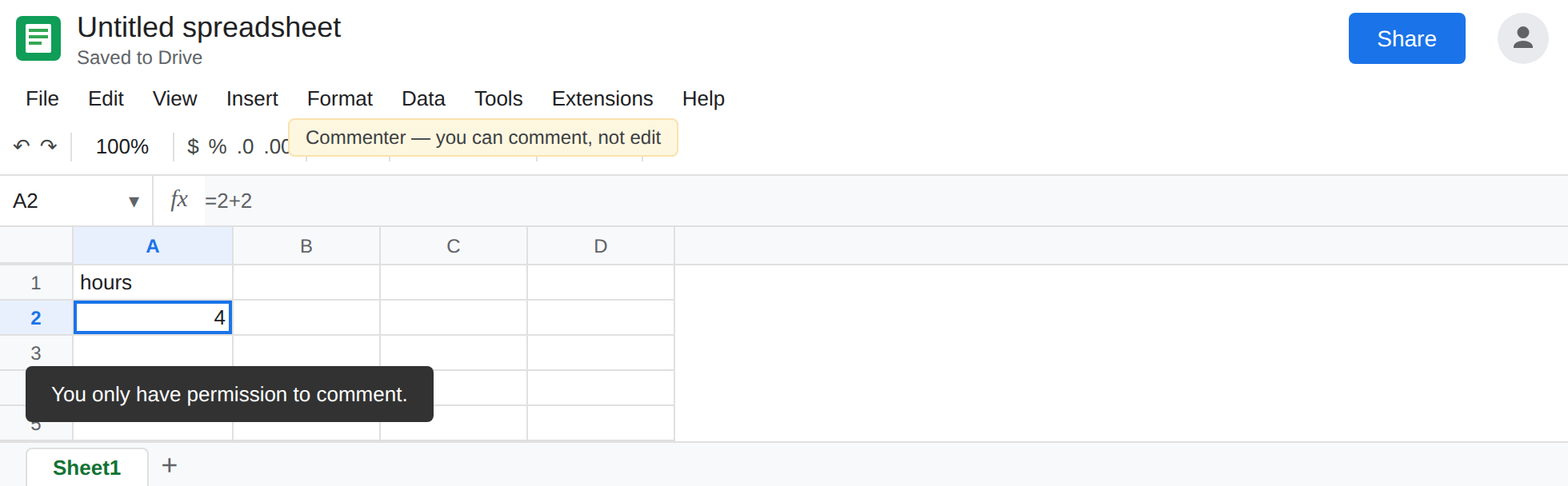
What Commenter sees. Open the same file as that account. Click A2. The formula bar shows =2+2. Try to type =2+3. Try to paste =10 into A2. The cell stays 4. Sheets tells you that this access can comment or view, not edit. The exact sentence depends on the account. The result is the same: A2 is unchanged when you look again as the owner. Leave the second account as Commenter while you confirm the owner’s A2 is still =2+2.
Editor can edit. In Share, change that account to Editor. Reload. In A2 enter =2+3. The cell shows 5 for both of you. That is the control. Set the account back to Commenter when you are done so the read-only state is what you remember.
A comment is allowed, and it is not an edit. As Commenter, select A2 and add a comment. The comment appears for the owner. The formula is still the owner’s formula. Leaving a comment does not prove the role can edit.
Do not protect A2 for this recreate. A protected range can block an Editor and looks similar from the grid. This page is the Share role on an unprotected cell.
What is actually wrong
Section titled “What is actually wrong”- Commenter is read access plus comments. The formula bar is a viewer, not an editor. Paste is an edit, so paste does nothing. There is no partial paste of “just the formula.”
- The owner’s copy is the file. Refreshing as Commenter will not reveal a formula that failed to paste. It was never written.
- Viewer is stricter: no comment thread from that role. If the account must mark cells up without changing them, Commenter is the right role and the formula bar will stay read-only. That is the job, not a broken sheet.
- Link sharing and the person’s role both matter. An Editor link with a Commenter person, or the reverse, follows the more specific rules Google applies to that account. Read the role next to the address you actually opened.
- File → Share → settings that disable download do not turn a Commenter into an Editor. They only remove copy-out. The cell is still read-only.
This is not a locked cell from Data → Protect sheets and ranges. An Editor who hits a protection sees a message about the protected range and can edit other cells. A Commenter cannot edit the unprotected cells either. If Editors can edit A2 and one person cannot, check Share before you add a protection.
This is not #VALUE! in HYPERLINK. The formula in A2 calculated. The other person cannot change it. A link that opens and then refuses a Drive file is HYPERLINK for viewers.
Leave a test account as Commenter only if that person should not change numbers.
Grant Editor to people who must change formulas. Share → the account → Editor. They reload, then A2 accepts =2+3. Owners do not need a role change.
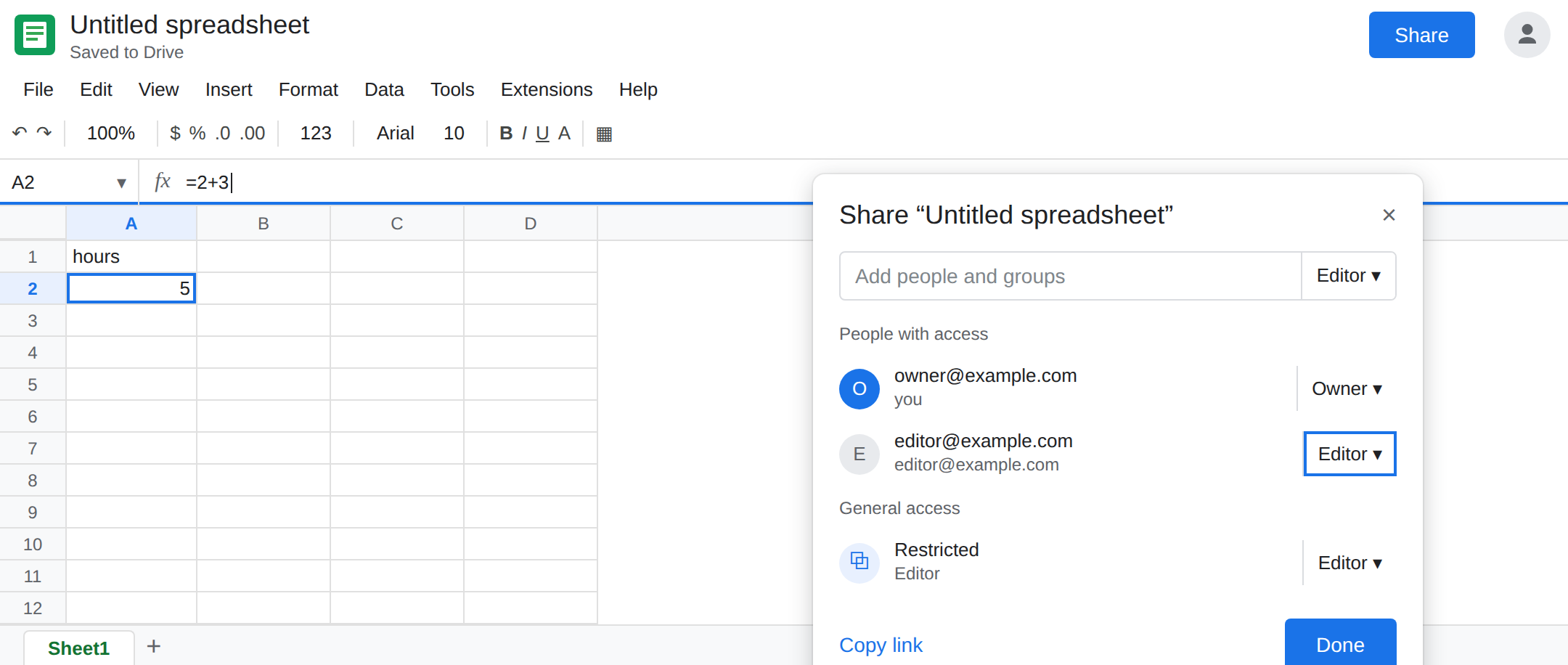
Keep Commenter, and change the sheet yourself. If the formula is wrong and the reporter is a Commenter, the owner or an Editor edits A2. Asking the Commenter to paste the fix will keep failing with no error on the cell.
Filter views and comments are the tools that role has. Data → Filter views can be saved without changing values for everyone. A sheet filter is a different problem. See Filter hides spill.
Do not wrap A2 in IFERROR because someone could not type. The formula is fine.
If the formula bar shows the formula and typing does nothing, open Share and read the role. Commenter and Viewer cannot edit. Editor can. If the role is already Editor and one range still refuses, the lock is protection, not this page.