

A sort inside a filter view can reorder the sheet for everyone
Updated
A filter view hides rows in your view. Other people stay on the unfiltered grid, or on their own view. That split is filter view vs filter. Sort is not the same edit. Data → Sort range, and the sort command on a column, move rows. People start that sort while a filter view is open, because the view’s bar is on screen, and the row order on the sheet changes. Close the view and the new order is still there. Collaborators who never opened the view see it. Google’s help describes filter views as a place where you can sort and filter for yourself. On a shared file, confirm the close-the-view test below before you trust that the sort stayed private. This page will not promise that every account still writes the sort through, and it will not promise a checkbox that makes sort view-only.
The SORT function, which spills a new range and does not move the source, is the private order. A sheet filter that hides rows for everyone is the other control on the collab page. Keep the Google Sheets UI in English. Sheet Error is an independent formula-error library, not a Google product.
Recreate it on a blank sheet
Section titled “Recreate it on a blank sheet”- Use a blank spreadsheet, not a live tracker. You are about to reorder rows. In A1 type
id, B1qty. A2a, B21. A3b, B33. A4c, B42. The id order isa,b,c.
A filter view that only filters. Select A1:B4. Data → Filter views → Create new filter view. The bar at the top names the view. Filter id to a and c if you want to see a private filter. Close the view. a, b, c are all visible again, in that order. The filter did not delete b. That is the collab page. Open the view again.
Sort while the view is open. With the filter view still open, click the filter icon on qty and choose the sort that puts largest first (Z → A, or Sort Z → A). Qty order becomes 3, 2, 1, so the ids read b, c, a if every row is included. If your filter hid b, turn the filter off inside the view before you judge the sort, so you are looking at all three ids. Close the view. Read A2:A4. If the ids are b, c, a, the sort rewrote the sheet. It was not discarded with the view. Leave that order. File → Version history → See version history shows an edit at the sort. That entry is the leak.
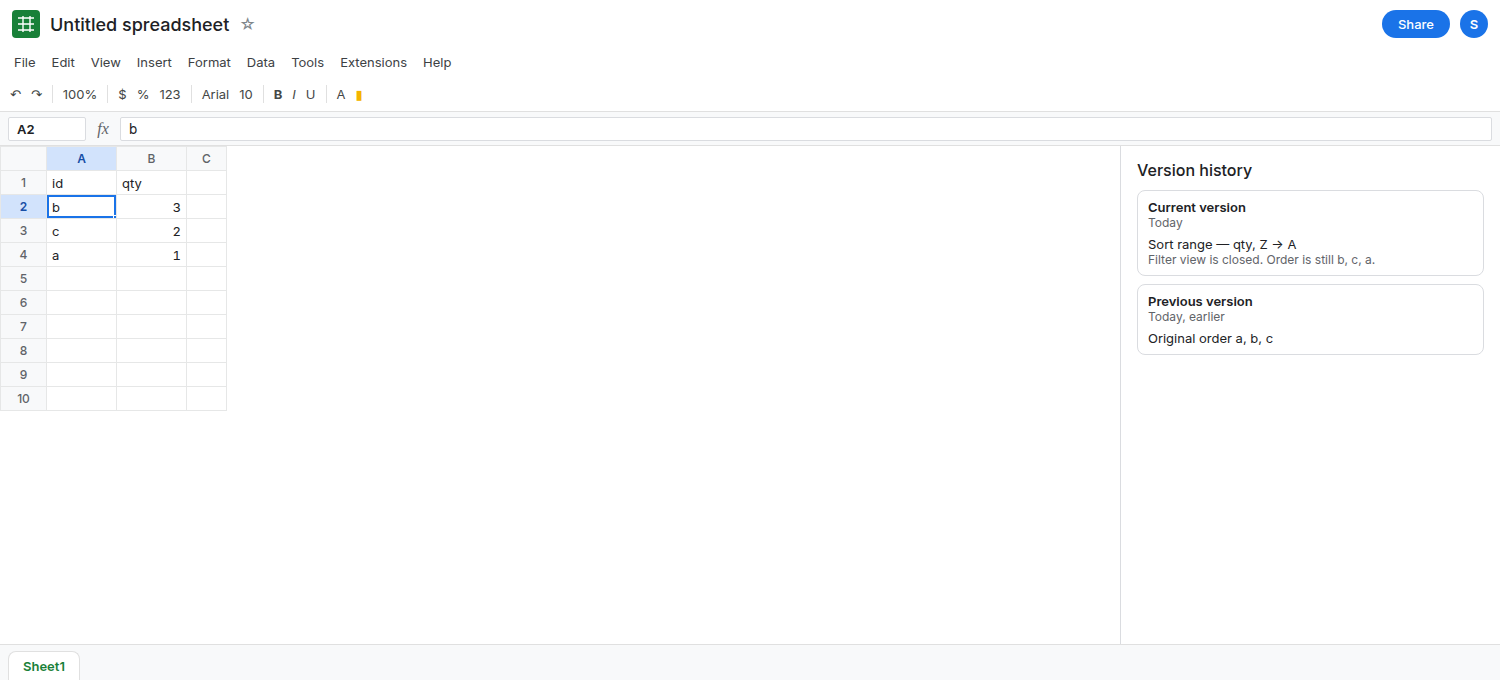
If the ids snapped back to a, b, c, this file kept the sort inside the view. You do not have the leak on this account right now. Do not keep sorting to force it. The private formula in the fix is still the order that cannot move source rows. The rest of this page is for the file where close left b, c, a.
Sort range outside any view is the same physical move, on purpose. Data → Sort range with no filter view open also rewrites rows for everyone. The surprise is doing it from inside a view you thought was private. A basic filter (Data → Create a filter) is shared too. Remove it when you are done so it is not confused with the view. See filter view vs filter.
What is actually wrong
Section titled “What is actually wrong”- A filter view stores criteria that hide rows for the people in that view. Row order is a property of the sheet. A sort command moves those rows. Closing the view closes the filter. It does not have a second copy of the grid to restore if the sort already wrote the file.
- Other editors see the new order without opening your view. Formulas that assume
ais in row 2 (=A2) now readb. The formula text did not change. The row did.IMPORTRANGEof this range follows the new order too. - Version history is the check that does not depend on a second account. If the history line is your sort, the reorder was an edit. If there is no such line and the ids reverted, the view held the sort.
- A named view can disappear after headers change. That is named filter view gone. A missing name is not the reorder. Look at the ids.
This is not the SORT function. A function spill does not drag source rows.
If your test left b, c, a, you can put the practice sheet back with another sort, or leave it as evidence. Do not repeat the experiment on a file other people are using.
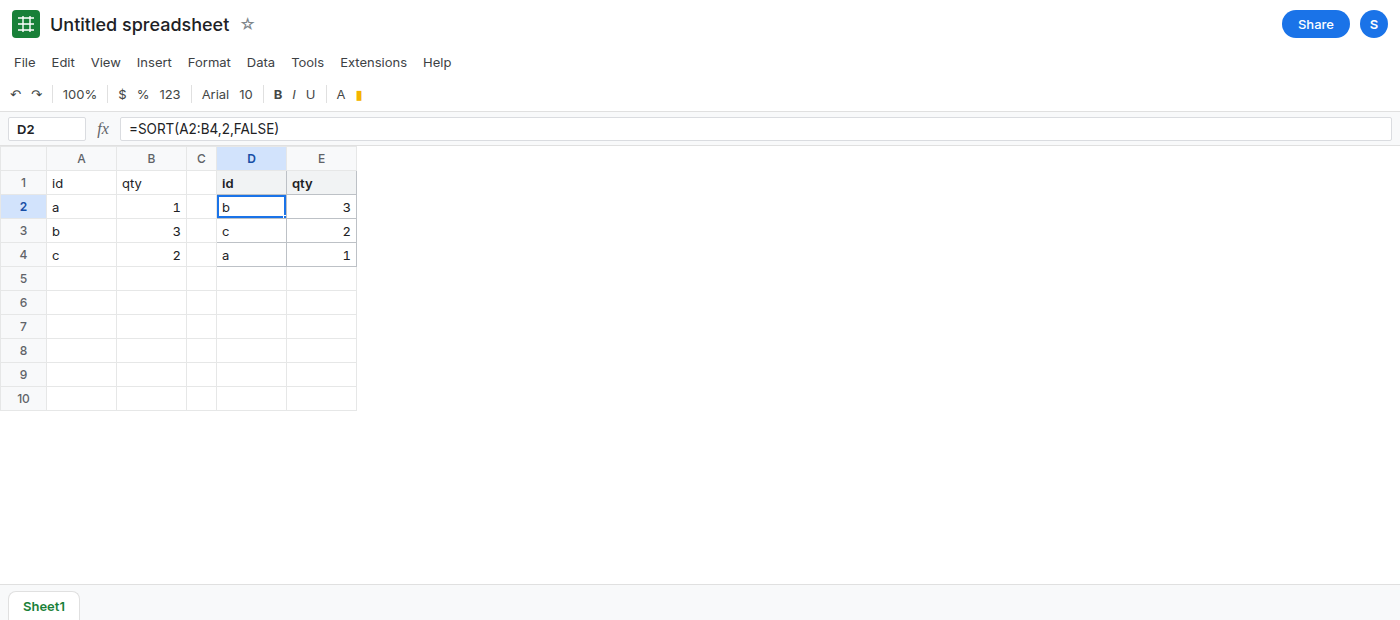
Spill a private order beside the source. In D1 type id, E1 qty. In D2 enter =SORT(A2:B4,2,FALSE). The spill follows qty descending: b 3, c 2, a 1. Column A stays whatever the sheet order is now. Sorting D2 does not apply. It is a formula. Change B2 and the spill follows. Collaborators who look at A2:B4 are not moved by D2. See SORT column order if you add more keys.
Sort the sheet only when everyone should get the new order. Data → Sort range, with the view closed, is that shared edit. Say so in the file. Version history will record it. A filter view remains the right tool for hiding rows. It is the wrong tool for a private row order if your close-the-view test rewrote column A.
Do not wrap the source in QUERY just to freeze a sort you already applied. QUERY reads the current rows. It does not undo a reorder. See QUERY and filters for a different mistake: a sheet filter does not remove rows from QUERY.
If you closed the view and the ids had moved, the sort was a sheet edit. Use SORT on another range when the order is only for you. If the ids reverted, your view held the sort, and the collab page is the one about hidden rows.