

Fix SWITCH in Google Sheets when the value and the case have different types
Updated
SWITCH(expression, case1, value1, …, [default]) picks the value whose case equals the expression. Equality here does not turn the text "1" into the number 1. A code stored as a number never hits a case you typed as text, so the default runs on every row. If you omitted the default, the same mismatch is #N/A. The tooltip says it did not find the value. The value is on the sheet. The type is not the type of the case.
This page is type versus case. A genuine missing status of the same type, and the shape of the default argument, are SWITCH no match. Pasting that default into IFS is IFS no default. Keep the Google Sheets UI in English.
Recreate it on a blank sheet
Section titled “Recreate it on a blank sheet”- Open a blank spreadsheet. In A1 type
code. In A2 type1. In the formula bar, confirm A2 is the number 1, not the text 1. If Sheets stored text, retype it or enter=1in A2. In B1 typelabel.
Text cases, numeric code, with a default. In D1 type switch. In D2 enter =SWITCH(A2,"1","one","2","two","other"). The cases "1" and "2" are text. A2 is a number. None of the cases equal A2. The default other runs. D2 shows other. No error triangle. Every code on a long list will show other if they are numbers and the cases are quoted. Leave D2 as other.
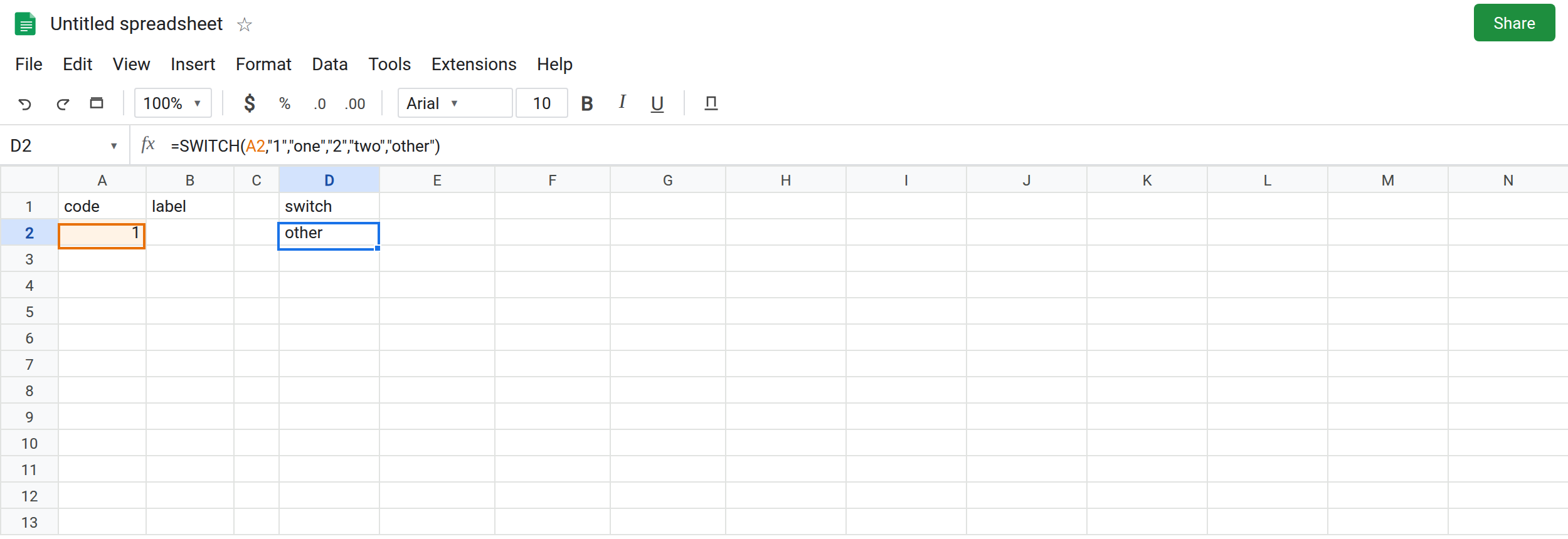
The same mismatch with no default. In D4 enter =SWITCH(A2,"1","one","2","two"). The cell shows #N/A. The tooltip says it did not find value 1 in the SWITCH evaluation. You can see a case that looks like 1. It is text. Leave D4 broken.
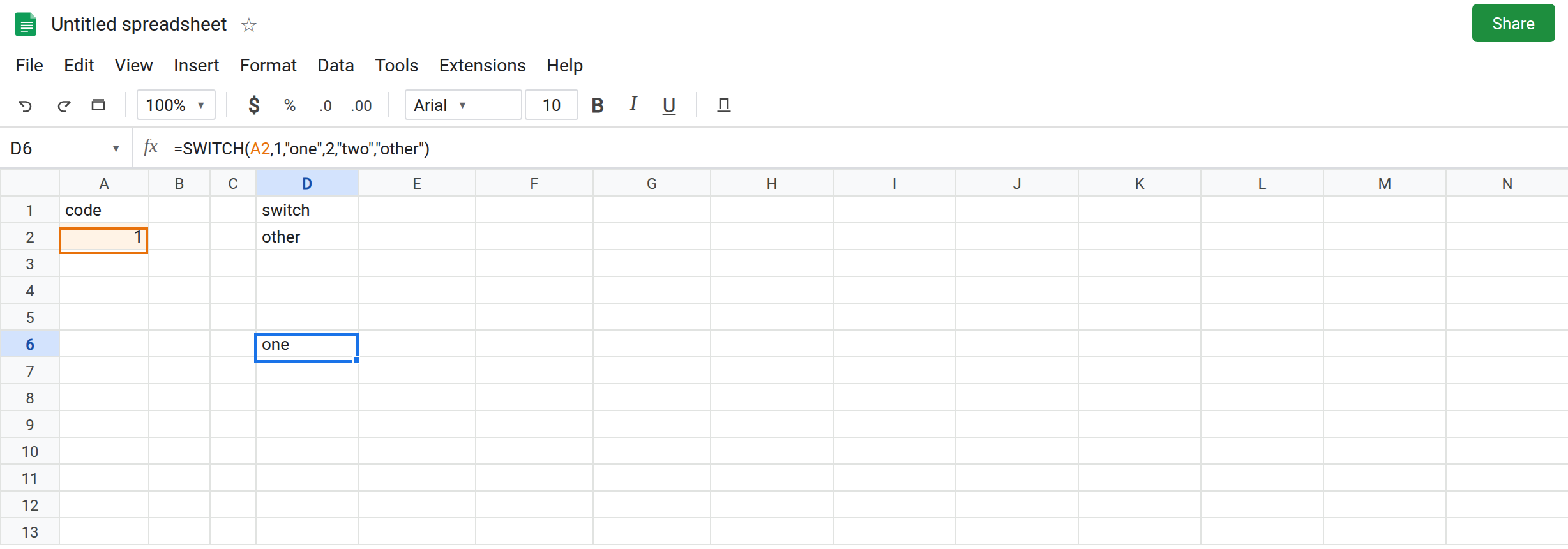
Number cases hit. In D6 enter =SWITCH(A2,1,"one",2,"two","other"). The cases are numbers. D6 shows one. That cell is the control. The default is still there for a code you did not list.
Text that only looks like a match. In A8 type '1 with a leading apostrophe so A8 is text, or enter =TEXT(1,"0") in A8 if you prefer a formula. A8 displays 1 and is text. In D8 enter =SWITCH(A8,1,"one",2,"two","other"). Number cases, text expression. D8 shows other. The control in D6 does not protect D8. Leave D8 as other.
TRUE versus 1. In A10 enter =TRUE. In D10 enter =SWITCH(A10,1,"one",TRUE,"yes","other"). The boolean matches TRUE, not 1. D10 shows yes. In D11 enter =SWITCH(A10,1,"one","other"). D11 shows other. Sheets did not treat TRUE as 1 inside SWITCH. Leave D11 as other.
IFS will coerce a comparison you write yourself. In F2 enter =IFS(A2=1,"one",A2=2,"two",TRUE,"other"). F2 shows one when A2 is the number 1. A2="1" would be FALSE. SWITCH does not give you a place to write =. The case is compared as a value. That is why D2 and F2 can disagree on the same A2. F2 is IFS no default when the TRUE pair is missing.
Leave D2 as other, D4 as #N/A, D8 as other. Leave D6 as one.
What is actually wrong
Section titled “What is actually wrong”- The expression and the case have to be the same kind of value, or values Sheets already considers equal. The number 1 and the text
"1"are not equal. D2 always takes the default. D4 has no default, so#N/A. - The default is doing what it is documented to do. It is not stuck. Removing it to “see the real result” produces D4, which is the same miss with a triangle. Fix the types. Then decide whether a default should remain for codes that are truly absent.
- A leading apostrophe,
TEXT,T, or a CSV import can store digits as text. The grid shows1either way.ISTEXT(A2)is FALSE on the numeric control and TRUE on A8. See CSV text vs number when a file import caused it. - Dates fail the same way. A real date compared to the text
"2024-01-15"misses.DATE(2024,1,15)is a date value. The text is not. SWITCHwill not run a condition.A2>0as a case compares the code to the boolean result of something else, not “if the code is positive.” Ranges and inequalities belong on IFS no condition.
This is not a lookup miss in a table. See what #N/A means. D4’s tooltip names SWITCH.
Leave D2 and D4 broken.
Make the cases the same type as the cell. Keep D6: =SWITCH(A2,1,"one",2,"two","other") when A2 is numeric. When the column is text, quote every case: =SWITCH(A8,"1","one","2","two","other") in D13. D13 shows one if A8 is text 1.
Or coerce one side, once. =SWITCH(VALUE(A8),1,"one",2,"two","other") when A8 is numeric text. VALUE of a real word is #VALUE!. Do not wrap that in IFERROR until you have seen which codes are not numbers. =SWITCH(TEXT(A2,"0"),"1","one","2","two","other") forces the numeric code out to text and then uses text cases. Pick one side and convert the other. Do not convert both in ways that disagree (TEXT on one row, raw numbers on the next).
Keep a default only for codes that are allowed to be unknown. A default that catches every row is D2: a type bug, not a business rule.
Do not wrap D4 in IFNA and ship other for the number 1. See IFERROR vs IFNA.
If every row hits the default and ISTEXT on the code disagrees with the quotes around your cases, the types differ. If one unquoted code of the same type still hits the default, that code is actually absent. That page is SWITCH no match.