

An Excel LAMBDA stored in Name Manager imports as #NAME? in Google Sheets
Updated
Excel’s Name Manager can store a LAMBDA. The name ADDONE refers to =LAMBDA(x, x+1), and =ADDONE(3) shows 4 in Excel. Google Sheets has named functions, under Data → Named functions, and they are a different list. Opening the .xlsx does not copy that Name Manager entry onto the list. The cell that called ADDONE is #NAME?. A formula that still says _xlfn.LAMBDA is #NAME? for the same reason. The prefix is Excel’s. Sheets has LAMBDA without that prefix, and it still will not revive the imported name by itself.
Sheet Error is not Microsoft and not Google. Keep the Google Sheets UI in English. A named function you defined in Sheets and then called with the wrong number of arguments is named functions. LAMBDA hitting the calculation limit is recursive LAMBDA limit.
Recreate it on a blank sheet
Section titled “Recreate it on a blank sheet”- You need Excel for the import half. In Excel, Formulas → Name Manager → New. Name:
ADDONE. Refers to:=LAMBDA(x, x+1). In A1 enter=ADDONE(3). A1 shows4. The formula bar showsADDONE, not the lambda body. That cell is the control in Excel.
Open it in Sheets. Save as .xlsx. In Google Sheets, File → Import → Upload and open the file. Click A1.
Read the formula bar. You are looking for one of these:
- A1 is
#NAME?. The bar shows=ADDONE(3)or a name Sheets does not know. Data → Named functions does not listADDONE. Leave A1 broken. - The bar contains
_xlfn.LAMBDAor_xlfn.ADDONE. A1 is#NAME?. That prefix is not a Sheets function. Leave it broken. See unknown function. - The bar is empty and A1 is the value
4. The call was flattened. Change nothing in a source cell, because there is no source cell left. The name is still absent from Named functions. A later row that still says=ADDONE(3)is the live failure. If every cell is a value, type=ADDONE(3)in C1 and watch it become#NAME?.
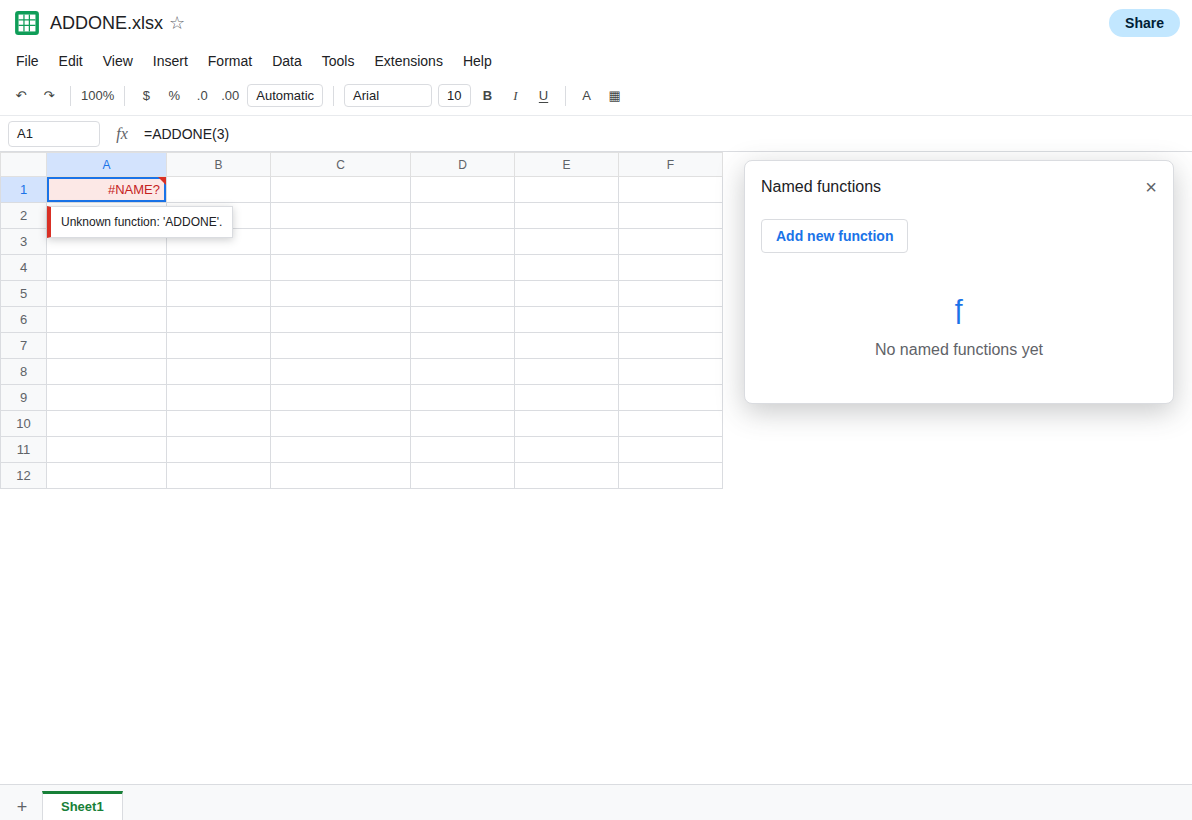
Sheets side, if you have no Excel file. In a blank Google sheet, enter =ADDONE(3) in C1. C1 is #NAME?. Enter =_xlfn.LAMBDA(x, x+1)(3) in C2. C2 is #NAME?. Those two cells are the same failure the import produces. A real Sheets lambda in C3, =LAMBDA(x, x+1)(3), shows 4. C3 is the control. It does not create a name. =ADDONE(3) stays #NAME? beside it.
A defined name that is only a range, not a LAMBDA, can still arrive as a named range. Do not treat every Name Manager row as this bug. The test is a name that calls LAMBDA, and a cell whose bar still tries to use that name.
What is actually wrong
Section titled “What is actually wrong”- Excel stores the lambda on the workbook’s defined names. Sheets stores named functions in its own feature. The importer does not translate one into the other.
#NAME?means the call site survived and the name did not. _xlfn.marks a function Excel wrote for compatibility. Sheets does not implement that token. Stripping the prefix by hand can leave aLAMBDASheets understands, or it can leave a function Sheets does not have. Read the body before you strip. See Excel CSE arrays for the same prefix on older array formulas.=LAMBDA(x, x+1)(3)works without a name. That provesLAMBDAexists here. It does not proveADDONEwill start resolving. You still create the name if you want the short call.- Placeholders in a Sheets named function cannot be cell addresses such as
A1. Excel’s parameterxis fine to reuse. A parameter namedA1is rejected in the Sheets editor. See named functions. - A lambda that recurses can import as a name you then recreate, and then hit the calculation limit. The
#NAME?is this page. The limit after a successful recreate is recursive LAMBDA limit.
Leave the imported #NAME? in place.
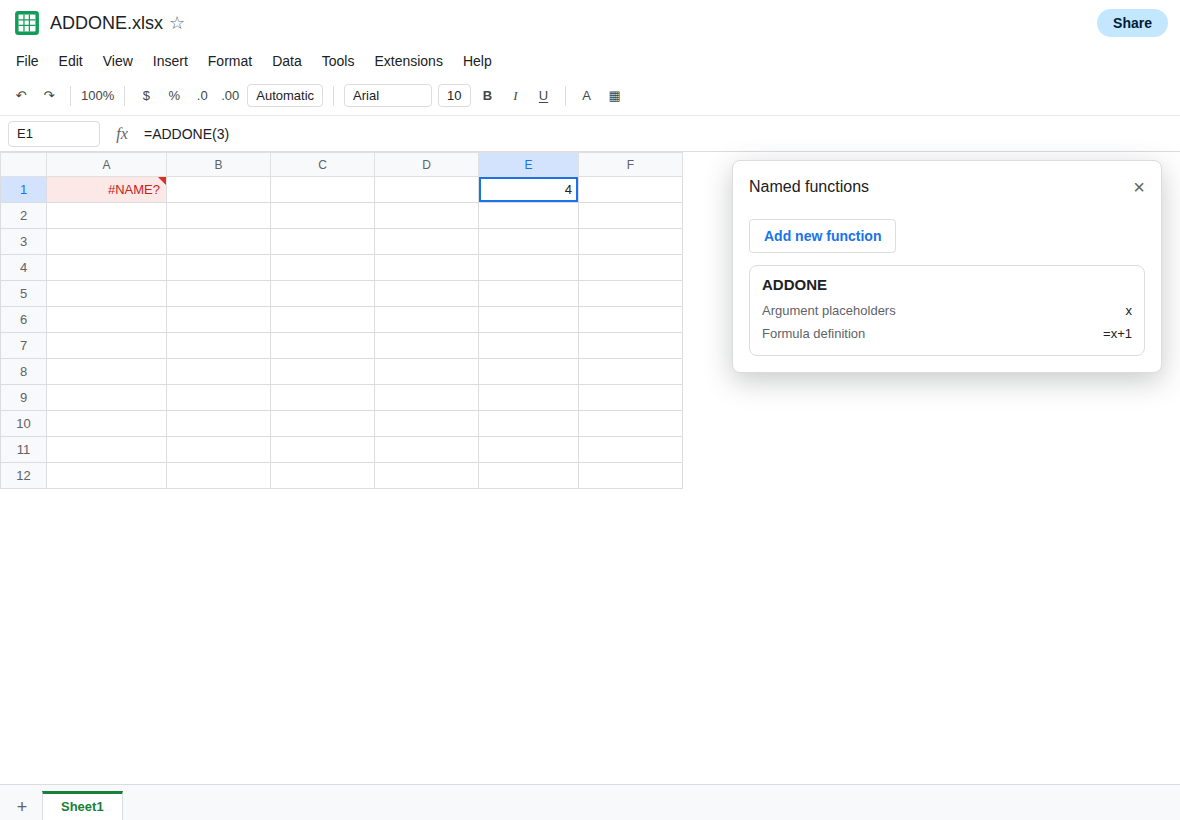
Define the name in Sheets. Data → Named functions → Add new function. Name ADDONE. Argument placeholder x. Formula definition =x+1. Next, and create. In E1 enter =ADDONE(3). E1 is 4. C1, if you typed the bare call before the name existed, may still be #NAME? until you re-enter it. Press Enter on E1 after the name exists.
If the Excel body uses a function Sheets does not have, the named function will not save, or it will save and return #NAME? inside. Replace that function with a Sheets equivalent, or leave the imported values as values. Do not expect Name Manager to update later. There is no refresh back to the .xlsx.
A one-off does not need a name. =LAMBDA(x, x+1)(3) in C3 is enough when you only need the result once. A name is for the call you want to repeat.
If the formula bar shows ADDONE or _xlfn.LAMBDA and the cell is #NAME?, the Excel name did not become a Sheets named function. Create it under Data → Named functions when the body is legal here. If E1 is 4 and the imported cell is still #NAME?, re-enter the call. The old cell does not look up the new name until it calculates again.